 New: SalesBlink is now in ChatGPT →
Let your AI agent automate cold email outreach
Researching leads, writing each email, following up and answering replies takes hours every week. Hand that work to ChatGPT, Claude or SalesBlink's own agents, from the first email to the booked meeting.
14-day free trial No credit card required Works with ChatGPT, Claude and Cursor
Trusted by 12,000+ businesses


Trusted by teams at









Why teams switch to SalesBlink
Hand the slow parts of cold email to AI
Writing a personal email for every lead
With SalesBlink
The Outreach Agent reads each lead’s company website and writes their email and follow-ups for you.
Landing in spam
With SalesBlink
Email WarmUp, a Health score for every sender and inbox placement tests catch problems before they cost you replies.
Replies waiting while you’re busy
With SalesBlink
The AI Reply Agent answers interested leads and sends your booking link, even outside business hours.
Too many tools and tabs
With SalesBlink
Senders, sequences, replies and bookings live in one place, and you can run all of it from the AI chat you already use.
Bring your own agent
Works with the AI you already use
SalesBlink connects to ChatGPT, Claude, Perplexity, Cursor, Codex, Gemini CLI, OpenClaw, Hermes and other AI agents. Once connected, your agent can build lists, launch sequences, check replies and pull reports when you ask in plain language.










“Create a list called Marketing Agencies in New York and add these 40 contacts.”
“Show me this week’s replies marked Interested.”
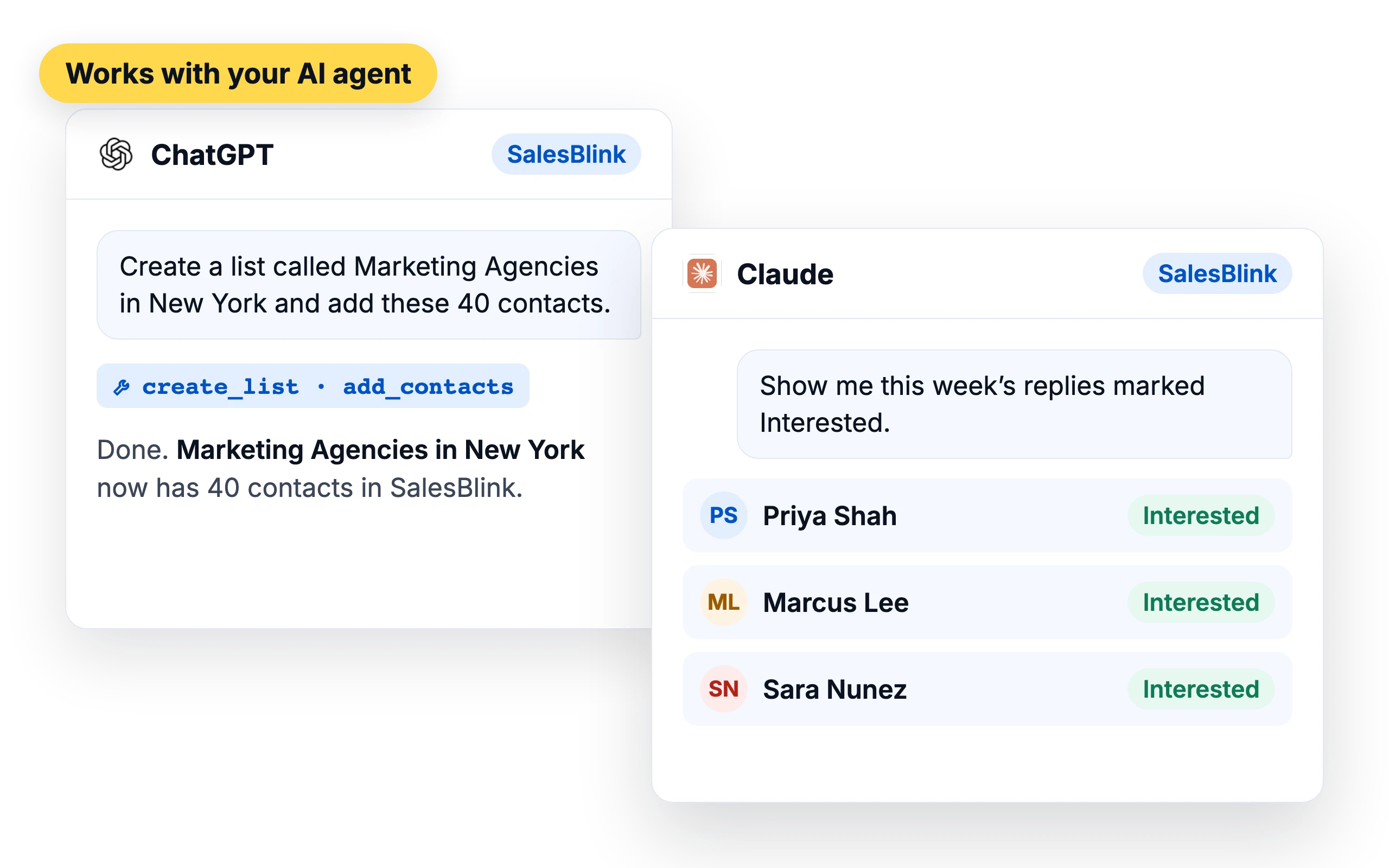
ChatGPT app
A listed app in ChatGPT. Open it, sign in and start asking.
“Show me my SalesBlink lists.”
Use SalesBlink in ChatGPTMCP server
One URL for Claude, Cursor, Codex and other MCP clients. You sign in with SalesBlink instead of an API key.
mcp.salesblink.io/mcp
Skill, CLI and API
Install the skill in your coding agent, script SalesBlink from the terminal or call the REST API.
npm install -g @salesblink/cliHow it works
From one brief to booked meetings
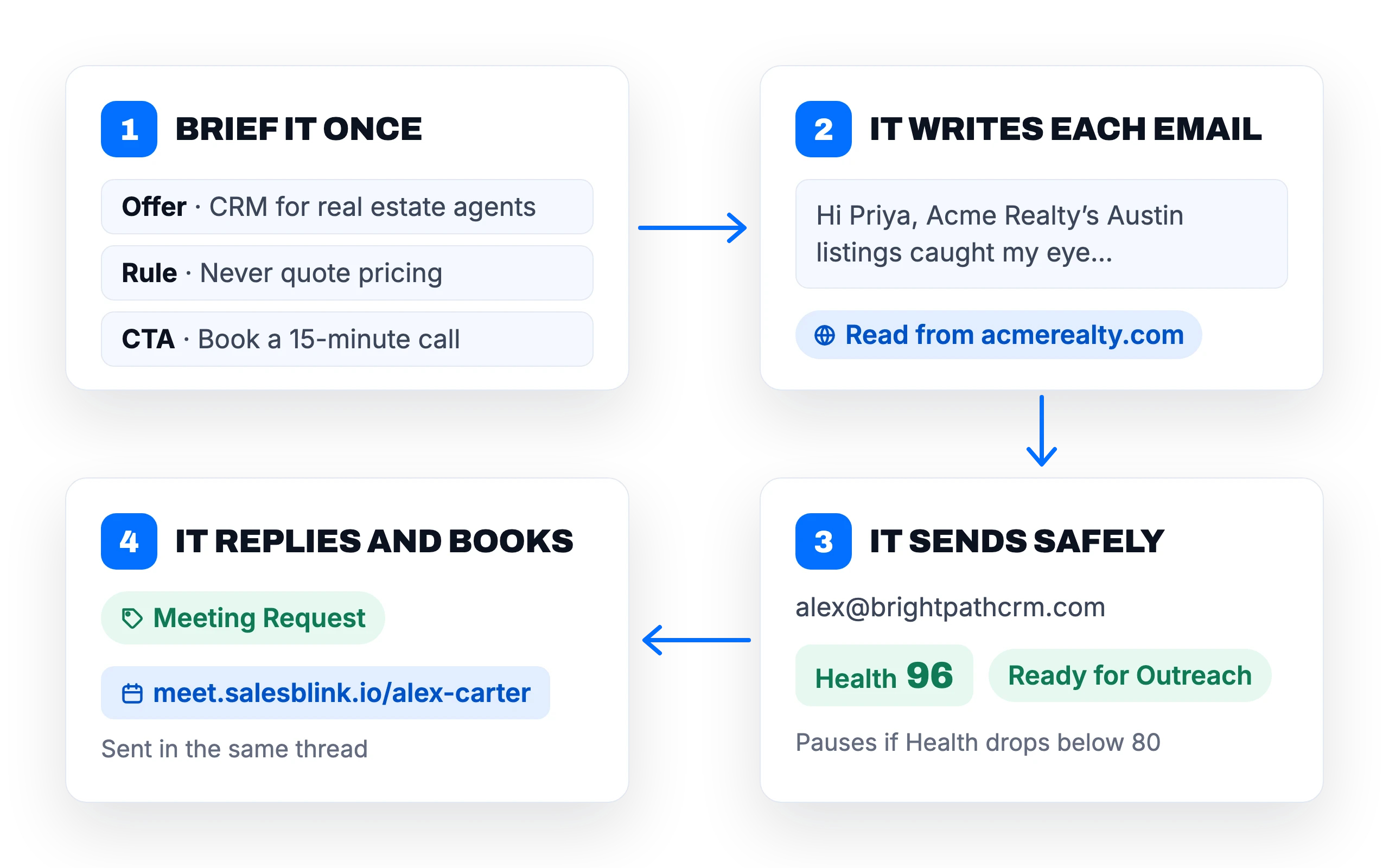
Brief it once
Add your offer, ideal customer, call to action and rules (“never quote pricing”) to your Business Profile. Every AI feature follows it.
It writes each email
The Outreach Agent reads each lead’s company website and writes a different email for that lead, plus follow-ups in the same thread.
It sends safely
Emails go out from your senders with daily limits, random delays and provider matching. Set a Health threshold and SalesBlink pauses any sender that falls below it.
It replies and books
The AI Reply Agent tags every reply, answers in the thread and sends your booking link when a lead asks to meet.
Outreach Agent
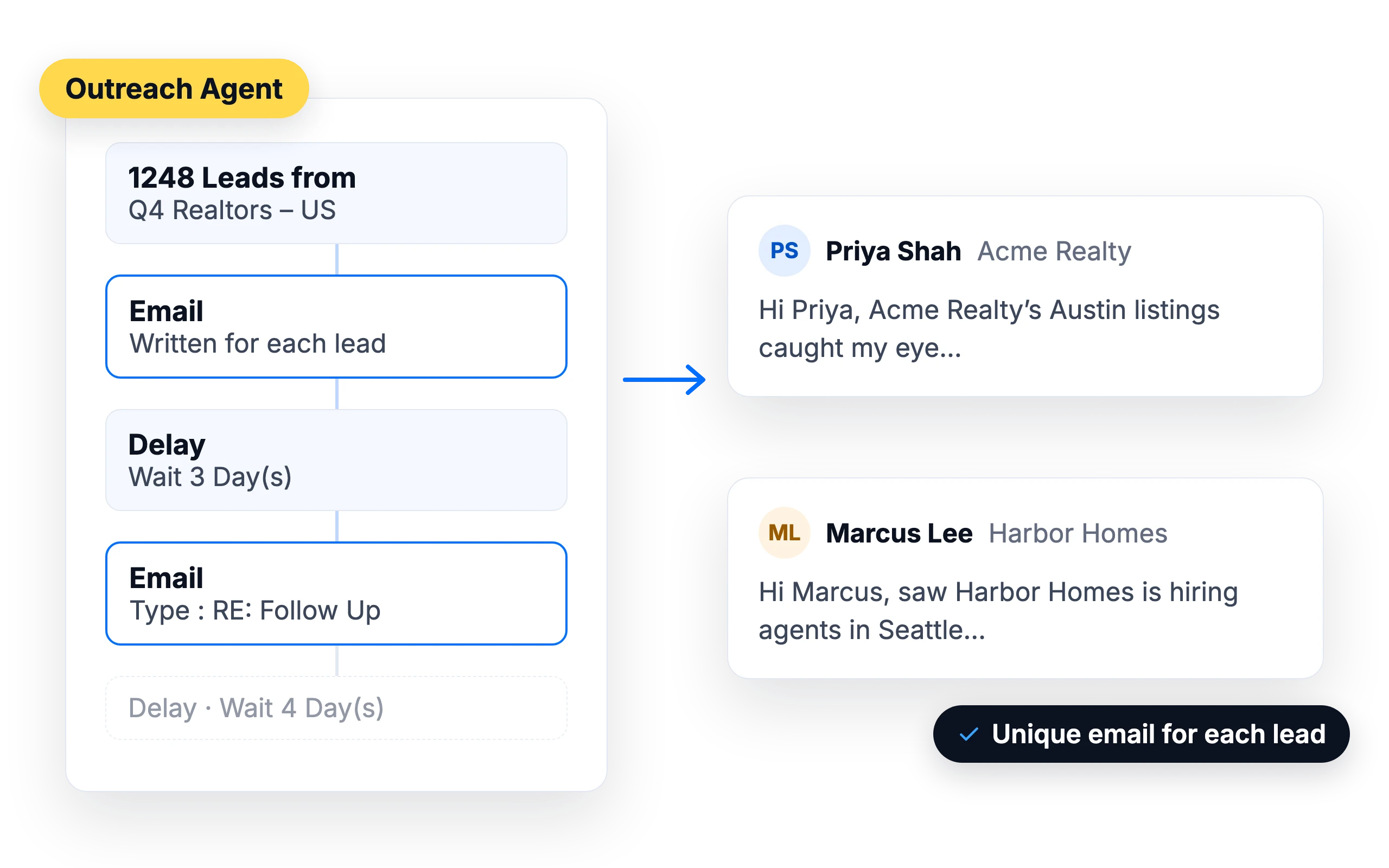
A different email for every lead
Describe your offer once. The Outreach Agent reads each lead’s company website, uses only the lead details you allow, and writes a first email plus three follow-ups in the same thread.
- Pick the tone and length, or paste a sample email to match
- Skips any detail a lead doesn’t have
- Writes in 100+ languages
- Review and edit every email in the Outbox before it sends
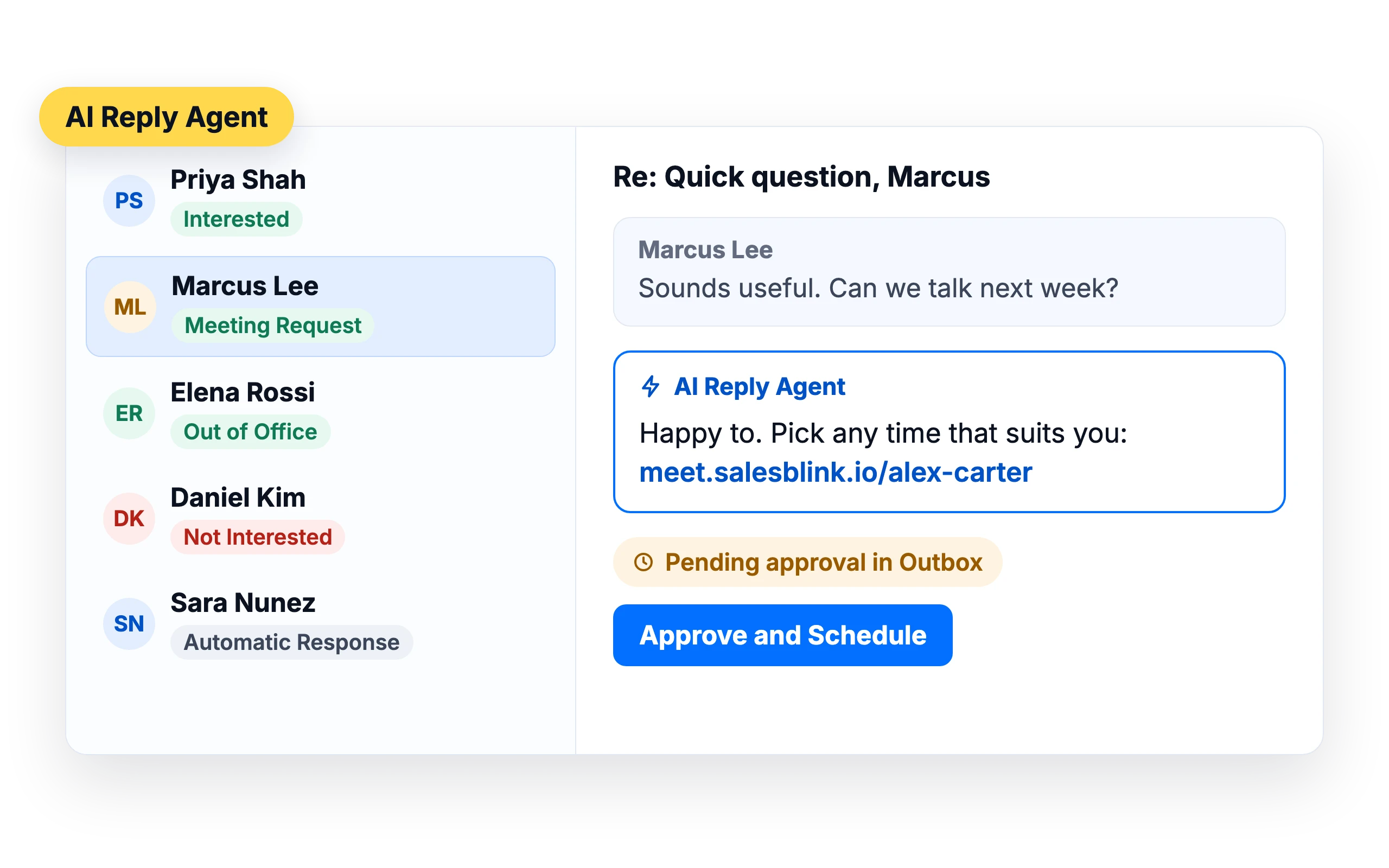
AI Reply Agent
Every reply read, tagged and answered
When a lead replies, the AI Reply Agent tags the reply (Interested, Not Interested, Meeting Request, Out of Office and more) and writes an answer in the same thread, following your instructions for that type of reply.
- Sends your booking link when a lead asks to meet
- Moves the next follow-up past a lead’s out-of-office return date
- Approve each reply first, or let it run on Autopilot
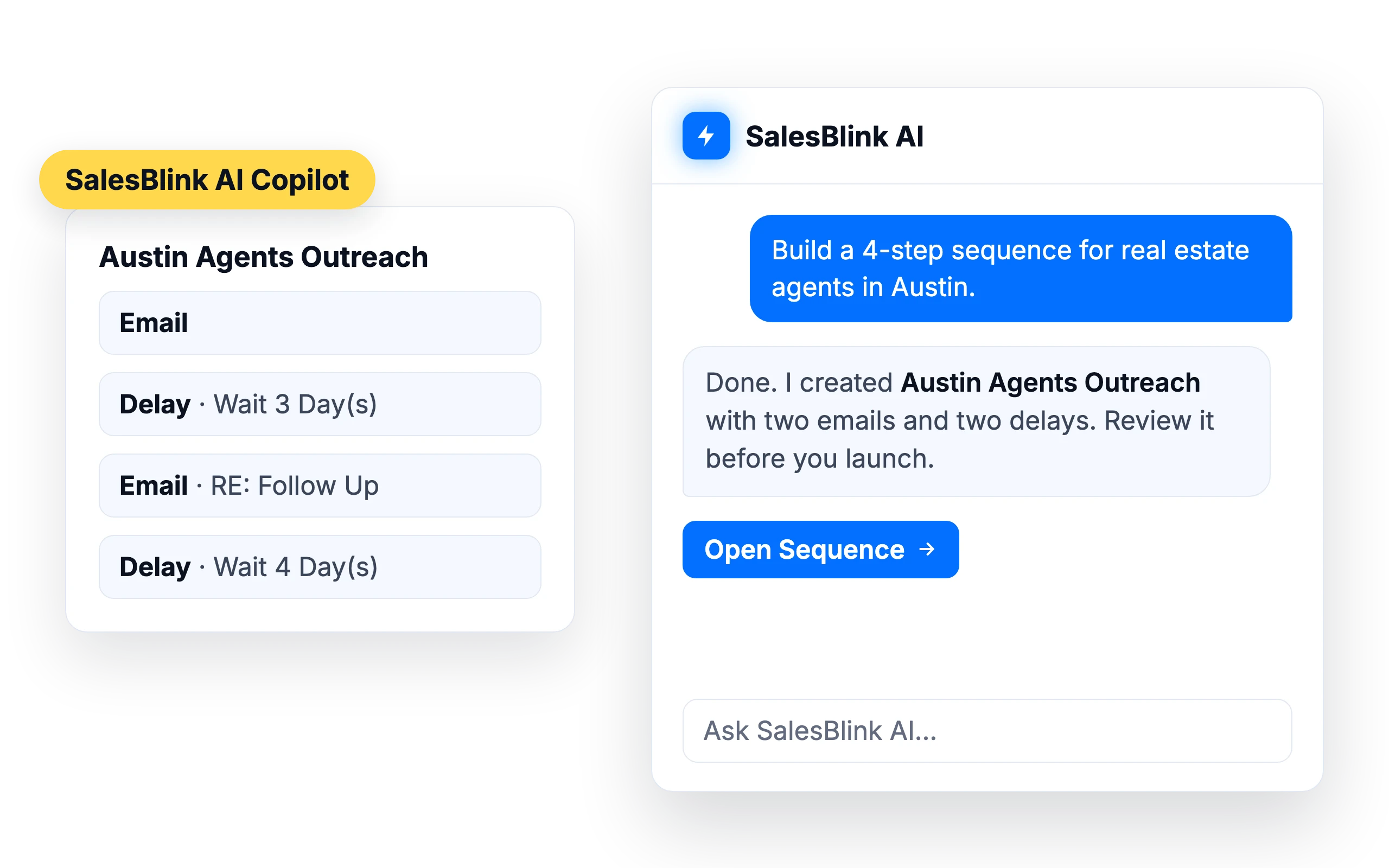
SalesBlink AI Copilot
No AI agent? Use ours
The Copilot sits inside SalesBlink. Ask it to build a sequence, clean up a list or report on last week’s campaigns, and it does the work in your account using 60+ built-in tools.
Land in the inbox
Built to keep your emails out of spam
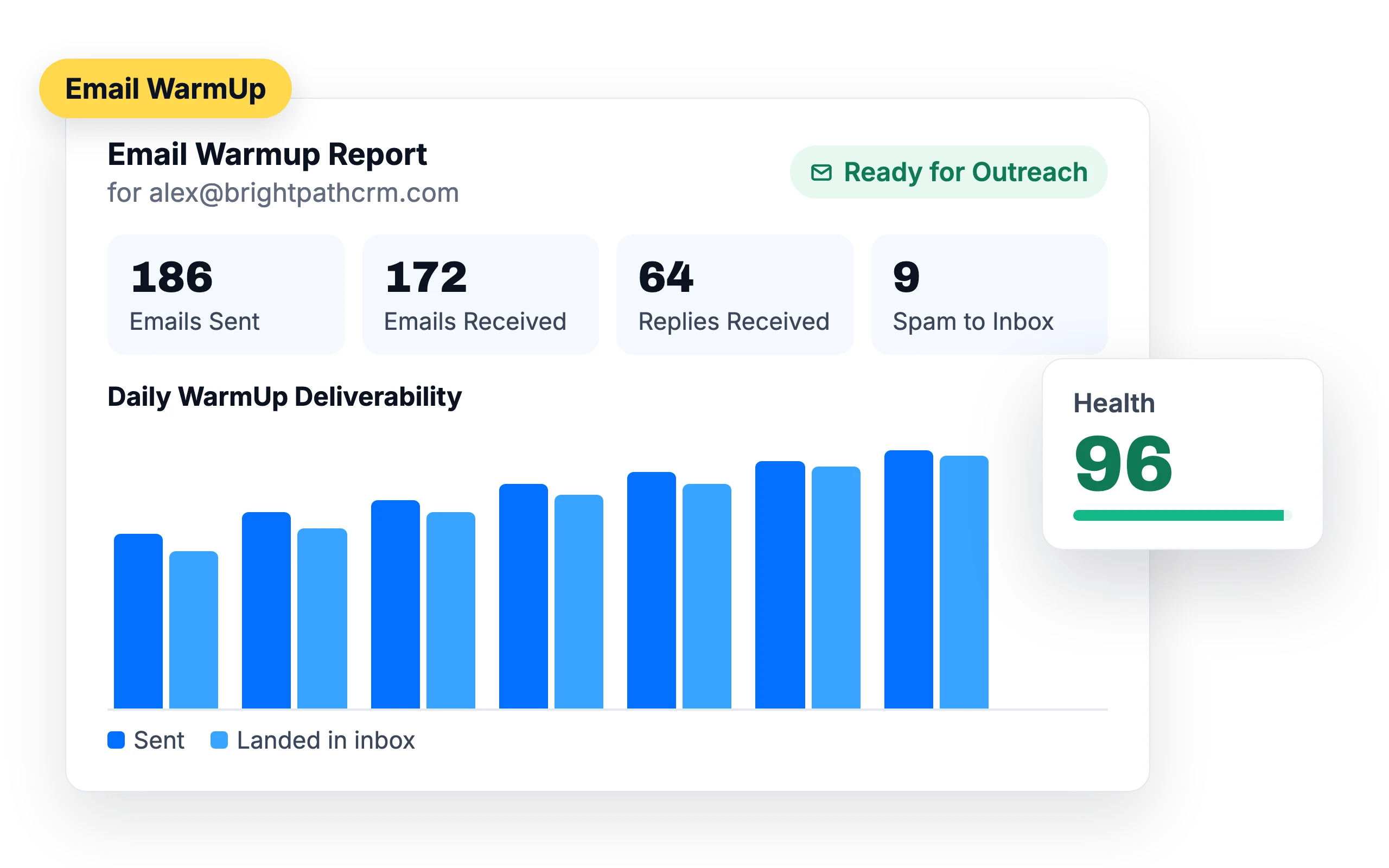
Email WarmUp
A 100,000+ inbox warmup pool builds sender reputation before and during outreach, for 99%+ deliverability.
Health score
Every sender gets a Health score out of 100. Set a threshold and SalesBlink pauses cold emails from senders that fall below it.
Ready for Outreach
The WarmUp report tells you when a new sender is ready to start cold email.
Inbox Placement Test
See whether your emails land in the inbox, spam, promotions or updates at Gmail, Outlook, Zoho Mail and Hotmail.
Skip security gateways
Leads behind Barracuda, Mimecast, Proofpoint or Cisco gateways can be skipped, so you don’t spend sending capacity on emails that bounce.
Verification on import
Check addresses as you import and archive invalid and risky leads automatically.
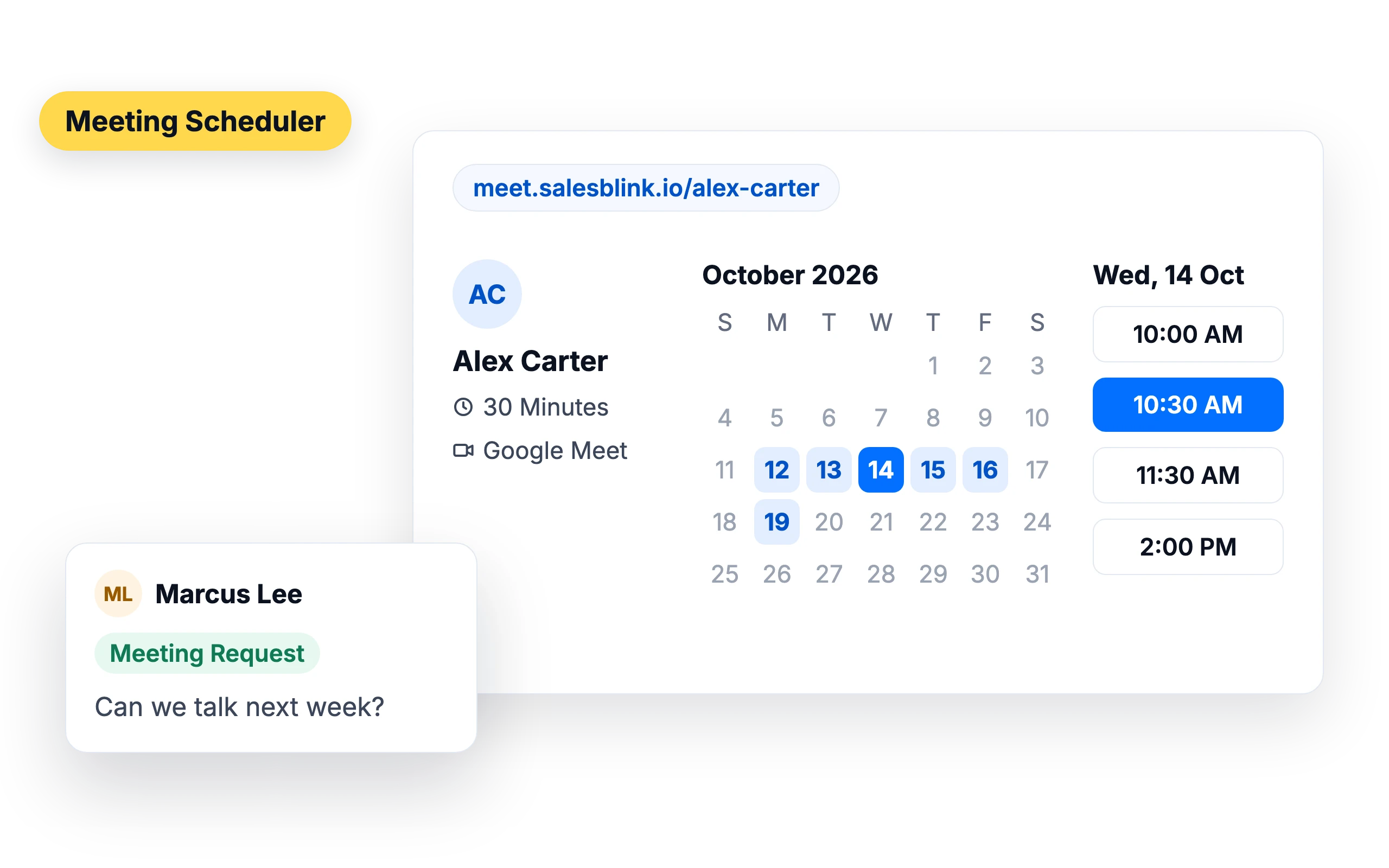
Reply to booked call
Every reply and every booking in one place
Replies from all your senders arrive in one Unified Inbox, already tagged by AI. Select every conversation that matches a filter and act on all of them at once, with keyboard shortcuts and a 10-second undo. When a lead is ready, the Meeting Scheduler books the call with a Google Meet or Microsoft Teams link.
- Reply, attach files and schedule replies without leaving SalesBlink
- Read and answer replies on the go with the Android app (iOS coming soon)
- Booking pages on your own domain, with reminders
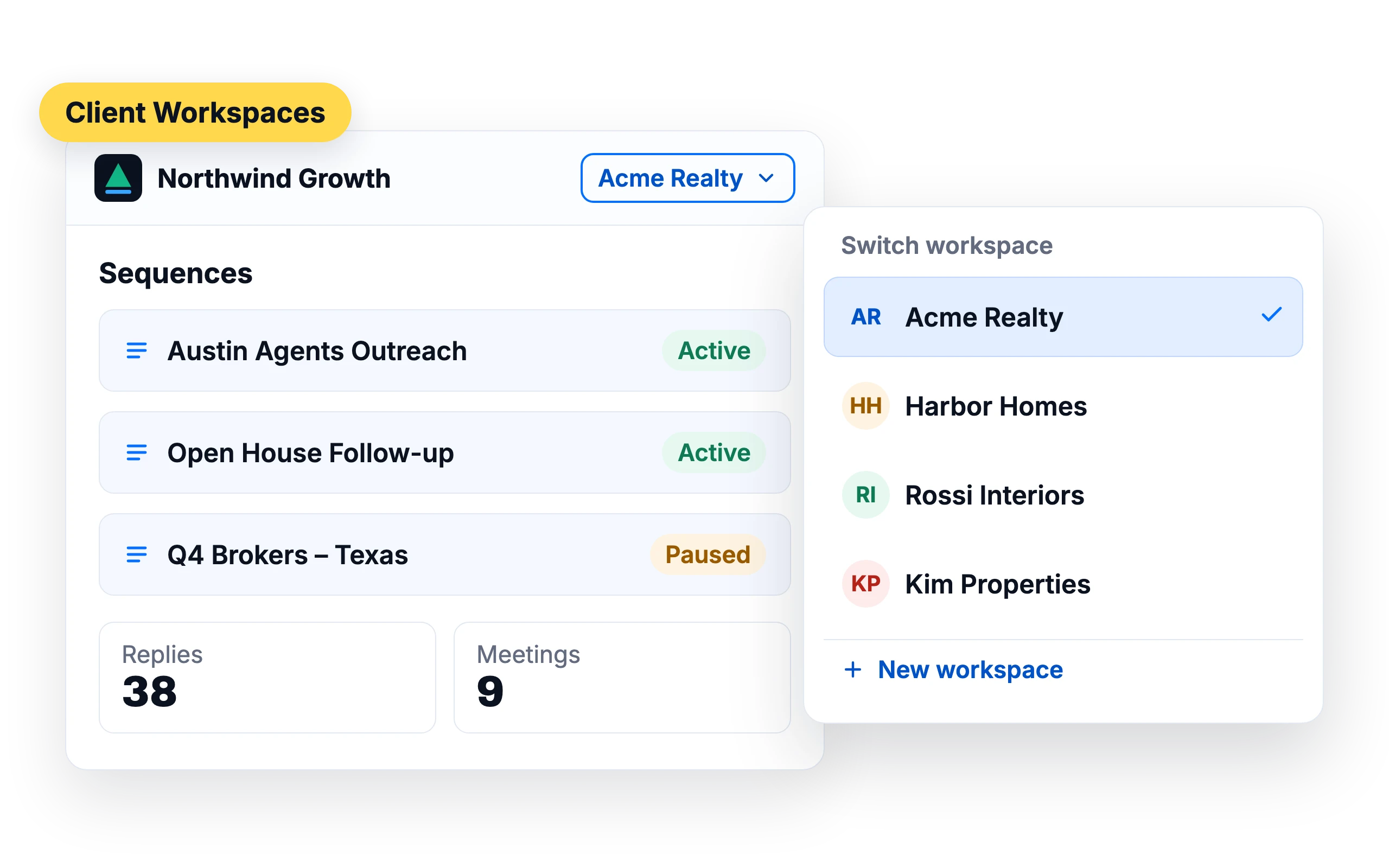
Run AI outreach for every client, under your brand
- A workspace for each client
- Your name, logo and domain on the app
- Clients see their own campaigns and reports
What customers say
4.7/5 on Capterra (286 reviews)4.5/5 on G2 (311 reviews)
5.0 on G2
“The native MCP support (including the recent upgrade allowing AI assistants to connect seamlessly without an API key) lets you manage lead lists, launch sequences, and check reporting/analytics using natural language commands—saving hours of manual setup every week.”
5.0 on G2
“The warmup and placement test let me confirm deliverability on real inboxes before launching, instead of guessing - my Google placement came back at 100% inbox after warmup.”
5.0 on Capterra
“Campaign creation is simple, deliverability has been reliable, and the built-in AI helps speed up email creation.”
Frequently asked questions
What does “let your AI agent automate cold email” mean?
You connect an AI agent such as ChatGPT or Claude to your SalesBlink account. The agent can then create lists, launch sequences, check replies and pull reports when you ask. If you don’t use an AI agent, the Outreach Agent, AI Reply Agent and Copilot inside SalesBlink do the same work.
Which AI agents work with SalesBlink?
ChatGPT (as a listed app), Claude, Perplexity, Cursor, Codex, Windsurf, VS Code and other clients that support MCP. Gemini CLI, OpenClaw, Hermes and other coding agents can use the SalesBlink skill, CLI or REST API.
Will the AI send emails without my approval?
Only if you choose that. You can review every AI-written email in the Outbox before it sends, and the AI Reply Agent can hold each reply for your approval. When an agent connects over MCP, it asks you to confirm before it launches or resumes a sequence.
Will my emails land in the inbox?
SalesBlink can warm up your senders, tracks a Health score for each one, rotates sending across senders and lets you test placement before you launch. Your copy, list quality and sending volume still matter, so start with verified leads and warmed-up senders.
Is there a free trial?
Yes. You get a 14-day free trial and don’t need a credit card to start.
Let your AI agent book your next meeting
14-day free trial. No credit card required.