 New: SalesBlink is now in ChatGPT
One inbox for every mailbox, sorted by AI
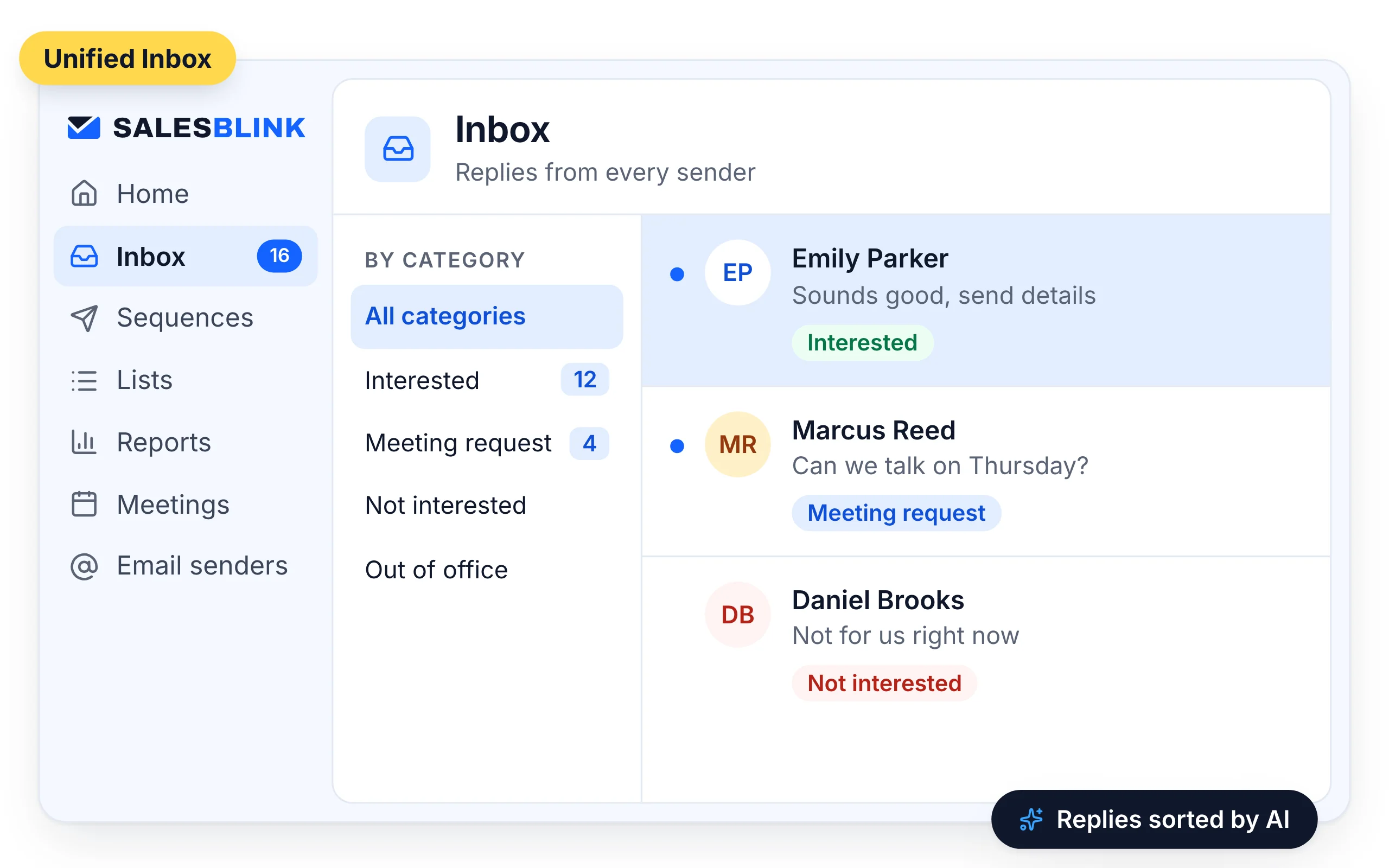
Checking every mailbox for replies wastes time and lets interested leads slip. With SalesBlink, replies from all your mailboxes land in one place, already tagged by intent.
14-day free trial. No credit card required.
Trusted by 12,000+ businesses



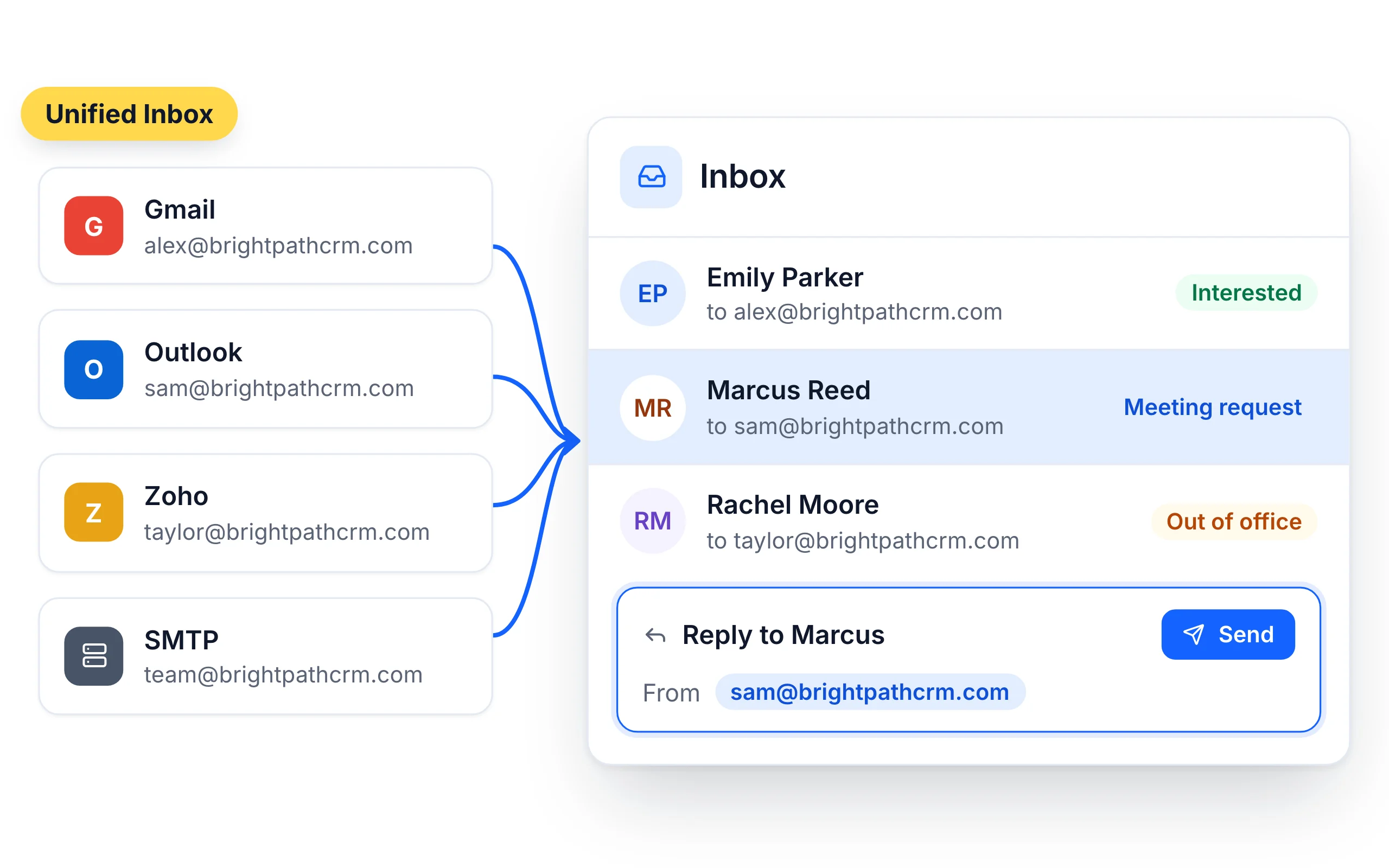
Every mailbox, one inbox
Replies from every connected mailbox (Google Workspace, Gmail, Outlook, Zoho or SMTP) arrive in one inbox. Answer from the mailbox the lead wrote to.
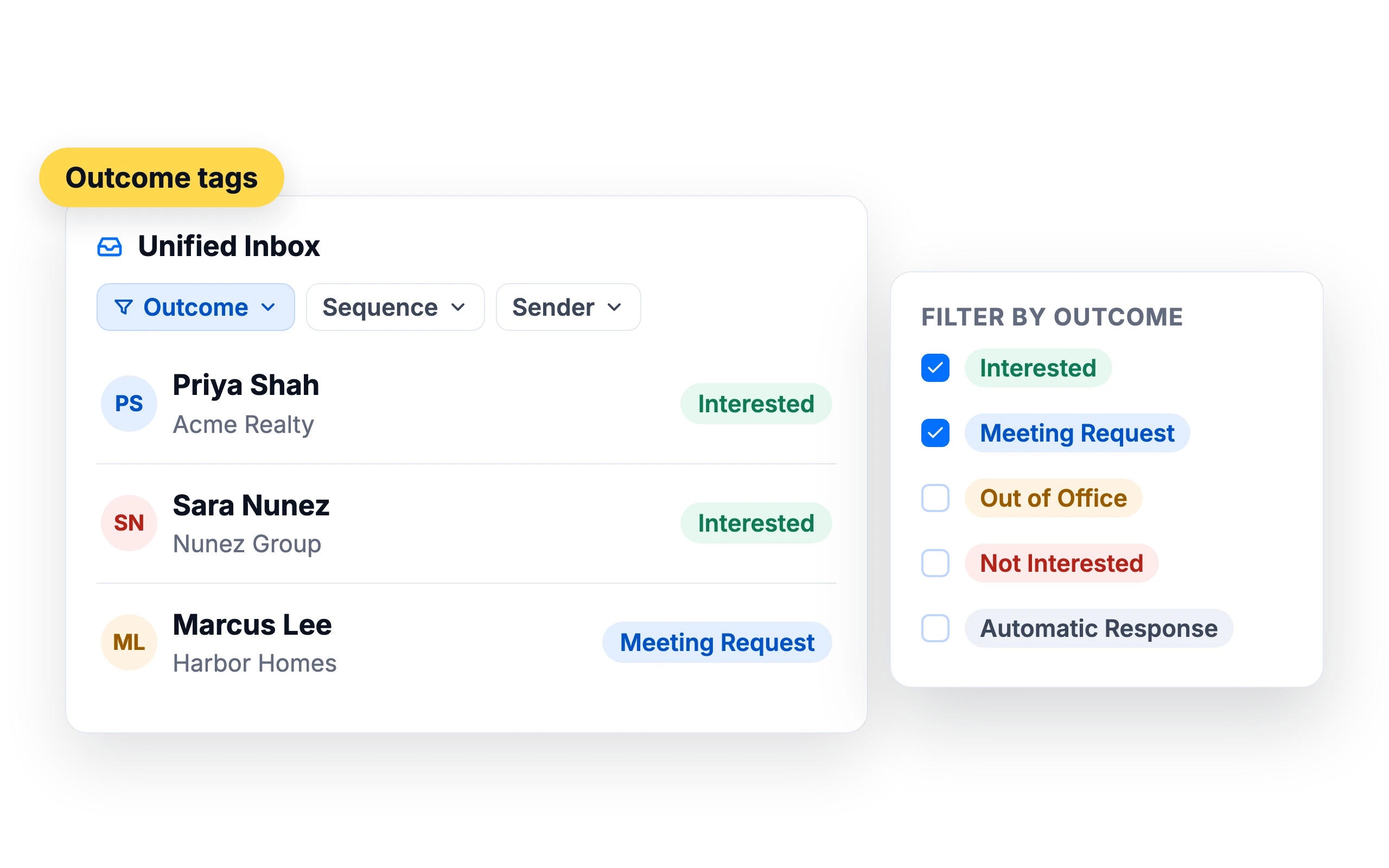
Replies tagged by AI
Each reply gets an Outcome such as Interested, Meeting request or Out of office. Filter by Outcome, sequence, mailbox, date or unread.
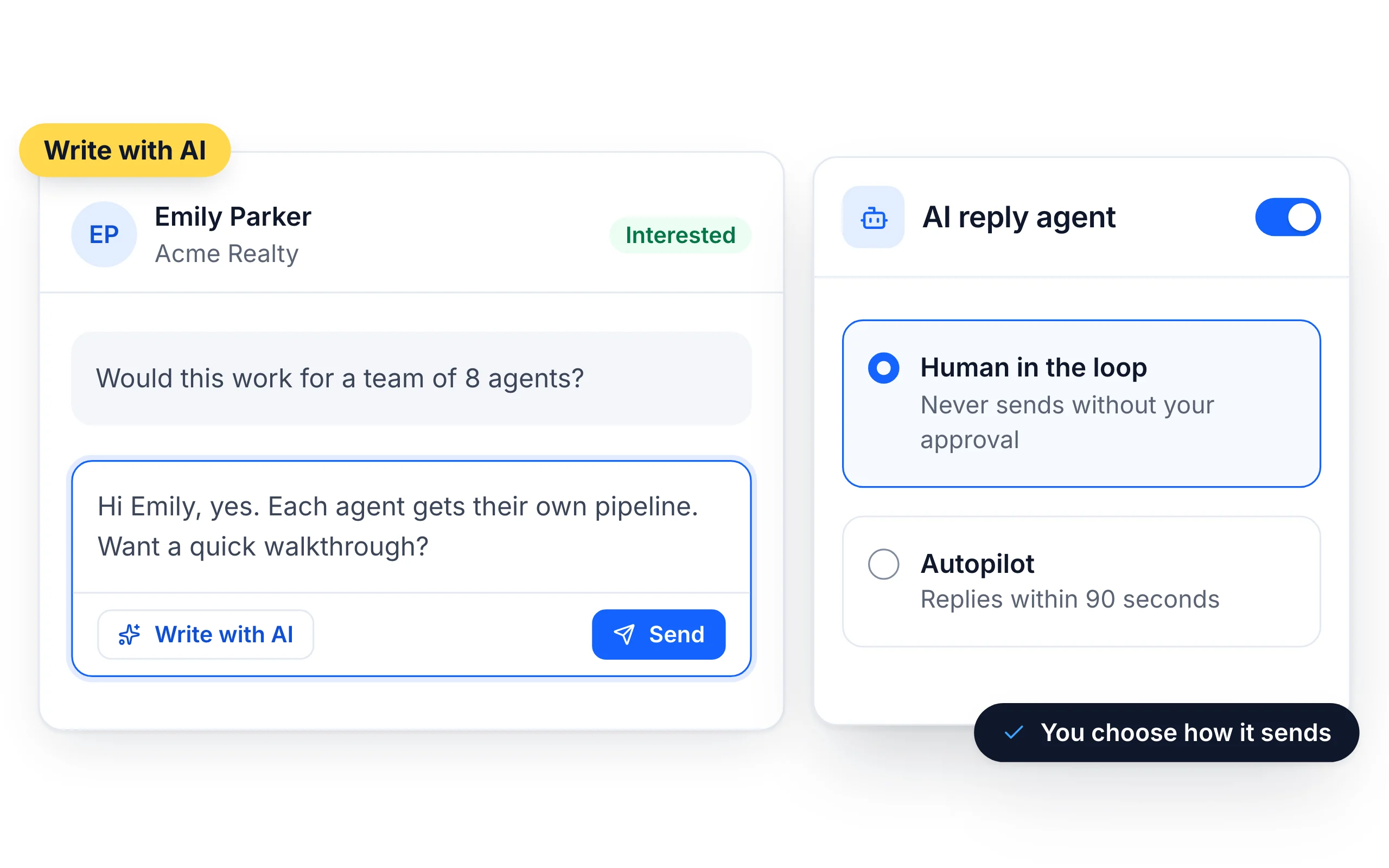
Let AI answer, or write with AI
Turn on the AI Reply Agent to answer replies for you, or click Write with AI to draft a reply yourself.
Learn about the AI Reply Agent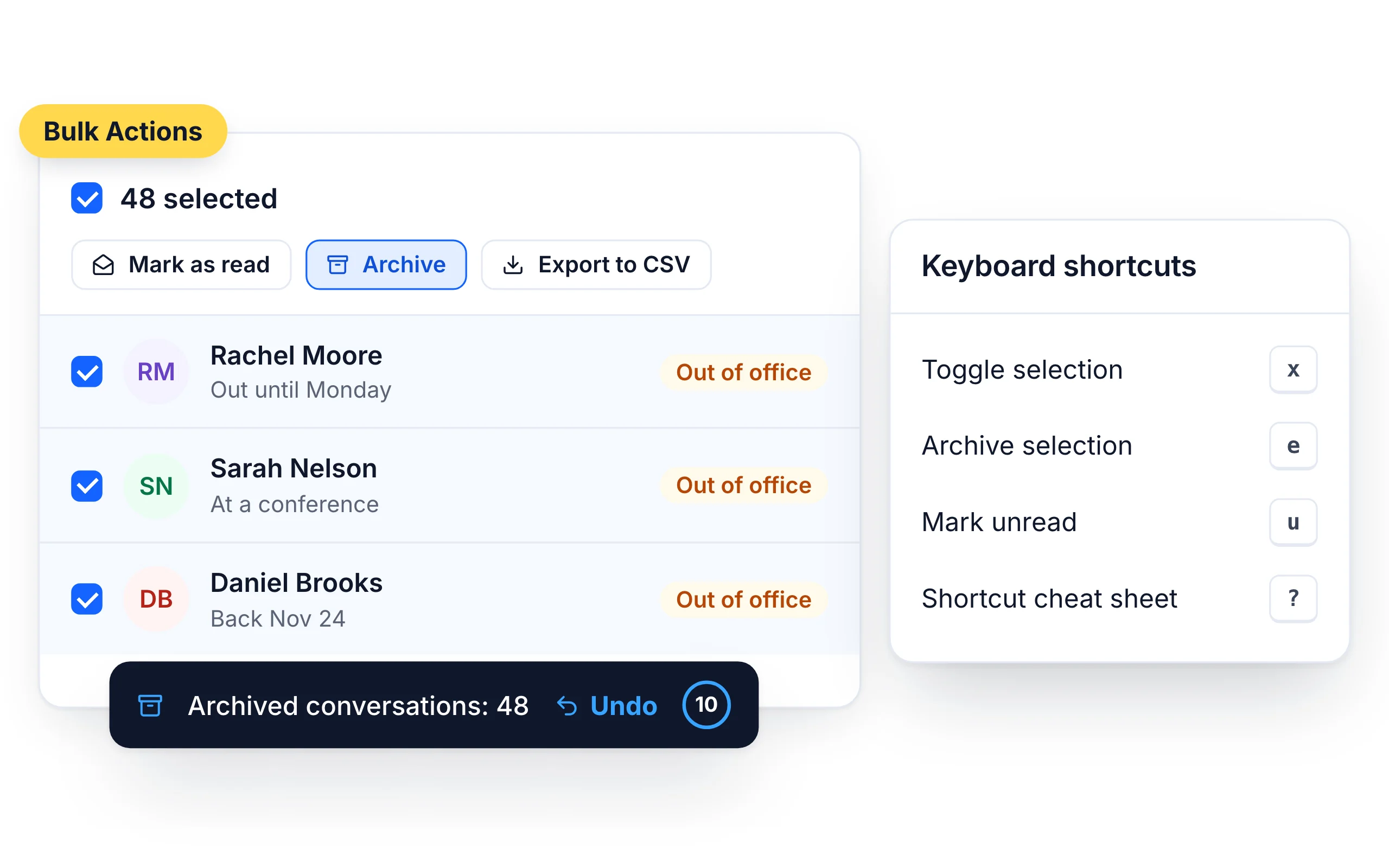
Built for a busy inbox
Select every conversation that matches a filter and mark it read or unread, set its Outcome, archive it or export it to CSV. Most bulk actions can be undone for 10 seconds, and keyboard shortcuts cover the common ones.
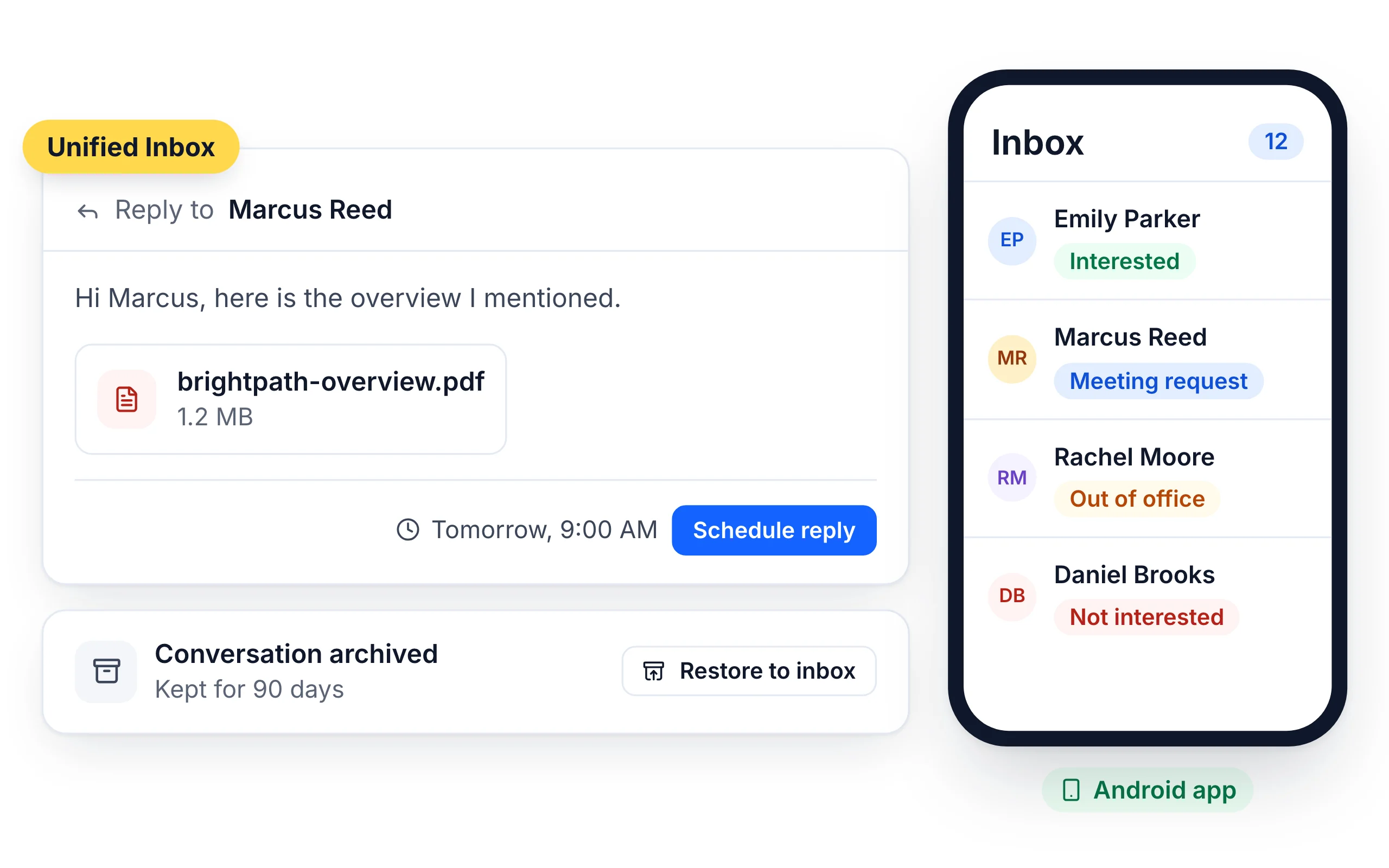
Everything you need to reply
Attach files, save drafts and schedule replies. Archived conversations can be restored for 90 days.
- Read and reply on the go with the Android app (iOS coming soon)





Run it from your agent
Ask your agent "show me the replies marked Interested this week".
What customers say
4.7/5 on Capterra (286 reviews)4.5/5 on G2 (311 reviews)
4.0 on Capterra
“I liked how fast I could create a sequence and how the AI helped me write my first emails. The unified inbox also made it easier to keep track of replies.”
Frequently Asked Questions
What is a unified inbox?
One inbox that collects replies from all your mailboxes, so you don't have to log in to each one.
Which mailboxes can I connect?
Google Workspace, Gmail, Outlook and Microsoft 365, Zoho and SMTP with IMAP.
What are Outcomes?
Tags for each reply, such as Interested, Not interested, Meeting request, Out of office, Automatic response, Do not contact, Wrong person and Closed. You or the AI Reply Agent can set them.
Is there a mobile app?
Yes, for Android. The iOS app is coming soon.
How long are archived conversations kept?
You can restore them for 90 days.
Does the AI Reply Agent answer out-of-office emails?
No. Out-of-office messages and other automatic responses are tagged in the Unified Inbox, but the agent only writes replies for the Outcomes you select: Interested, Not interested and Meeting request. Each of those three has its own prompt that you can edit, and the Meeting request prompt can include your booking link from the Meeting Scheduler.
Can I approve AI replies before they send?
Yes. Run the AI Reply Agent in Human-In-The-Loop mode and each reply waits in the Outbox until you review, edit and approve it. In Autopilot mode, replies send automatically about 90 seconds after they're created. You can switch modes at any time in AI Settings, and turn off AutoReply for any single sequence.
If I reply from Gmail directly, will SalesBlink see it?
Yes. When the mailbox is connected with IMAP and has Unified Inbox turned on, SalesBlink syncs the conversation no matter where you send your reply from. The lead's next answer still lands in the Unified Inbox. Make sure leads reply to the connected sending address, because copying another mailbox with CC doesn't count as a reply to the sender.
Can I export conversations from the Unified Inbox?
Yes. Select the conversations you want, or use Select all conversations matching these filters, and choose Export to CSV. The file holds up to 5,000 rows with the lead's email, name, sequence, Outcome, date and a snippet of the first 120 characters of the message. Export works on every tab, including Sent, Scheduled and Archived.