 New: SalesBlink is now in ChatGPT
 SalesBlink for Claude
Run cold email outreach from Claude
Connect SalesBlink to Claude on the web, in Claude Desktop or in Claude Code, then ask Claude to build lists, launch sequences and check replies.
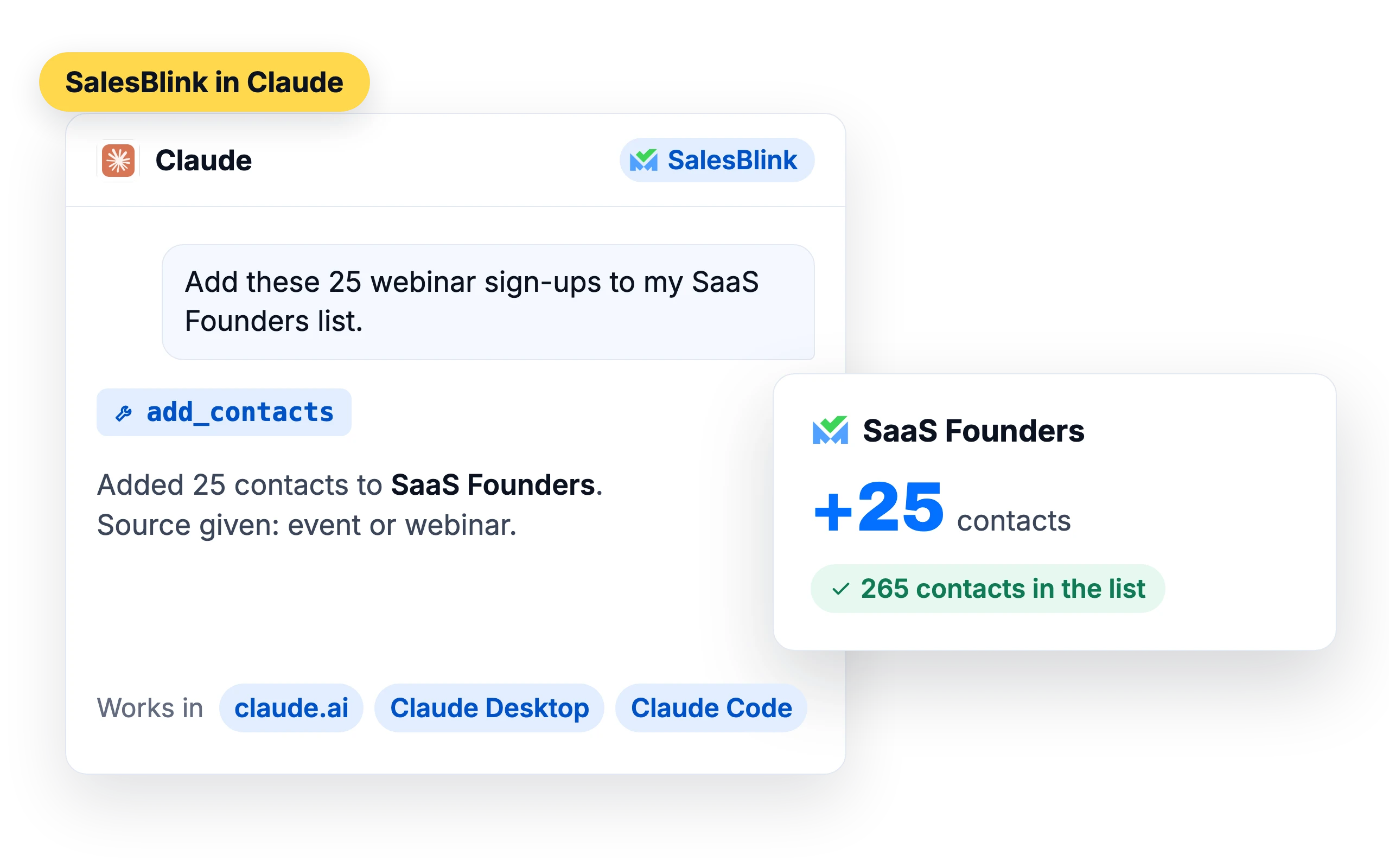
Ask Claude to run your outreach
“Create a list called Marketing Agencies in New York.”
Claude creates the list in SalesBlink.
“Add these emails to my SaaS Founders list.”
Claude states where the contacts came from, then adds them.
“Launch the Welcome Sequence to my new list.”
Claude asks you to confirm, then launches it.
“Show me replies from this week.”
You get the replies with their outcome tags.
“How many opens did my campaign get yesterday?”
Claude pulls the sequence stats.
“Run an inbox placement test for john@mycompany.com.”
A placement test starts. Ask for the results once it finishes.
Pick how you use Claude
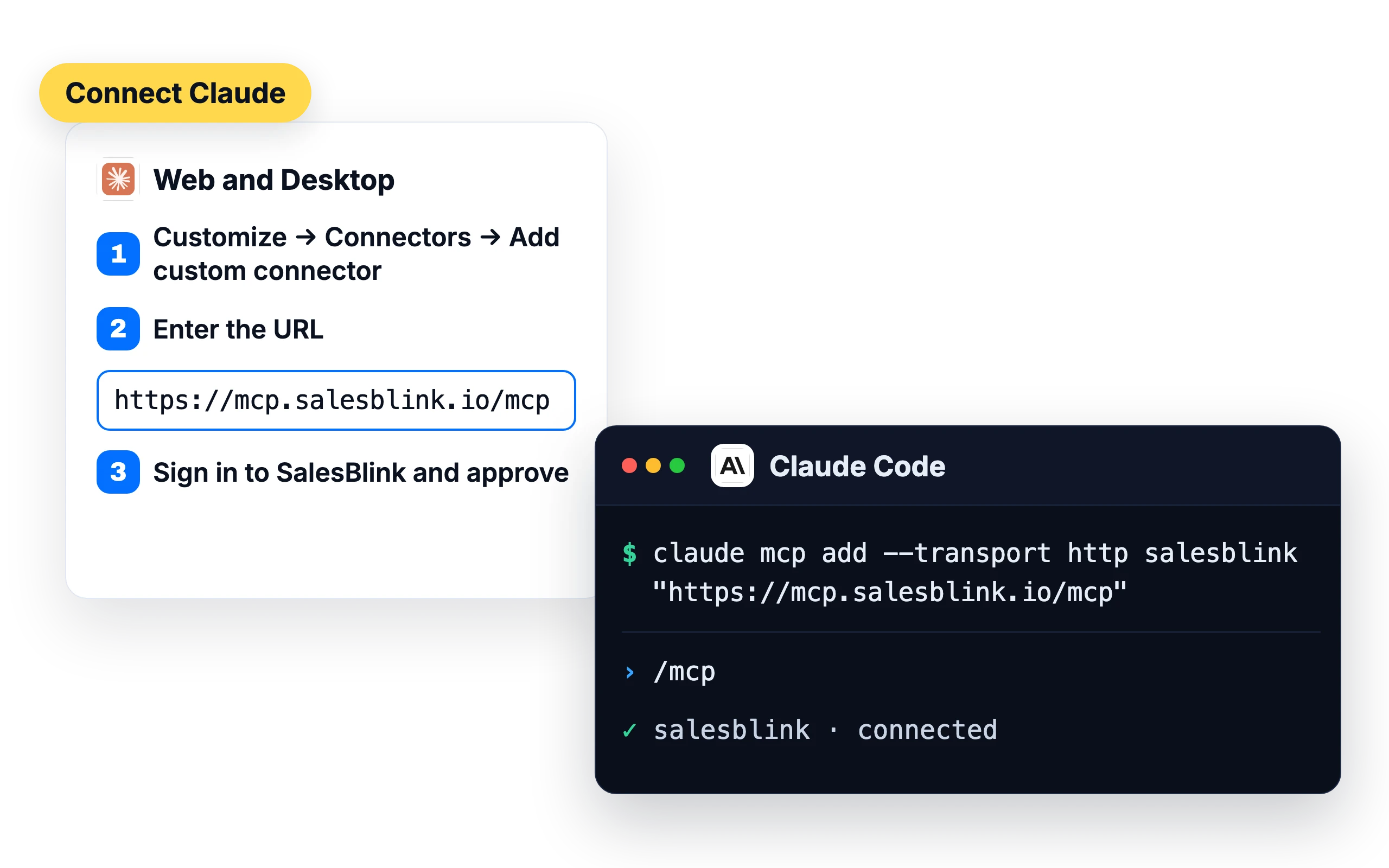
Claude on the web and Claude Desktop
- 1
Open Customize → Connectors and click Add custom connector.
- 2
Enter
https://mcp.salesblink.io/mcp
- 3
Sign in to SalesBlink in the browser and approve the connection.
Claude Code over MCP
- 1
claude mcp add --transport http salesblink "https://mcp.salesblink.io/mcp"
- 2
Then run
/mcpin Claude Code and sign in.
Claude Code plugin
- 1
/plugin marketplace add https://github.com/open-salesblink/skill
- 2
Then set
SALESBLINK_API_KEY.export SALESBLINK_API_KEY=your_salesblink_api_key_here
The plugin uses an API key from Account → Integrations → API.
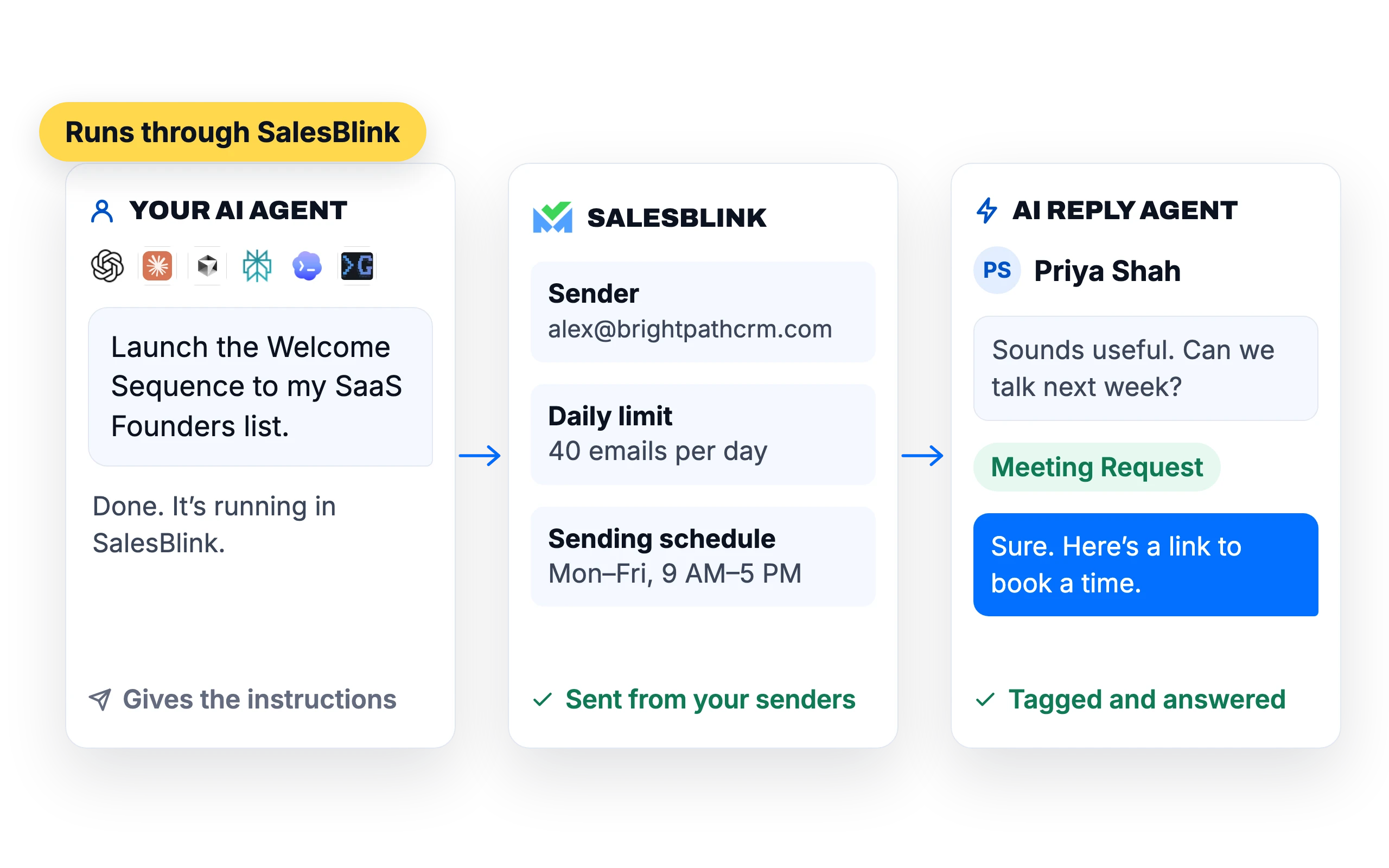
Everything Claude does goes through SalesBlink
Claude gives the instructions. SalesBlink does the sending, so your emails still go out from your SalesBlink senders with their daily limits and sending schedule, and the AI Reply Agent can tag and answer the replies.
You stay in charge
Asks before it acts
Claude asks before it launches or resumes a sequence or takes an action that can't be undone.
Outbox review
Turn it on to approve every email before it sends.
What customers say
4.7/5 on Capterra (286 reviews)4.5/5 on G2 (311 reviews)
5.0 on Capterra
“The native MCP (Model Context Protocol) integration is a massive bonus for value for money, allowing direct connection to AI assistants to manage lists, trigger sequences, and pull reporting and analytics via natural language prompts.”
Frequently asked questions
Do I need a SalesBlink account?
Yes. Claude connects to your SalesBlink account, so you sign in during setup. You can start with the 14-day free trial.
Is my data safe?
Claude connects through an OAuth sign-in that you approve. It works only with the SalesBlink account you signed in with.
Can Claude send emails without asking me?
Claude asks you to confirm before it launches or resumes a sequence. You can also turn on Outbox review so every email waits for your approval.
Can I use other AI agents too?
Yes. The same account works with ChatGPT, Perplexity, Cursor and any MCP client. SalesBlink for AI agents
Can Claude attach files to emails?
No. Emails and replies sent through Claude can't include attachments. Add files from the SalesBlink web app.
Where can the contacts Claude adds come from?
From sources you already have. Each time Claude adds contacts, it has to state where they came from, such as an opt-in list, a CRM export, inbound leads, an event or a lead search tool. Requests without a source are rejected, and the connector isn't meant for addresses the AI makes up or scrapes from the web. It can add up to 500 contacts per request.
Can Claude work across several workspaces?
Yes. Claude can list every workspace you can access, along with your role in each, and switch to the one you name. Later actions in that chat use the selected workspace until you pick another. If you don't choose one, Claude uses your default workspace.
Can Claude check my sender health and warmup?
Yes. Ask about a sender and Claude returns its health and reputation score. It can also pull day-by-day warmup stats, including warmup emails sent, replies and how many moved from spam to inbox, with a breakdown for Google, Outlook and other providers.
Can Claude connect a new email sender?
It can start the connection, and you finish it in your browser. For Gmail or Outlook, Claude gives you a sign-in link, and the sender is added once you approve access. For SMTP/IMAP accounts or a bulk CSV upload, it gives you a link to the Email Senders page in SalesBlink.