 New: SalesBlink is now in ChatGPT
Cold email outreach on autopilot
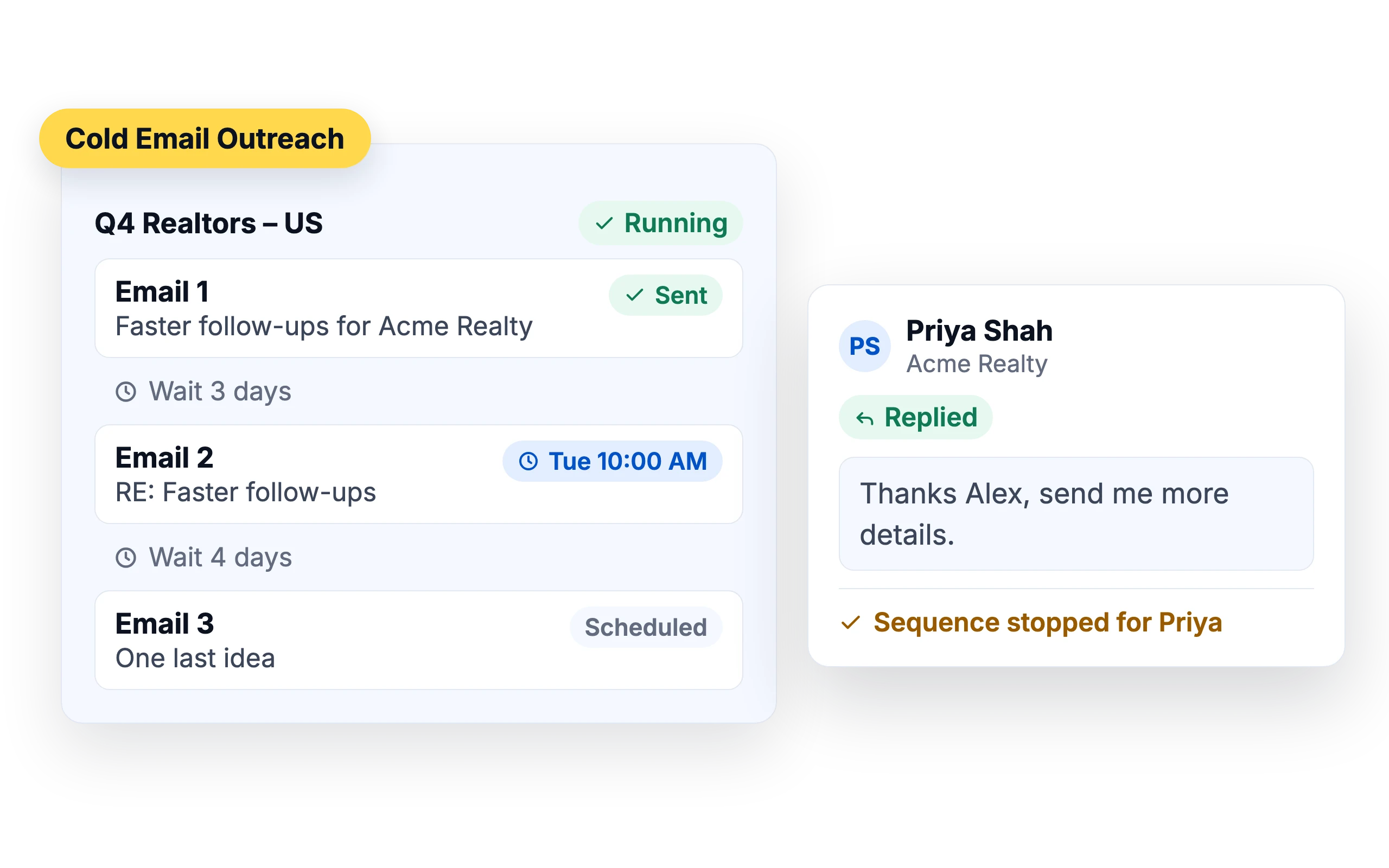
Stop sending and following up by hand. Connect your email accounts, let AI write the emails, and SalesBlink sends every step on schedule until the lead replies.
14-day free trial. No credit card required.
Trusted by 12,000+ businesses


AI writes the emails
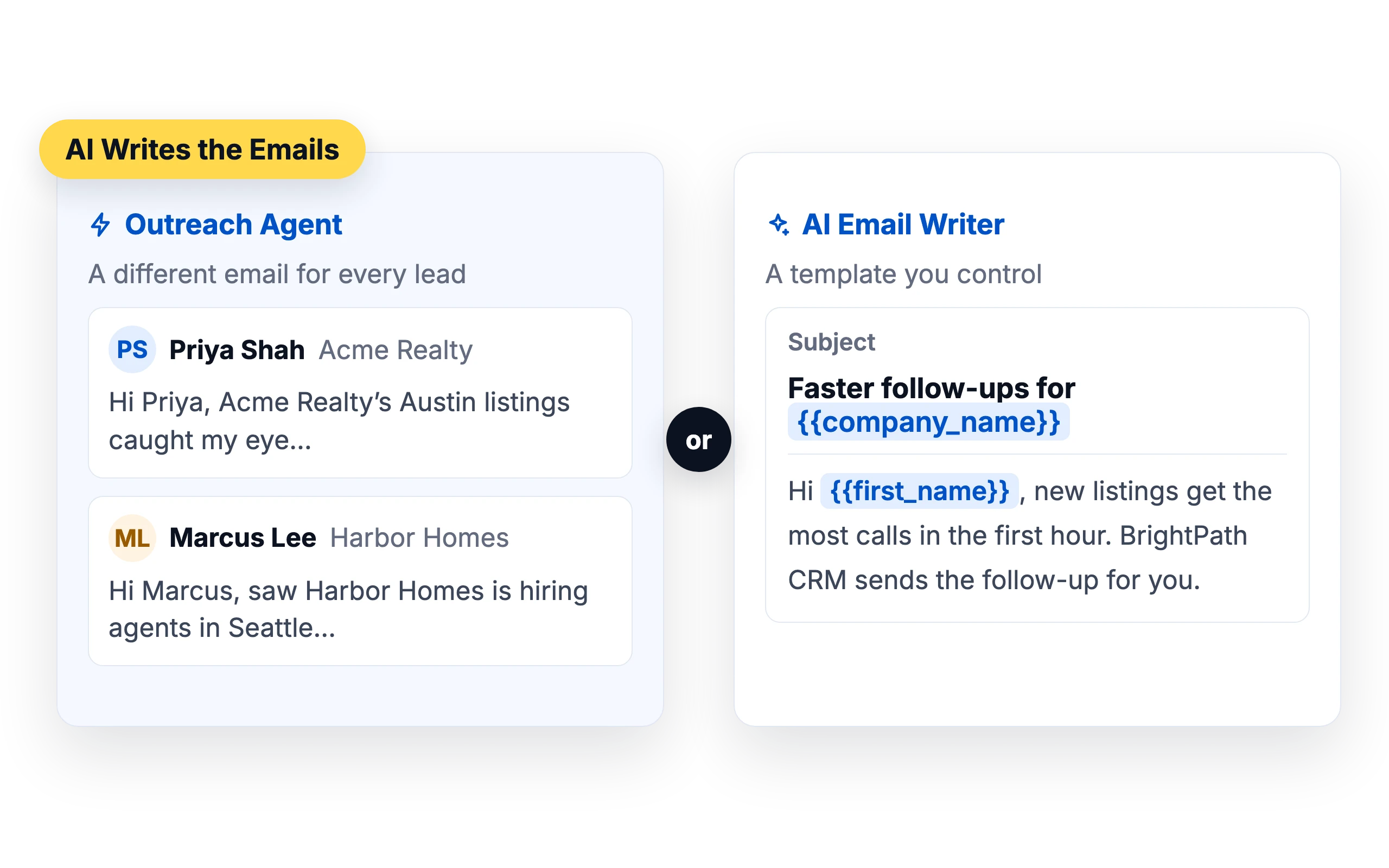
The Outreach Agent writes a different email for every lead, or the AI Email Writer drafts a template you control.
Learn about the Outreach Agent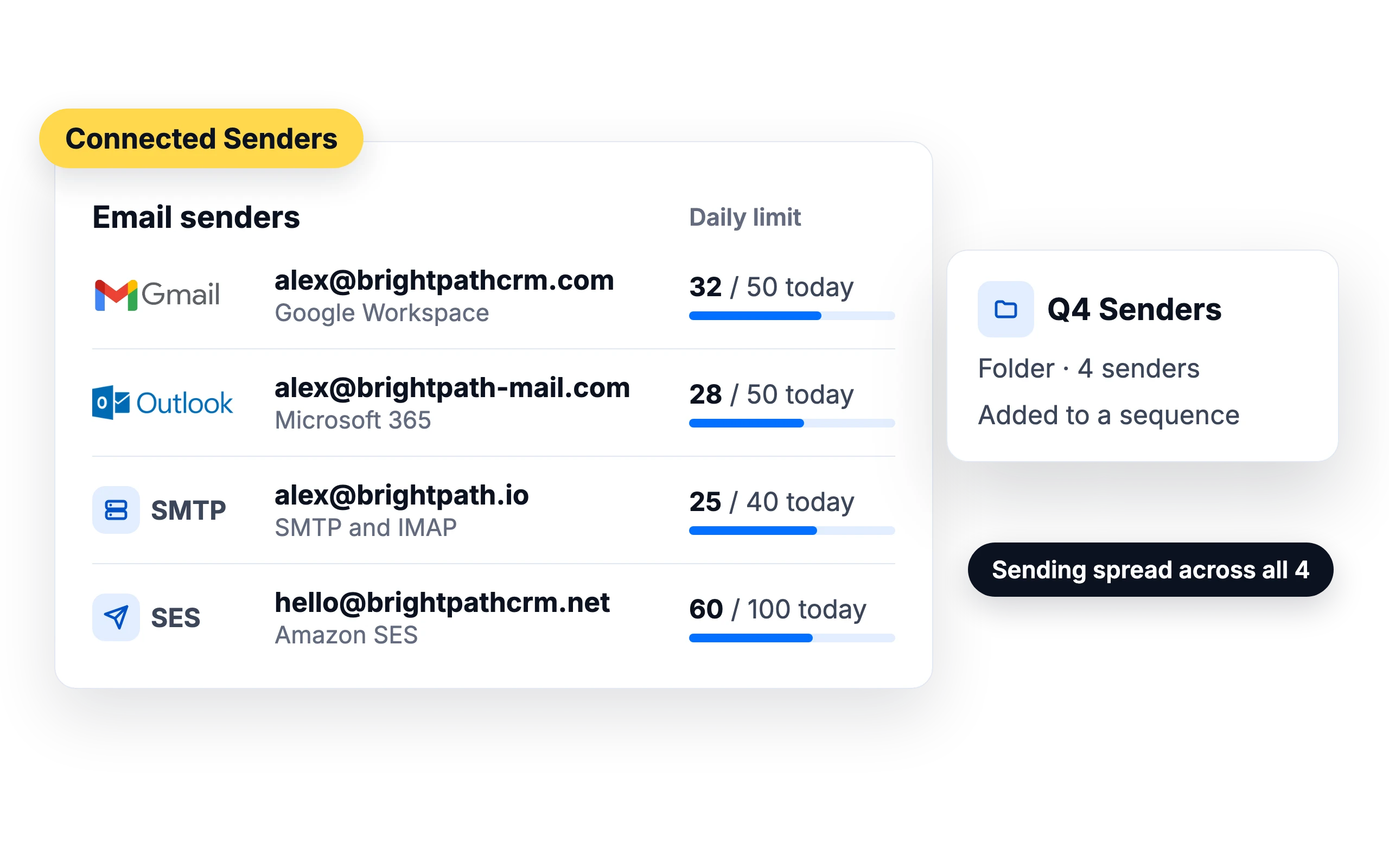
Send from every inbox you own
Connect Google Workspace, Gmail, Outlook and Microsoft 365, Zoho, SMTP and IMAP accounts or Amazon SES. Add several senders to a sequence and SalesBlink spreads sending across them, keeping each within its daily limit.
- Group senders in folders and add a whole folder to a sequence
- Bulk upload SMTP senders from a CSV
- Order ready-made mailboxes from SalesBlink
Personalize text and images
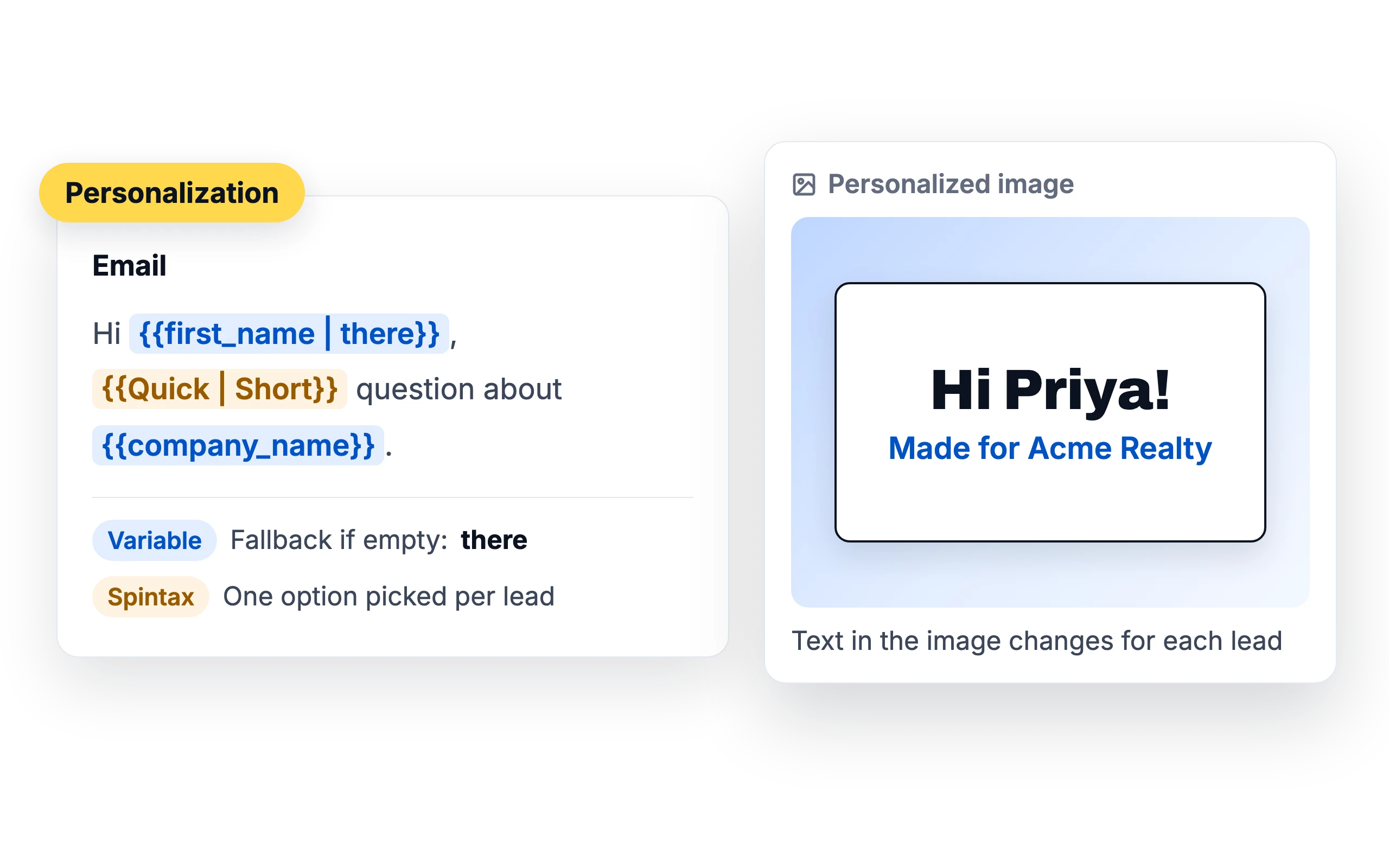
Use variables with fallbacks, spintax and text inside images.
Learn about Email Personalization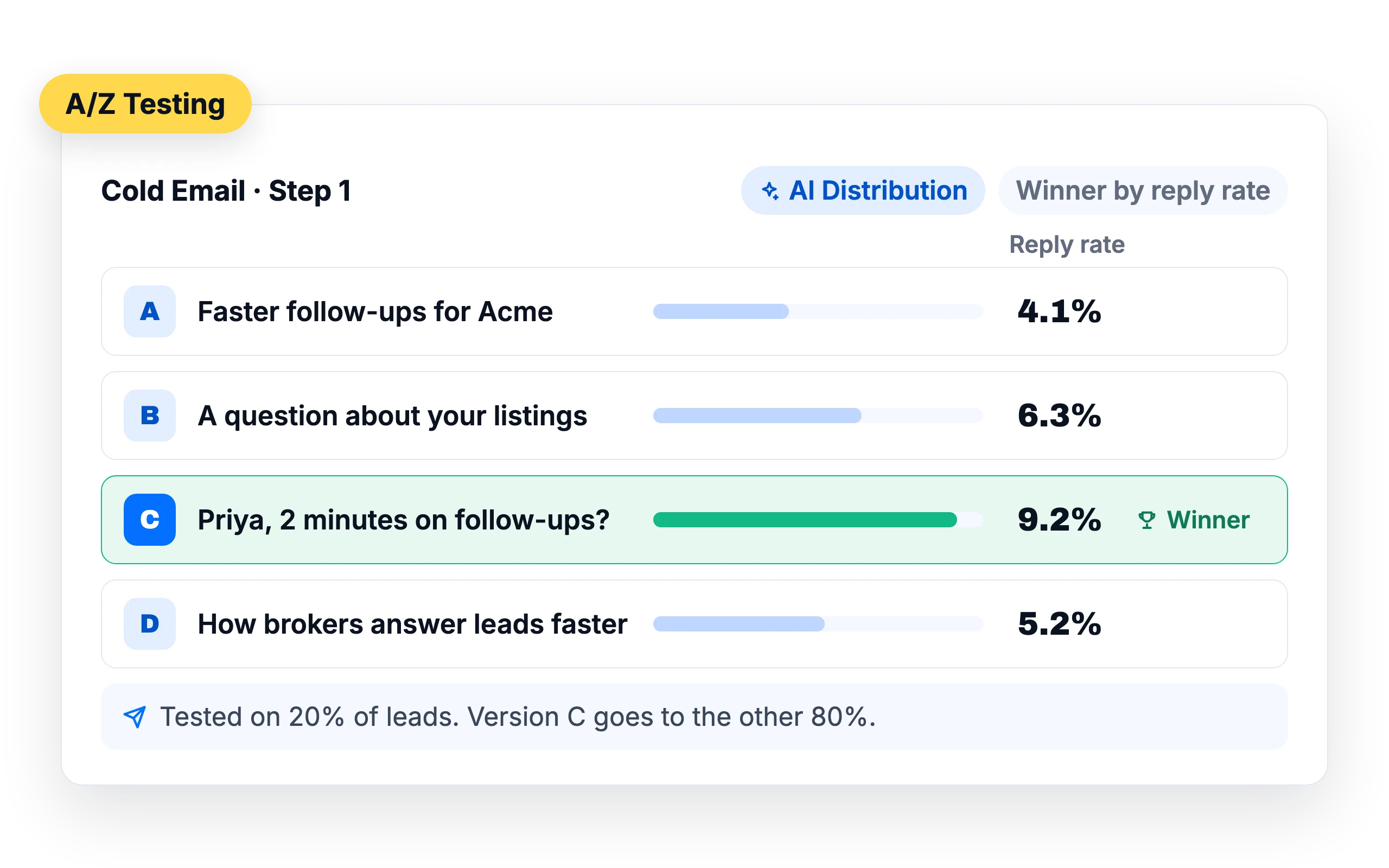
Find the best email with A/Z Testing
Test up to 26 versions of an email step. Split leads evenly, or use AI Distribution: SalesBlink tests on a share of leads, then sends the winner by open rate, click rate or reply rate to the rest.
Safe sending settings built in
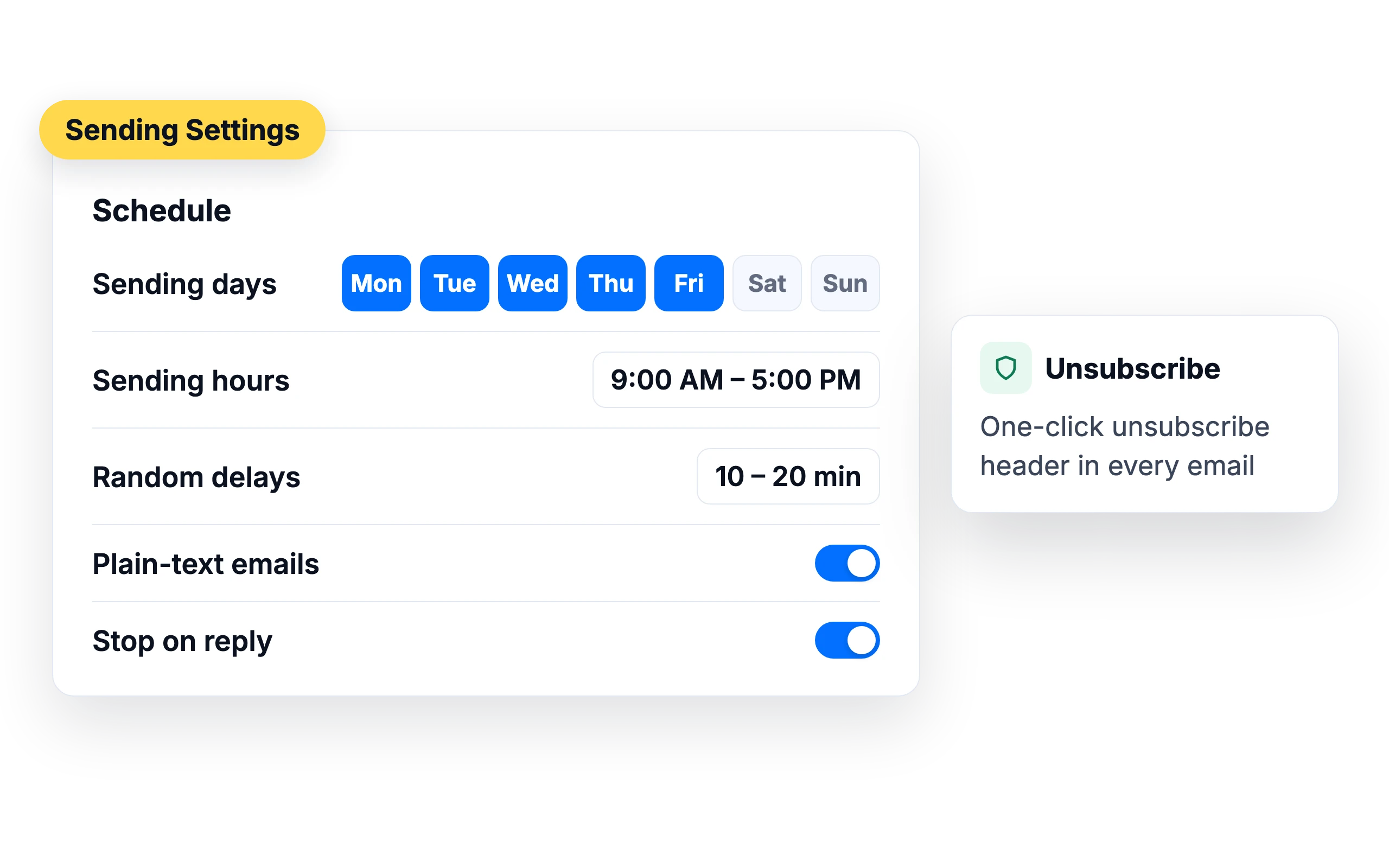
Set sending days and hours, add random delays between emails, send plain-text emails and stop the sequence when a lead replies. Every email carries a one-click unsubscribe header.
AI handles the replies
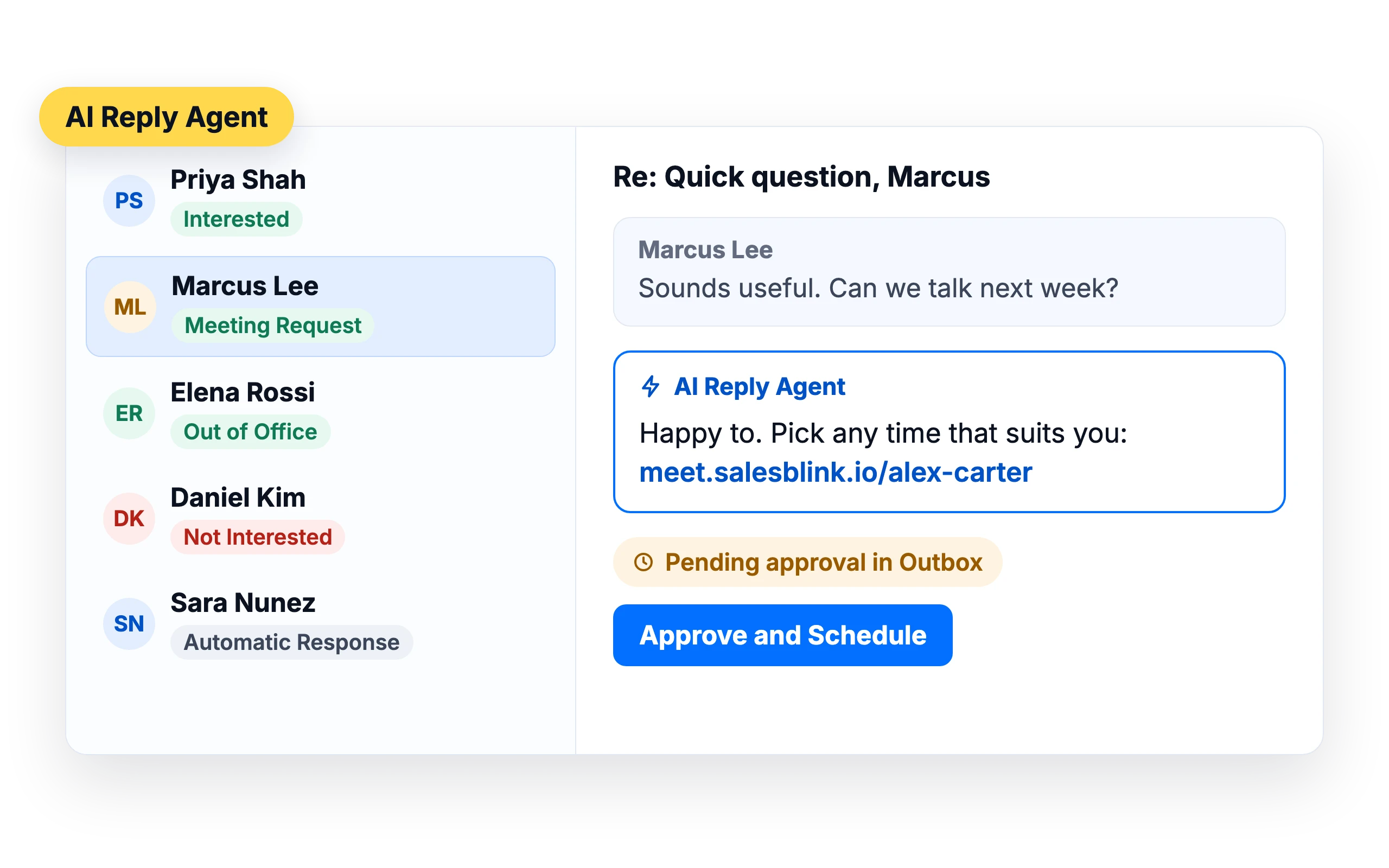
The AI Reply Agent tags each reply and answers in the thread.
Learn about the AI Reply Agent




Run it from your agent
Your agent can launch, pause and report on sequences over MCP.
What customers say
4.7/5 on Capterra (286 reviews)4.5/5 on G2 (311 reviews)
5.0 on G2
“The ability to automate email outreach and follow-ups saves time, which makes it a worthwhile tool for B2B sales.”
Frequently Asked Questions
What is cold email outreach?
Cold email outreach is sending personalized emails to people who don't know you yet, to start a conversation about something you can help them with. Follow-ups go to anyone who hasn't replied.
Which email providers can I use?
Google Workspace, Gmail, Outlook and Microsoft 365, Zoho, any SMTP and IMAP account, SMTP-only accounts and Amazon SES.
How do follow-ups work?
Add follow-up steps with a delay. SalesBlink sends each one in the same thread and stops when the lead replies.
What is A/Z Testing?
A/Z Testing tests up to 26 versions of an email. SalesBlink can send the best-performing version to the rest of your leads automatically.
Is it legal to send cold emails?
In many countries, yes, if you follow local rules such as identifying yourself, giving a working way to unsubscribe and honoring opt-outs. Check the rules for the countries you email. SalesBlink adds an unsubscribe link and header to help.
When should I send cold emails?
It depends on your industry and audience. Set sending days and hours for each sequence, then compare reply rates in your reports.
How do random delays between emails work?
Before each email, SalesBlink picks a random wait from the range you set, 10 to 20 minutes by default. Each sender keeps its own timer, so several senders send in parallel. Outlook senders always wait at least 5 minutes. The scheduler shows an estimate of emails per sender per day; an 8-hour window with a 10 to 20 minute delay allows about 24 to 48 emails.
What are the default sending hours?
Monday to Friday, 9:00 AM to 5:00 PM, with Saturday and Sunday off. You can change the days and the start and end time for each day, in the timezone you pick for the sequence. Emails are only scheduled inside these windows. If the next delay would push an email past the end of the day, it moves to the start of the next sending day.
Can I review emails before they send?
Yes. Turn on Review emails in Outbox before sending in the sequence settings. Every email in the sequence, follow-ups included, then waits in the Outbox, where you can check variables, edit the email and approve it. You can approve a whole sequence at once with Approve & Schedule All, except Outreach Agent sequences, where each email is approved individually.
Can a lead receive the same email twice?
No. SalesBlink checks for completed steps when it schedules emails and again right before each email sends, so a lead never gets the same step twice, even after you edit or reschedule the sequence. A lead with the same email address enters a sequence only once, and if an address appears twice in one list it is still scheduled only once.
What happens if a sender stops working during a sequence?
If you remove every sender from a sequence and save, the sequence pauses because it has nothing to send from. If a sender is disabled or becomes unhealthy, the sequence can show Needs Attention until you fix or replace it. Add a working sender and launch the sequence again to resume.