 New: SalesBlink is now in ChatGPT
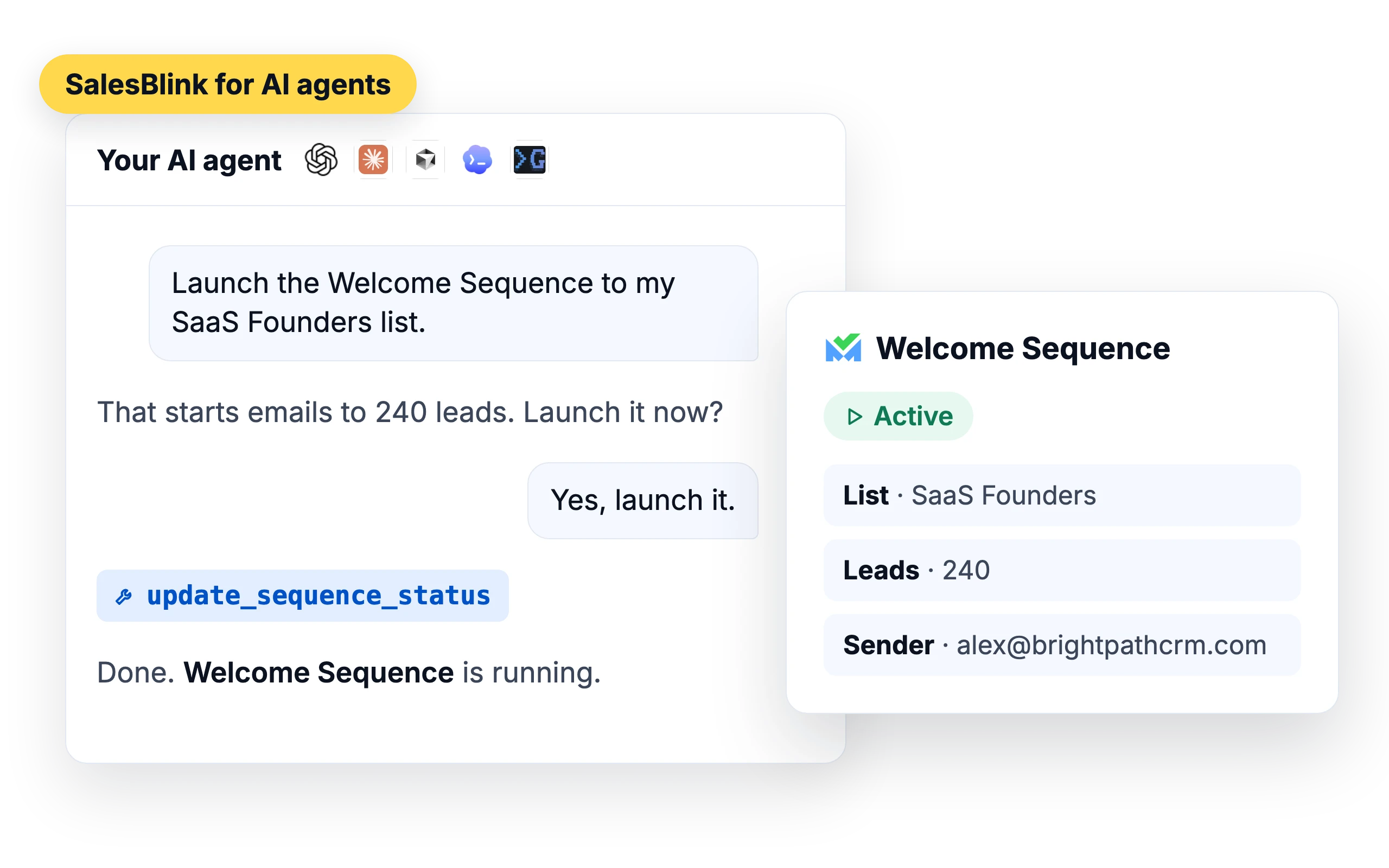
SalesBlink for AI agents
Connect your AI agent to SalesBlink
You already plan your day in ChatGPT, Claude or your coding agent. Connect SalesBlink and the same chat can build a list, launch a sequence and tell you who replied, without opening another dashboard.

Trusted by 12,000+ businesses


What your agent can do in SalesBlink
The SalesBlink MCP server gives your agent 90+ tools across your account.
Lists and leads
Create and update lists, add up to 500 contacts at a time, look up leads in your lists and move them between lists.
Sequences
Create, clone, launch and pause sequences, and pull their stats.
Inbox and replies
Read reply threads, answer them and forward messages.
Senders and deliverability
Connect senders, check sender health and warmup stats, and run inbox placement tests.
Templates
Create and update email templates.
Mailboxes
Order done-for-you mailboxes and domains.
Workspaces
Create client workspaces and switch between them.
Try asking
“Launch the Welcome Sequence to my new list.”
“How many opens did my campaign get yesterday?”
“Run an inbox placement test for john@mycompany.com.”
Pick your agent

ChatGPT
SalesBlink is a listed ChatGPT app.

Claude
Works in claude.ai, Claude Desktop and Claude Code.

Cursor
Add one entry to your MCP config.

Perplexity
Add SalesBlink as a custom connector.

OpenClaw
Install the skill from ClawHub.

Hermes
Add the skill tap and install.

Gemini CLI
Install the SalesBlink extension.

Codex
One codex mcp add command.
Four ways to connect
MCP and the ChatGPT app use your SalesBlink sign-in. The skill, CLI and REST API use an API key from Account → Integrations → API.
MCP server
Add the SalesBlink MCP endpoint to your client, then sign in to SalesBlink in the browser window that opens and approve access. MCP doesn't accept API keys.
https://mcp.salesblink.io/mcp
ChatGPT
Open the SalesBlink app in ChatGPT, or add it under Settings → Connectors with the endpoint above, then sign in to SalesBlink.
Claude
Go to Customize → Connectors → Add custom connector and paste the endpoint. If Connectors aren't available in Claude Desktop, use the mcp-remote fallback (needs Node.js):
{
  "mcpServers": {
    "salesblink": {
      "command": "npx",
      "args": [
        "-y",
        "mcp-remote@latest",
        "https://mcp.salesblink.io/mcp",
        "--transport",
        "http-only"
      ]
    }
  }
}
Claude Code
claude mcp add --transport http salesblink "https://mcp.salesblink.io/mcp"
Perplexity
Add a custom connector (remote MCP server) with the endpoint above, then sign in to SalesBlink and approve access.
Cursor
Add to ~/.cursor/mcp.json or .cursor/mcp.json:
{
  "mcpServers": {
    "salesblink": {
      "url": "https://mcp.salesblink.io/mcp",
      "transport": "streamable-http"
    }
  }
}
Windsurf
Add to ~/.codeium/windsurf/mcp_config.json:
{
  "mcpServers": {
    "salesblink": {
      "serverUrl": "https://mcp.salesblink.io/mcp"
    }
  }
}
Zed
Add to ~/.config/zed/settings.json:
{
  "context_servers": {
    "salesblink": {
      "enabled": true,
      "url": "https://mcp.salesblink.io/mcp"
    }
  }
}
VS Code (Cline or Roo Code)
Add to your MCP settings file:
{
  "mcpServers": {
    "salesblink": {
      "url": "https://mcp.salesblink.io/mcp",
      "type": "streamableHttp"
    }
  }
}
Codex
codex mcp add salesblink --url https://mcp.salesblink.io/mcp
Agent Skill
The SalesBlink skill teaches a coding agent how to run cold email with SalesBlink: building lists, writing sequences, managing senders and reading replies.
Any agent
npx skills add open-salesblink/skill
Claude Code
/plugin marketplace add https://github.com/open-salesblink/skill
Gemini CLI
gemini extensions install https://github.com/open-salesblink/skill
OpenClaw
openclaw skills install cold-email-salesblink
Hermes
hermes skills tap add open-salesblink/skill
hermes skills install cold-email-salesblink
Then set your key
export SALESBLINK_API_KEY=your_salesblink_api_key_here
Command-line interface
The SalesBlink CLI puts the SalesBlink API in your terminal. Use it to manage sequences, leads, lists, senders, templates, the inbox and inbox placement tests, by hand or from scripts and CI pipelines. Output is a table in the terminal and JSON when piped, and leads can be exported as CSV.
Needs Node.js 20 or later. Standalone binaries for macOS, Linux and Windows are on GitHub.
npm install -g @salesblink/cli
salesblink config set api_key sb-xxxxxxxxxxxxxxxx
salesblink sequences list
REST API
Build your own agent or workflow on 80+ REST API endpoints for lists, leads, sequences, templates, senders and the inbox.
Prefer to stay inside SalesBlink?
The same work can run on SalesBlink’s own agents.
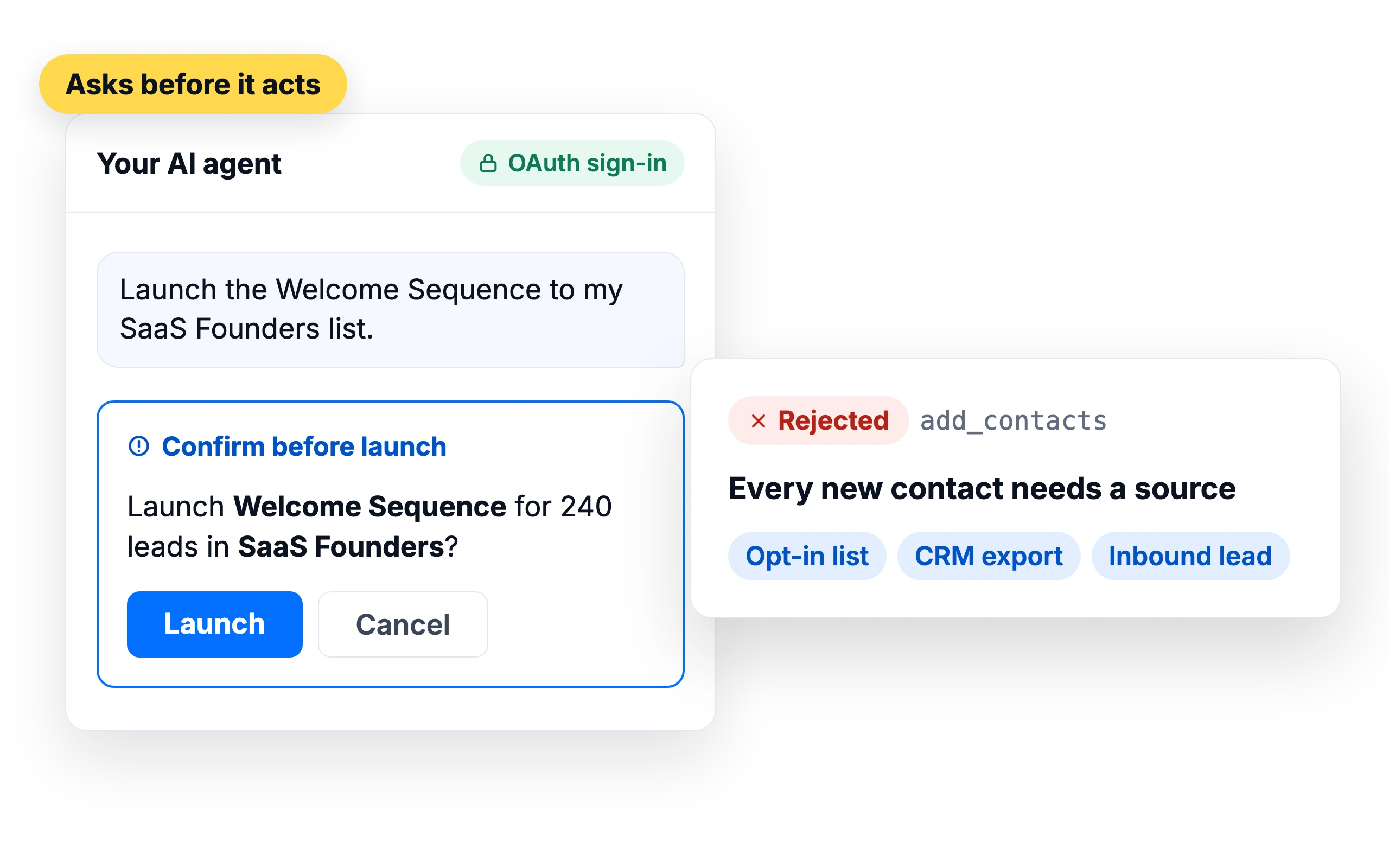
Your agent asks before it acts
- Over MCP, the agent asks you to confirm before it launches or resumes a sequence, deletes a placement test, revokes an API key or removes blocklist entries.
- Over MCP, every new contact needs a stated source, such as an opt-in list, CRM export or inbound lead. Requests without one are rejected.
- MCP access goes through OAuth sign-in, so no API key sits in your agent's config.
What customers say
4.7/5 on Capterra (286 reviews)4.5/5 on G2 (311 reviews)
5.0 on G2
“The native MCP support (including the recent upgrade allowing AI assistants to connect seamlessly without an API key) lets you manage lead lists, launch sequences, and check reporting/analytics using natural language commands—saving hours of manual setup every week.”
Frequently asked questions
What is MCP?
MCP (Model Context Protocol) is an open standard that lets AI apps use tools from other software. The SalesBlink MCP server gives your AI agent tools to work in your SalesBlink account.
What’s the difference between MCP, the skill and the CLI?
MCP connects any MCP client to your account with a SalesBlink sign-in. The skill adds cold email know-how and SalesBlink commands to coding agents such as Claude Code and Codex. The CLI is a command-line tool for terminals, scripts and CI. The skill and CLI use an API key.
Do I need an API key?
Not for MCP or the ChatGPT app. You sign in with your SalesBlink account. The skill, CLI and REST API need an API key from Account → Integrations → API.
Can my agent send attachments?
Not through MCP. Templates, replies and forwards sent by an agent can’t include files. Attach files from the SalesBlink web app instead.
Which plans include AI agent access?
See the pricing page for what each plan includes. Pricing
Let your AI agent book your next meeting
14-day free trial. No credit card required.