 New: SalesBlink is now in ChatGPT
An AI agent that writes a different cold email for every lead
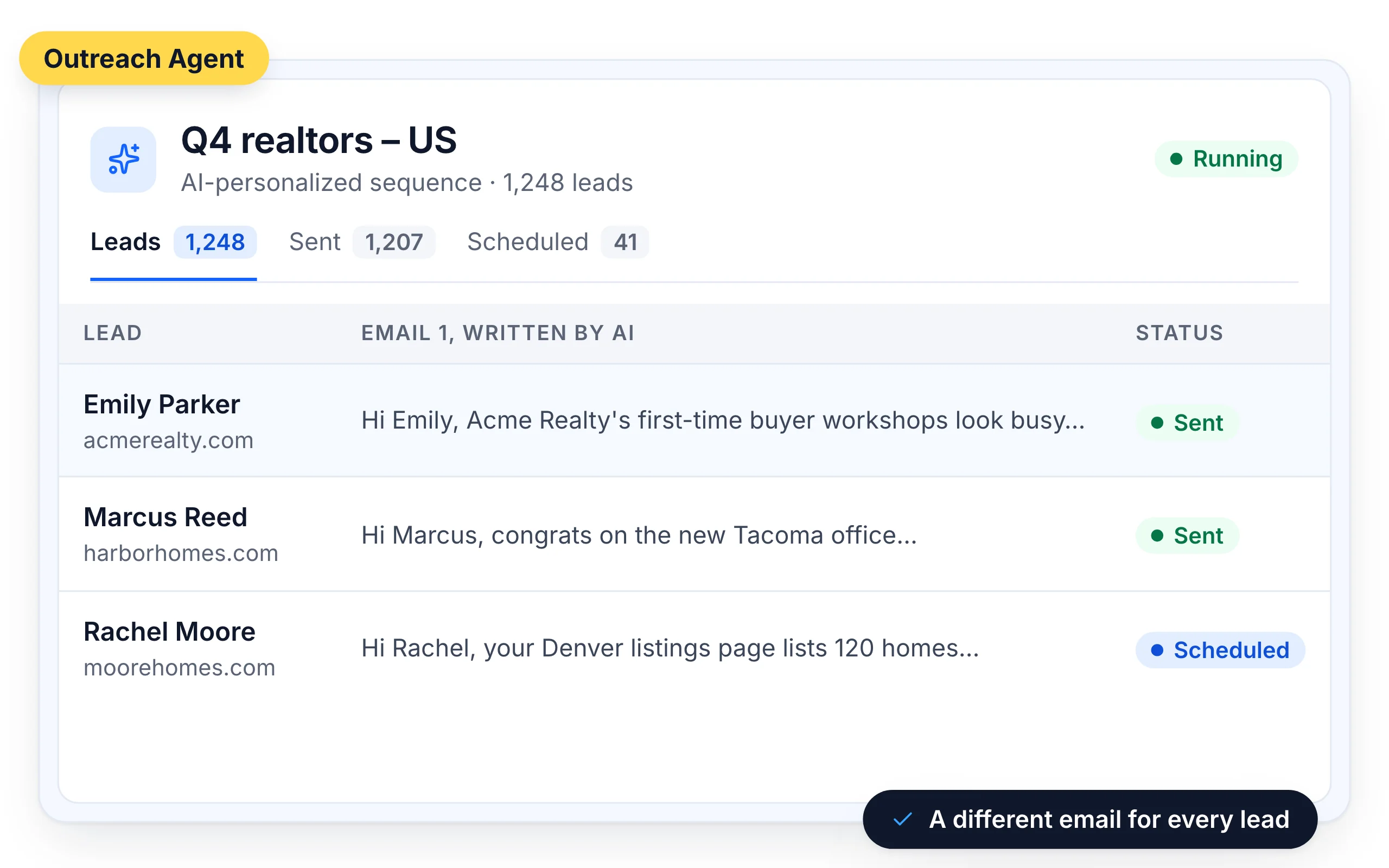
Personal cold emails get replies, but reading every lead's website and writing every email yourself takes hours. The Outreach Agent does both for every lead on your list.
14-day free trial. No credit card required.
Trusted by 12,000+ businesses


How it works
Describe your offer
Enter your business offer, for example "I sell CRM software for real estate agents", and fill in your business profile.
Choose what the AI may use
Pick the lead details, the tone and the length, or paste a sample email to match.
Review and launch
Check emails in the Outbox, or let them send on schedule.
Written from each lead's own website
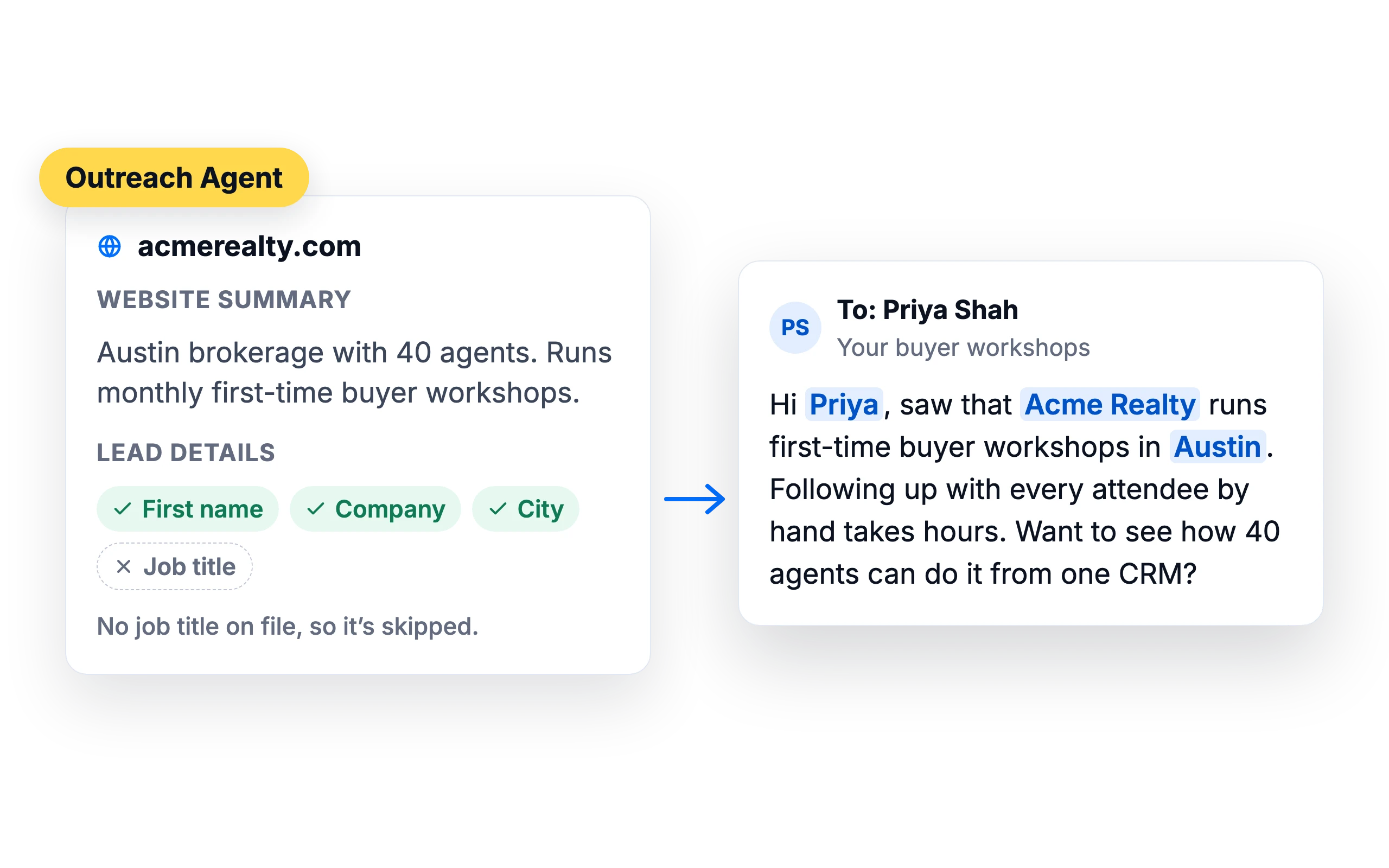
For each lead, the agent summarizes the company website, taken from the lead's Website field or their business email domain, and writes the email around it. Two leads at different companies get two different emails.
- Uses the details you allow: first name, company, job title, city, state, country, department and extra lead data
- Skips any detail a lead doesn't have, so no empty variables
Your tone, your length, your rules
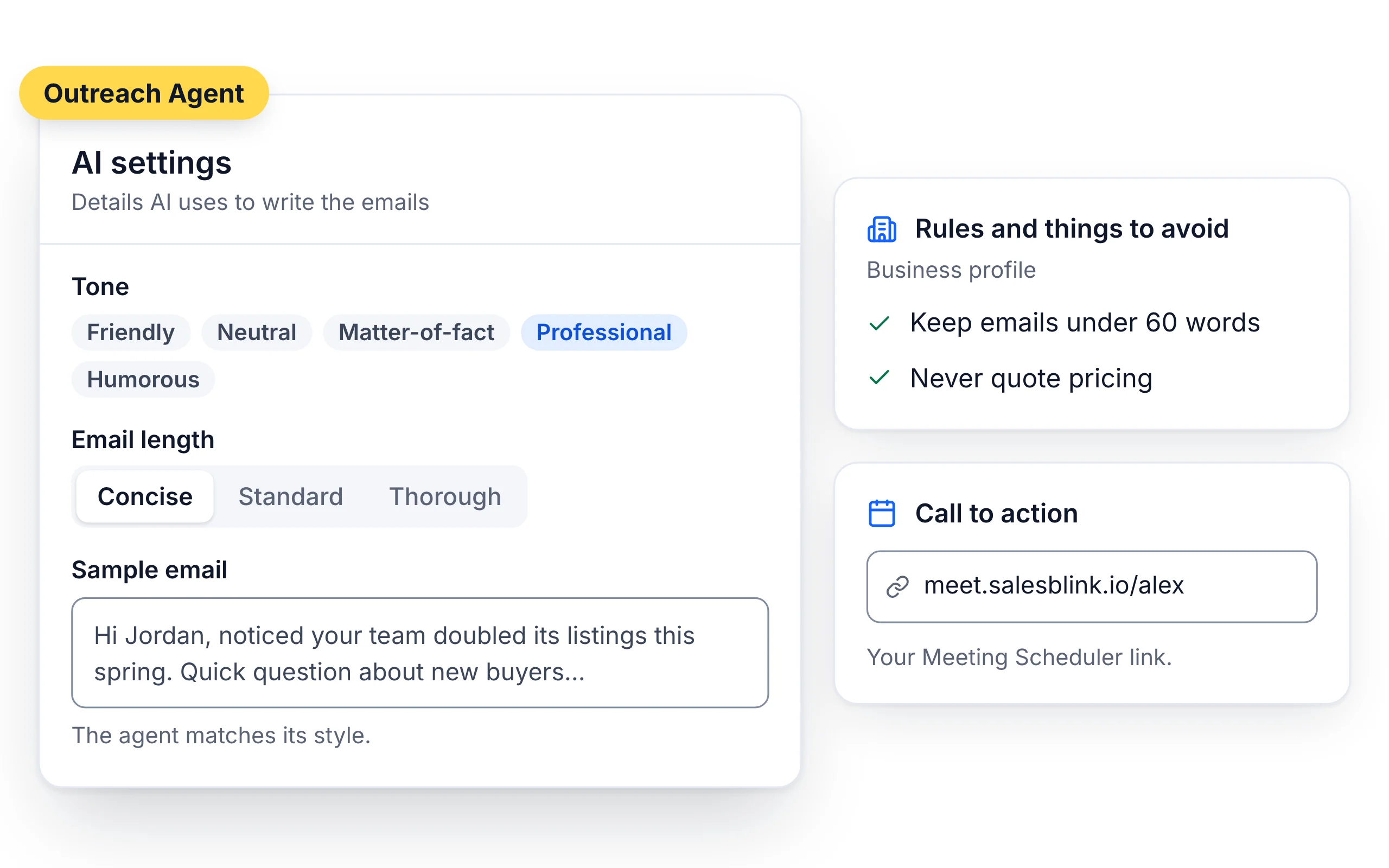
Choose a tone (Friendly, Neutral, Matter-of-fact, Professional or Humorous) and a length (Concise, Standard or Thorough). Paste a sample email of up to 2,000 characters and the agent matches its style.
- Business profile rules apply to every email, for example "Keep emails under 60 words"
- If you use the SalesBlink Meeting Scheduler, your booking link goes into the call to action
A full sequence in one thread
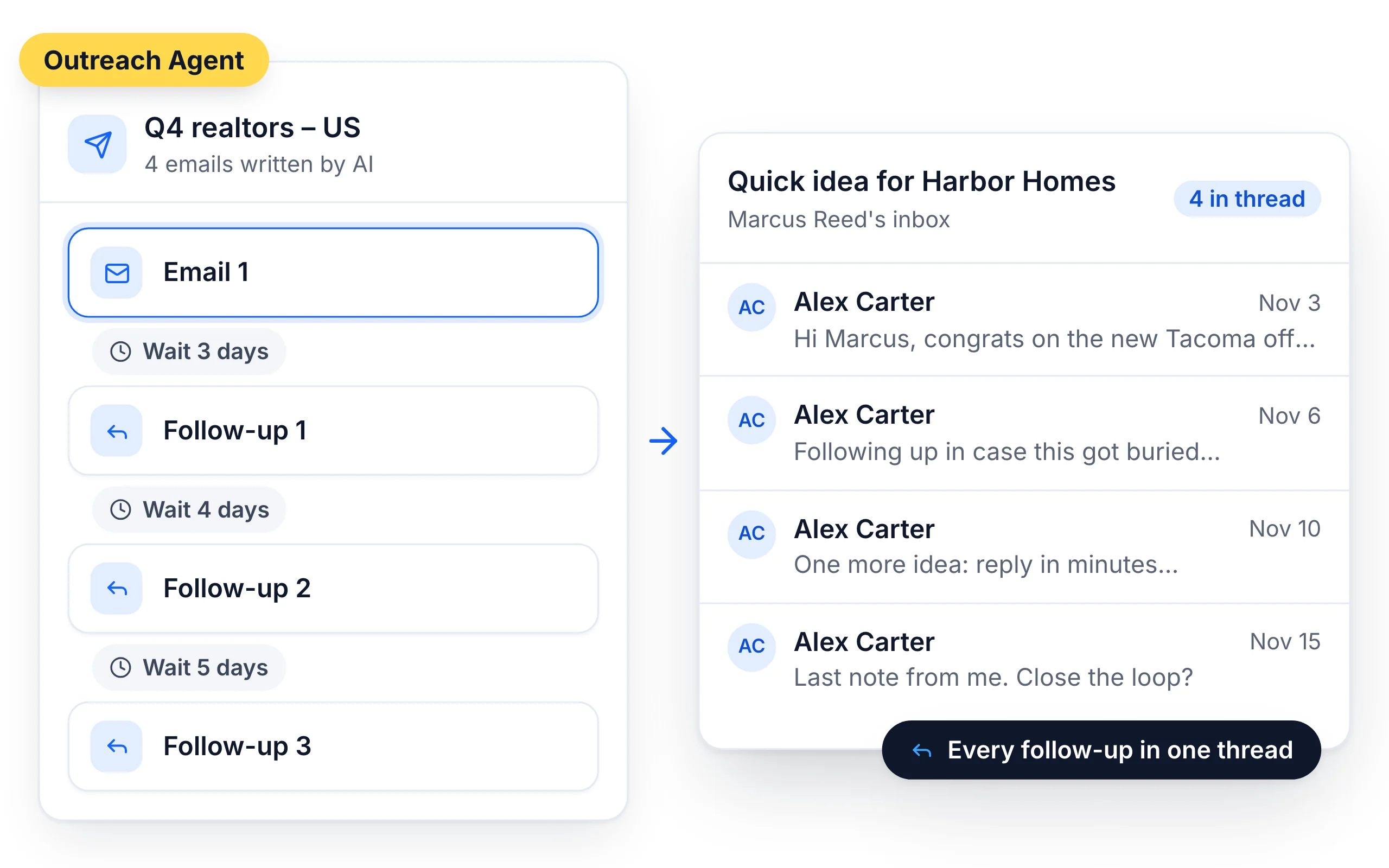
The agent writes a first email and three follow-ups. Follow-ups go out as replies in the same thread, with delays you can change.
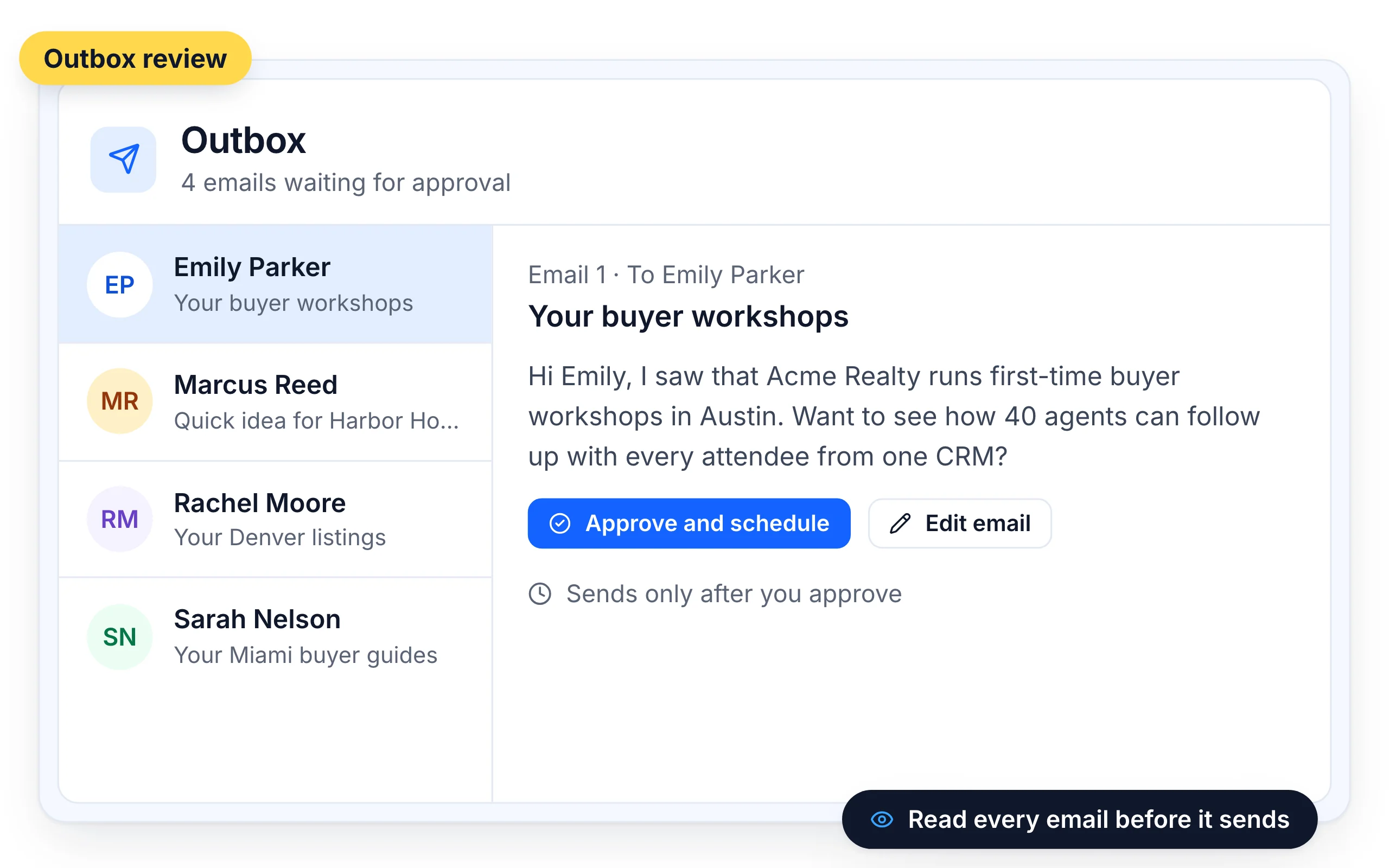
See every email before it goes out
Turn on Outbox review and each AI-written email waits for you to read, edit and approve it. With review off, each email is drafted about two hours before it's due, and you can open any lead to see their email.
- Writes in 100+ languages
- Works with your own OpenRouter key and model





Run it from your agent
Ask ChatGPT or Claude to "create a sequence for my SaaS Founders list" and launch it after you confirm.
What customers say
4.7/5 on Capterra (286 reviews)4.5/5 on G2 (311 reviews)
4.0 on G2
“The AI sequence writer makes launching new multi-step campaigns fast, and the automated warmup keeps emails out of the spam folder.”
Frequently Asked Questions
How does the Outreach Agent personalize emails?
It summarizes each lead's company website and combines that with the lead details you allow and your business offer. Each lead gets an email written for them.
Can I edit the emails?
Yes. Turn on Outbox review to edit and approve each email before it sends. Each AI-written email is approved one at a time.
Can I turn AI off on a sequence later?
No. AI writing can't be switched off on an existing Outreach Agent sequence. Create a new sequence without it instead.
Where should my meeting link go?
If you use the SalesBlink Meeting Scheduler, the agent adds your link automatically. Otherwise put it in your business details or your business profile. Avoid links in the first email, since they can hurt deliverability.
How is this different from the AI Email Writer?
The AI Email Writer writes one template that every lead receives, with variables. The Outreach Agent writes a separate email for each lead.
Does it use AI credits?
Yes. See the pricing page for the credits included in each plan.
What should I write as my business offer?
One plain sentence that says what you sell and who it's for. Examples: "I sell CRM software for real estate agents", "I sell lead generation services to SaaS companies" or "We sell a live chat solution for B2B companies across Europe". The agent combines your offer with your Business Profile and each lead's details. If you don't like the result, update the offer and regenerate.
Can I change the tone or length after creating the sequence?
Yes. The personalization options can be changed later in the sequence settings. That includes the lead details the agent may use, the email length (Concise, Standard or Thorough), the tone (Friendly, Neutral, Matter-of-fact, Professional or Humorous) and the optional sample email. You can also add more steps to the sequence by clicking the + icon.
Can I turn off random delays on an Outreach Agent sequence?
No. Random delays are always on for AI-personalized sequences, so emails from each sender go out at uneven intervals. You can still set the delay range, and the minimum is 1 minute. Sending days, hours and the timezone are set the same way as in any other sequence when you click Save & Schedule.
Can the Outreach Agent run as an evergreen sequence?
Yes. Tick Make it an Evergreen Sequence in the sequence settings before you first schedule it, and every new lead added to the connected list gets their own AI-written emails. The setting can't be changed after launch. Leads added to a list with verification or duplicate removal on enter the sequence once those checks finish.