 New: SalesBlink is now in ChatGPT
Verify every lead before your agent writes to them
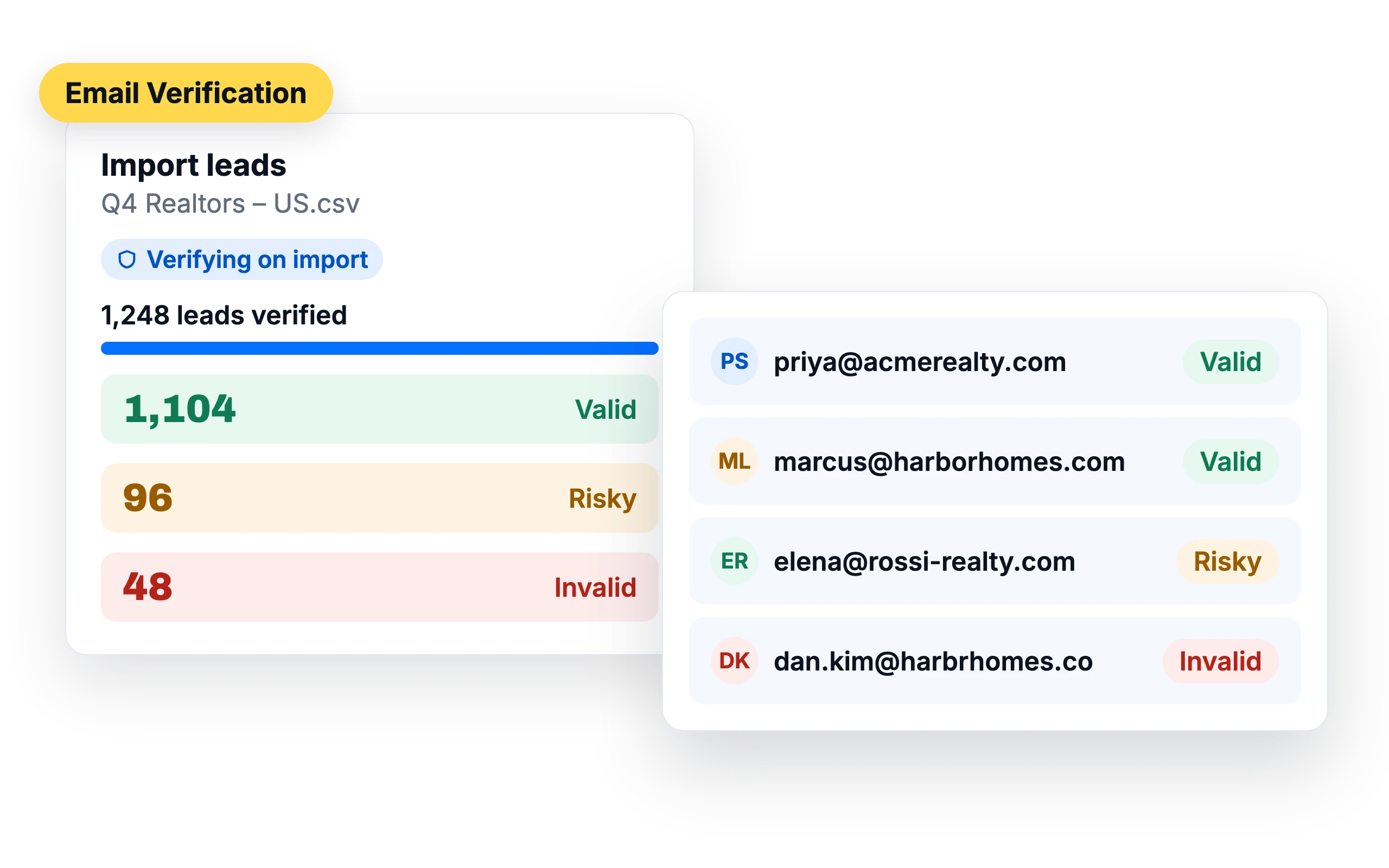
Every bounce hurts your sender reputation. Check your list when you import it and keep invalid addresses out of your sequences.
14-day free trial. No credit card required.
Trusted by 12,000+ businesses


How it works
Upload your list
SalesBlink verifies each address
Send only to verified leads
Every address checked
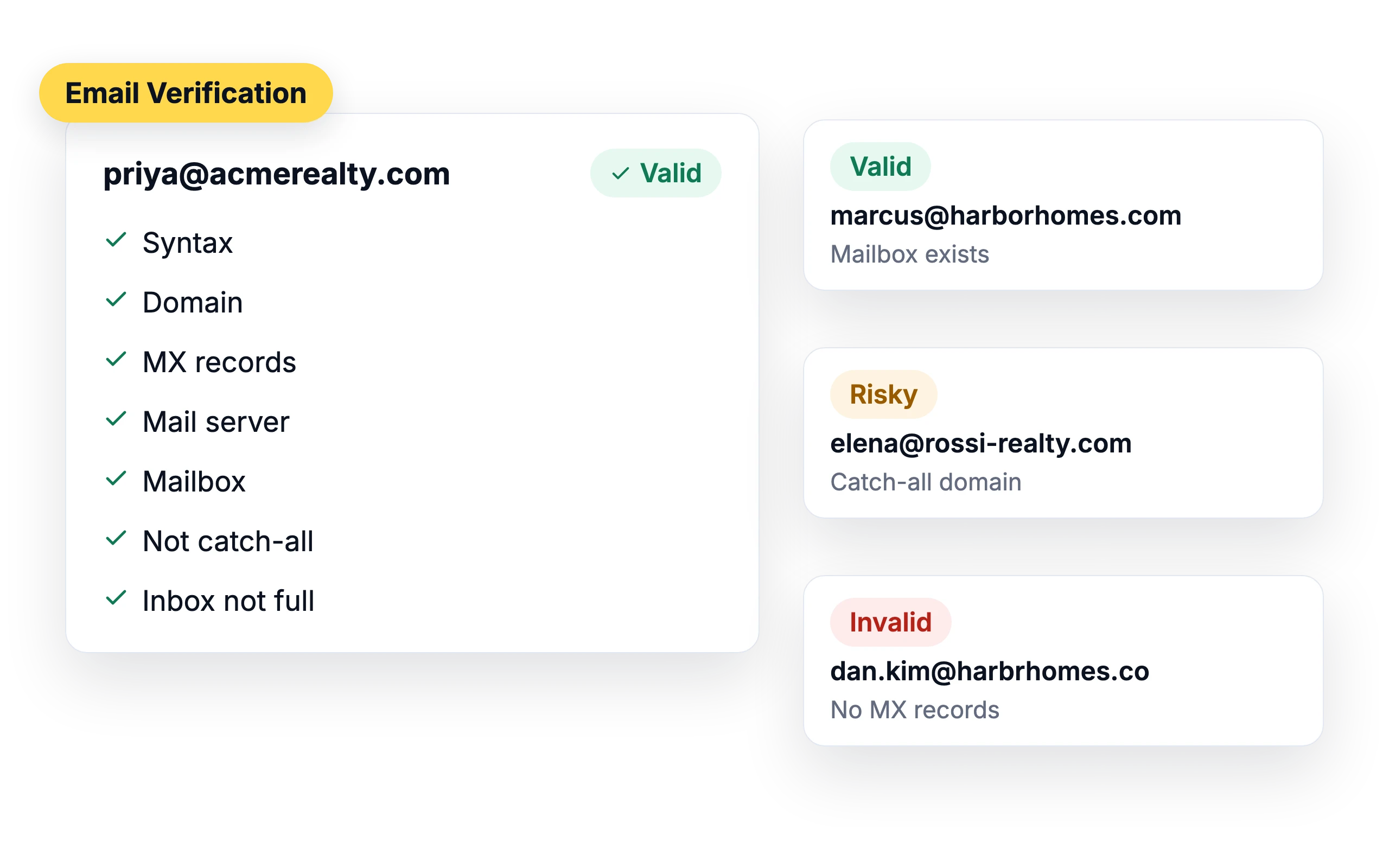
SalesBlink checks the syntax, domain, MX records, mail server and mailbox, and flags catch-all domains and full inboxes. Each address is marked Valid, Risky or Invalid.
Auto-archive invalid and risky leads
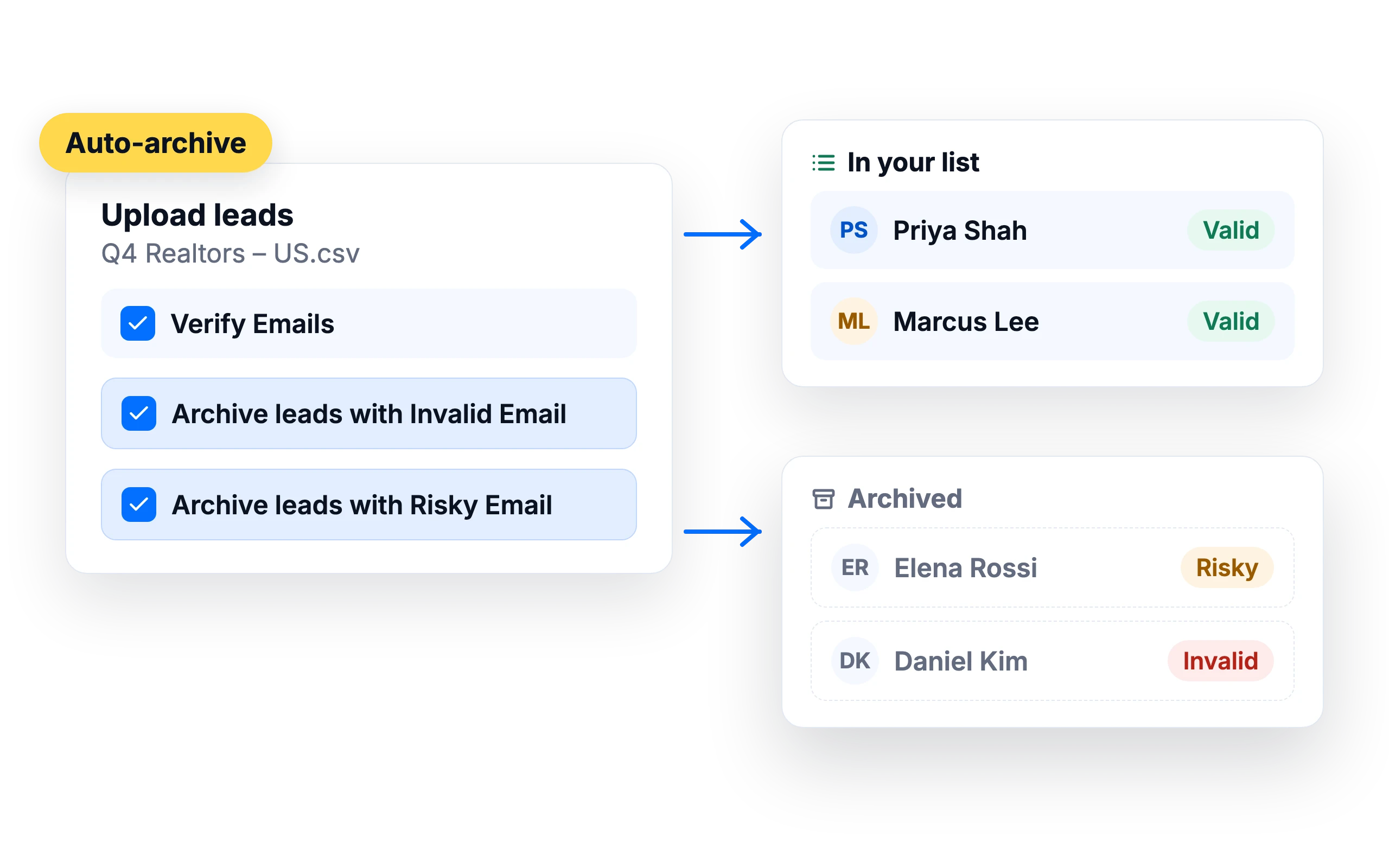
Verify while you import and automatically archive leads with invalid or risky addresses, so your sequences skip addresses that are likely to bounce.
Spot leads behind security gateways
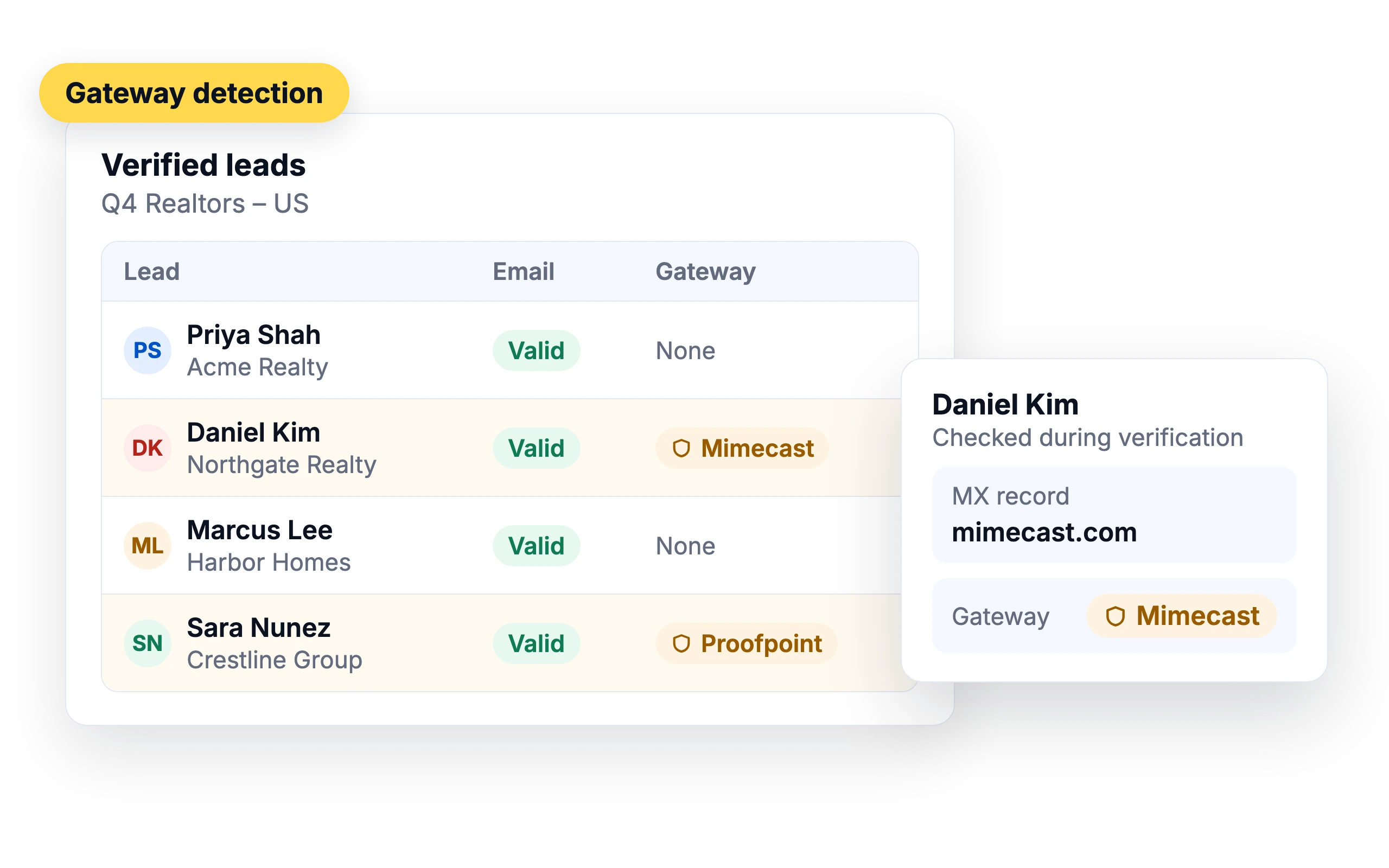
Verification also detects whether a lead's company uses a Barracuda, Mimecast, Proofpoint or Cisco gateway, so you can skip them.
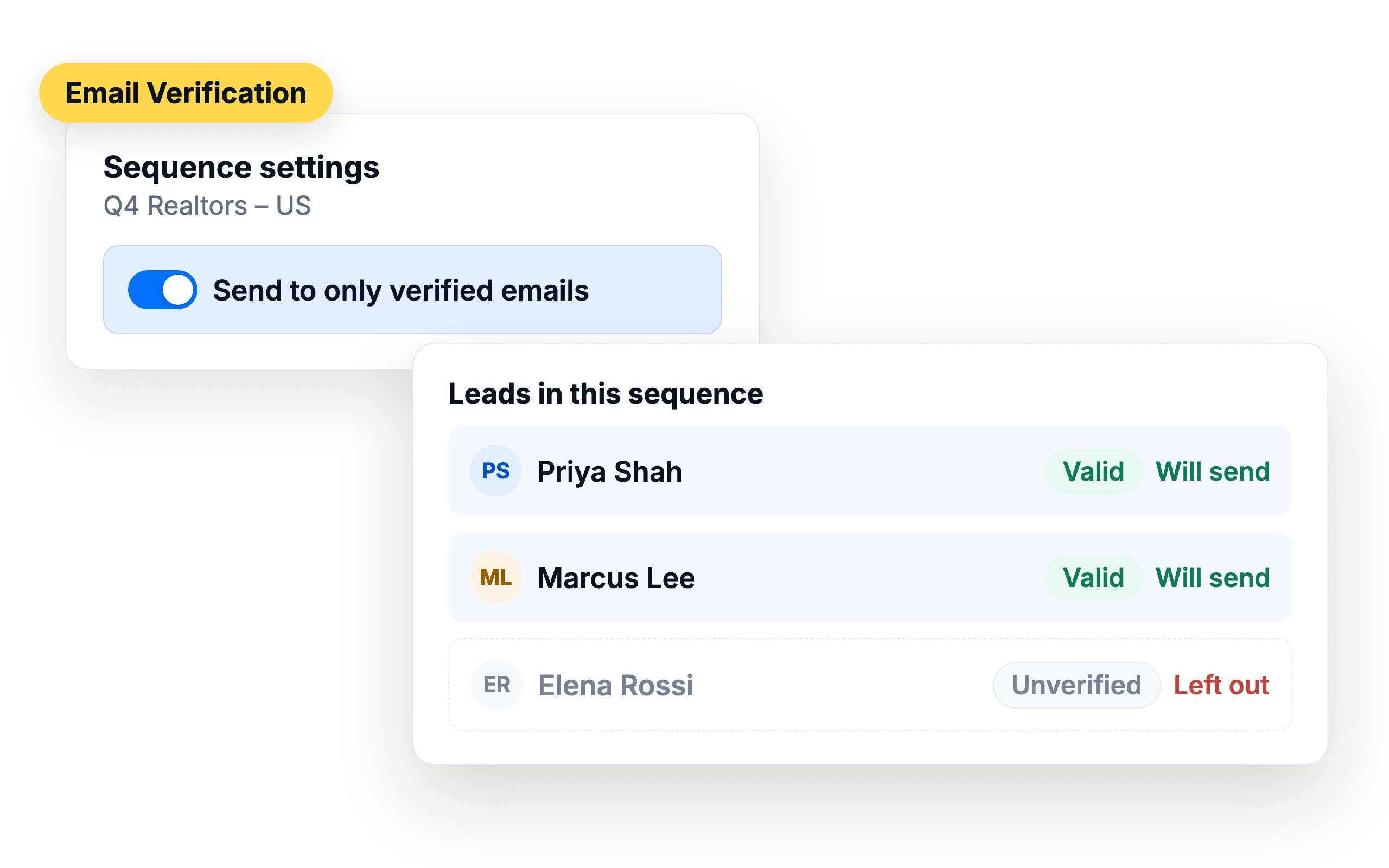
Send only to verified leads
Turn on "Send to only verified emails" in a sequence and unverified leads are left out.
What customers say
4.7/5 on Capterra (286 reviews)4.5/5 on G2 (311 reviews)
4.0 on G2
“The automated warmup and built-in verifier protect my domain reputation, keeping bounce rates low and emails landing directly in primary inboxes.”
Frequently Asked Questions
What is email verification?
Email verification checks whether an address exists and can receive mail before you send to it.
How is an email address verified?
SalesBlink checks the address format, the domain and its MX records, connects to the mail server and checks the mailbox.
Why verify emails?
Bounces hurt your sender reputation. Removing invalid addresses keeps your bounce rate low.
Can a valid email address still bounce?
Yes. A mailbox can fill up or be closed after you verify it, and some servers accept every address at first. Upload and verify your list close to your send date.
Is there a free tool?
Yes. Check single addresses with our free email verifier.
What do Valid, Risky and Invalid mean?
Valid means the address is correct and active, so your email is likely to be delivered. Risky means SalesBlink can't fully confirm the address, usually because the domain uses a catch-all server that accepts mail for every address. Invalid means the address is wrong or inactive and emails to it will bounce. In each sequence you can choose which of these statuses to send to.
What is a catch-all email address?
A catch-all domain accepts email for every address, whether or not the mailbox exists. Because the server says yes to everything, verification can't confirm the specific address, so SalesBlink marks it Risky. You can still send to a risky address if you believe it belongs to a real person, or archive risky leads automatically when you import the list.
Can I re-verify a list I already uploaded?
No. You choose verification when you upload the list, and there's no option to run it again on an existing list. To verify leads you already have, download the list and upload it again as a new list with Verify Emails checked. At that step you can also tick Archive leads with Invalid Email and Archive leads with Risky Email.
How accurate is email verification?
Up to 99.99% accurate. False positives and false negatives can happen in rare cases, and catch-all domains can't be fully confirmed, so those addresses are marked Risky. Turn on auto-pause on bounce in your sequence settings so a sequence pauses if its bounce rate goes above the threshold you set.
What happens to leads behind an email security gateway?
They can be skipped. During verification SalesBlink checks the MX records of each lead's domain and tags leads that use Barracuda, Mimecast, Proofpoint or Cisco. Choose which gateways to skip in Account → Settings, then turn on Send to only verified emails and Skip leads using Email Security Gateways in the sequence, and those leads aren't emailed.