Email tracking for opens, clicks and replies
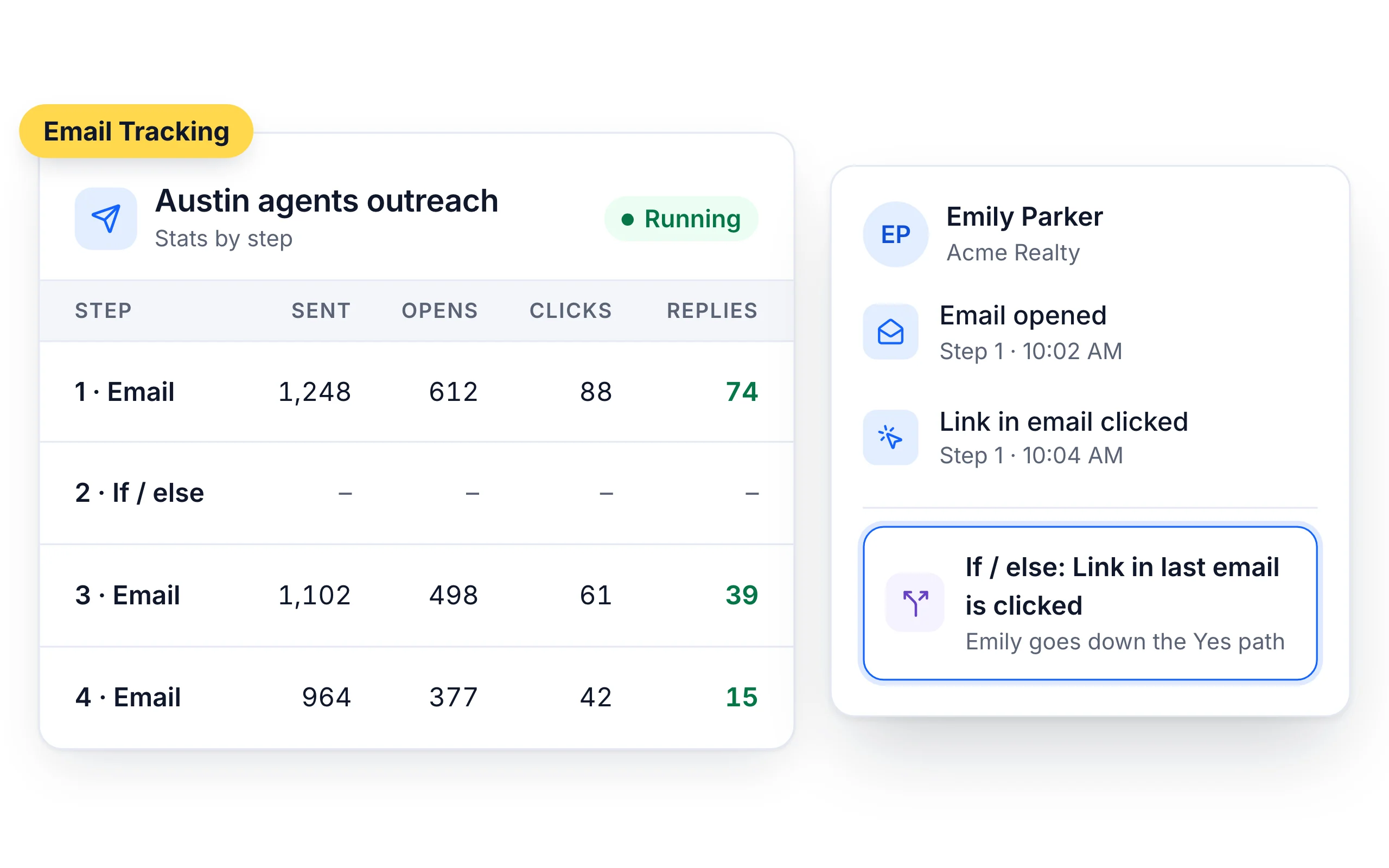
See what each lead did with your email and send the next step based on it.
14-day free trial. No credit card required.
Trusted by 12,000+ businesses




Every event logged
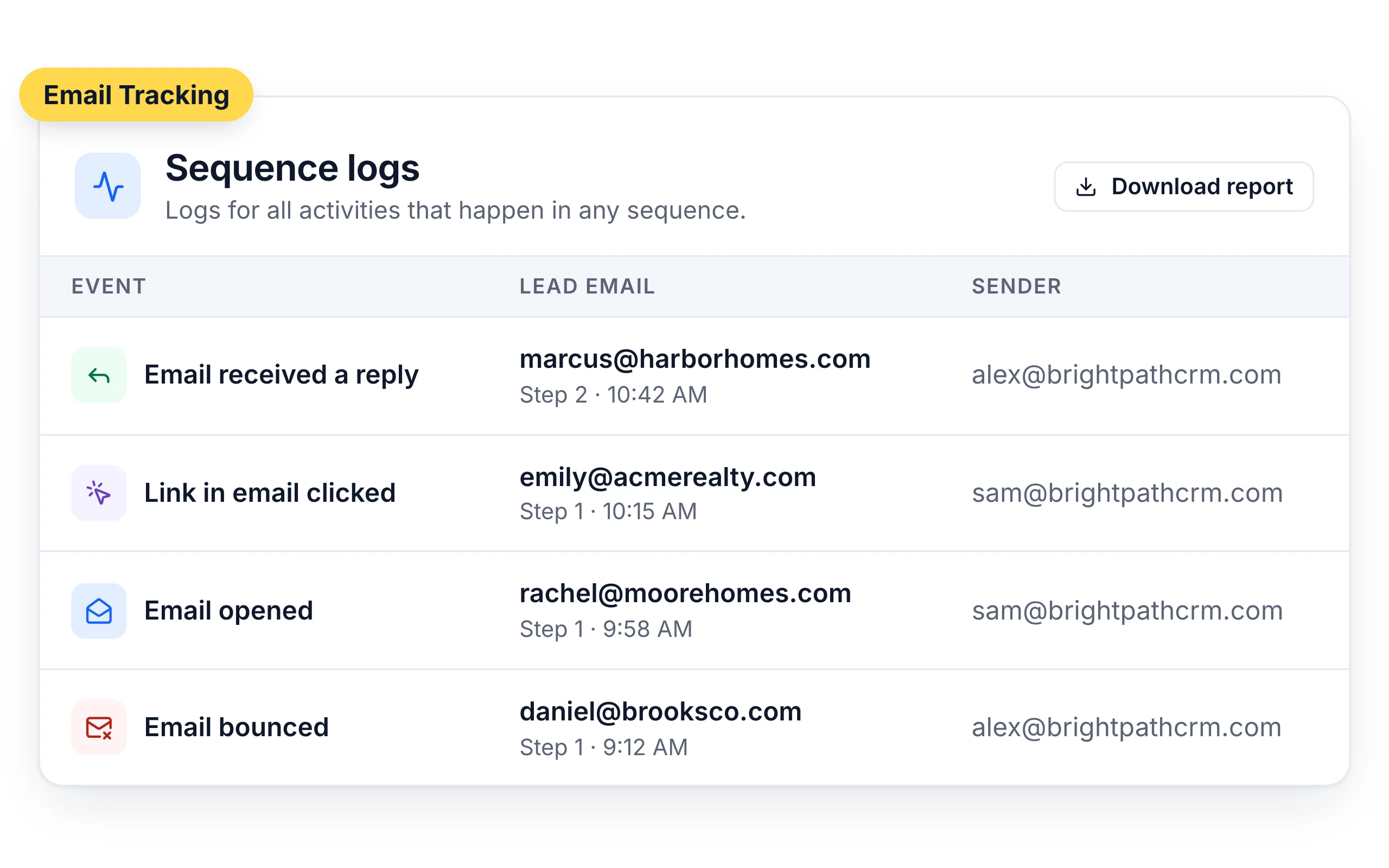
Track replies, opens and link clicks for every email, step and mailbox.
Learn about Reports and Dashboards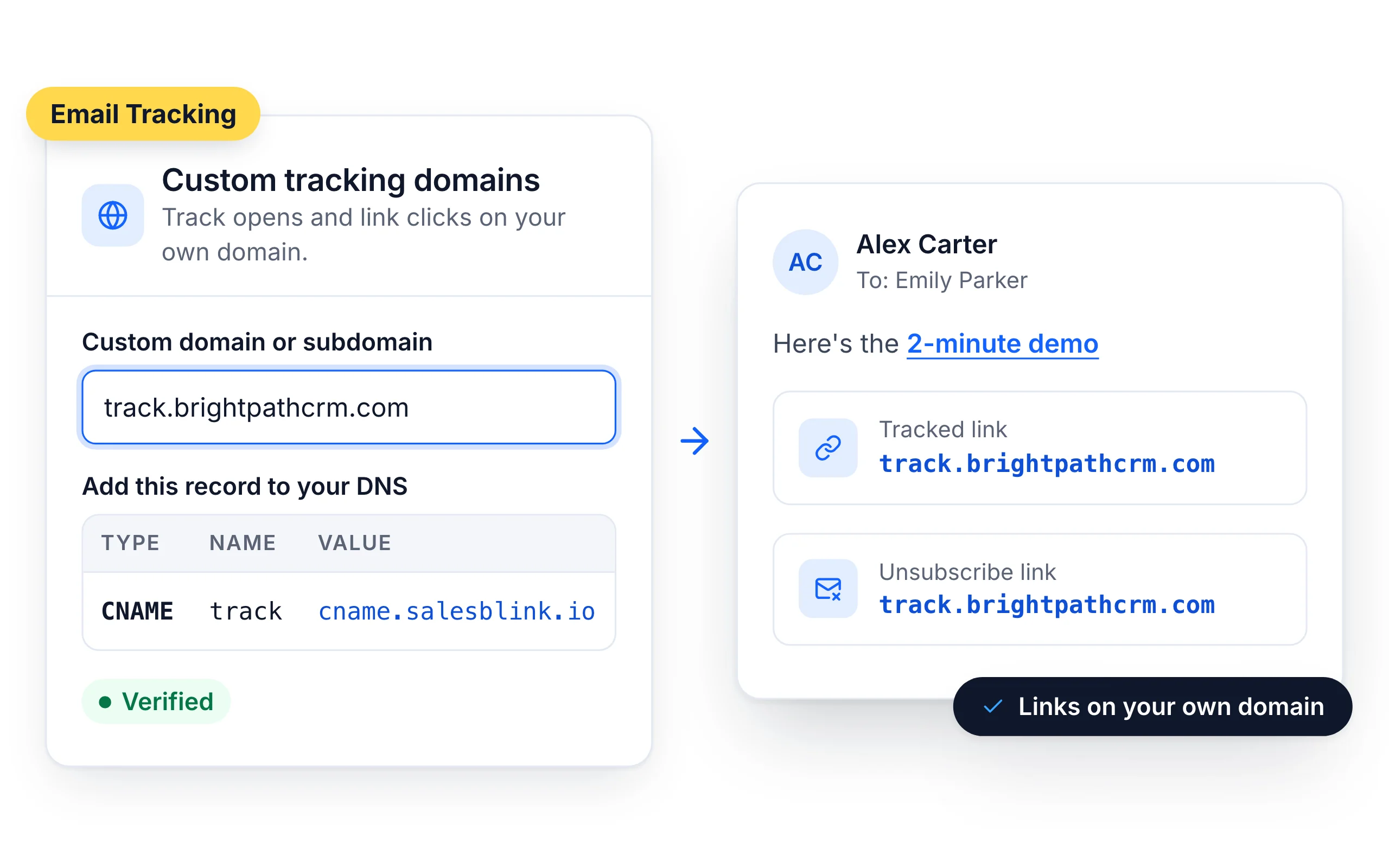
Your own tracking domain
Point a subdomain at SalesBlink with a CNAME record so tracking links and unsubscribe links use your domain.
Follow-ups based on what leads do
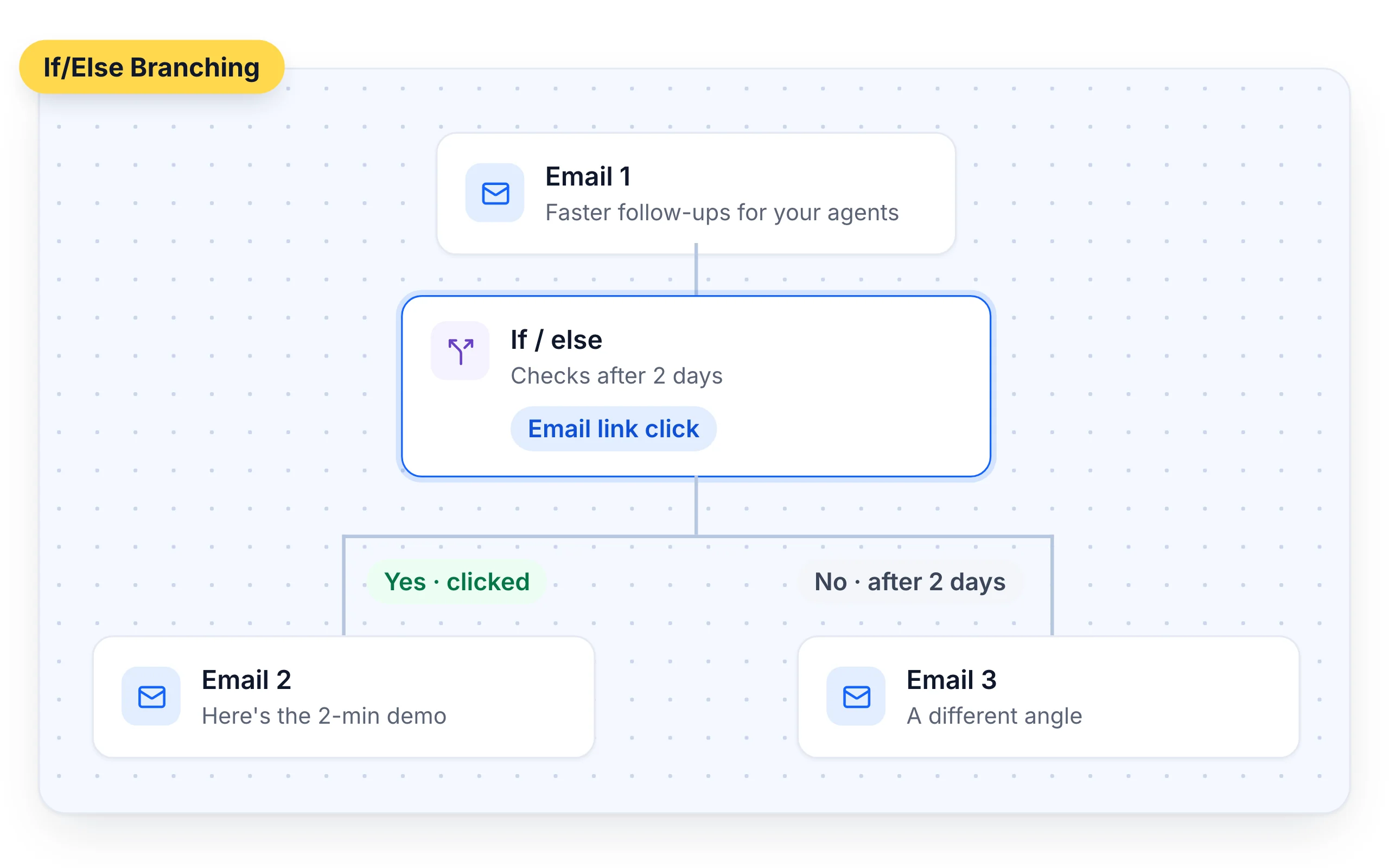
Use an If/Else step to send a different follow-up to leads who opened, clicked or replied.
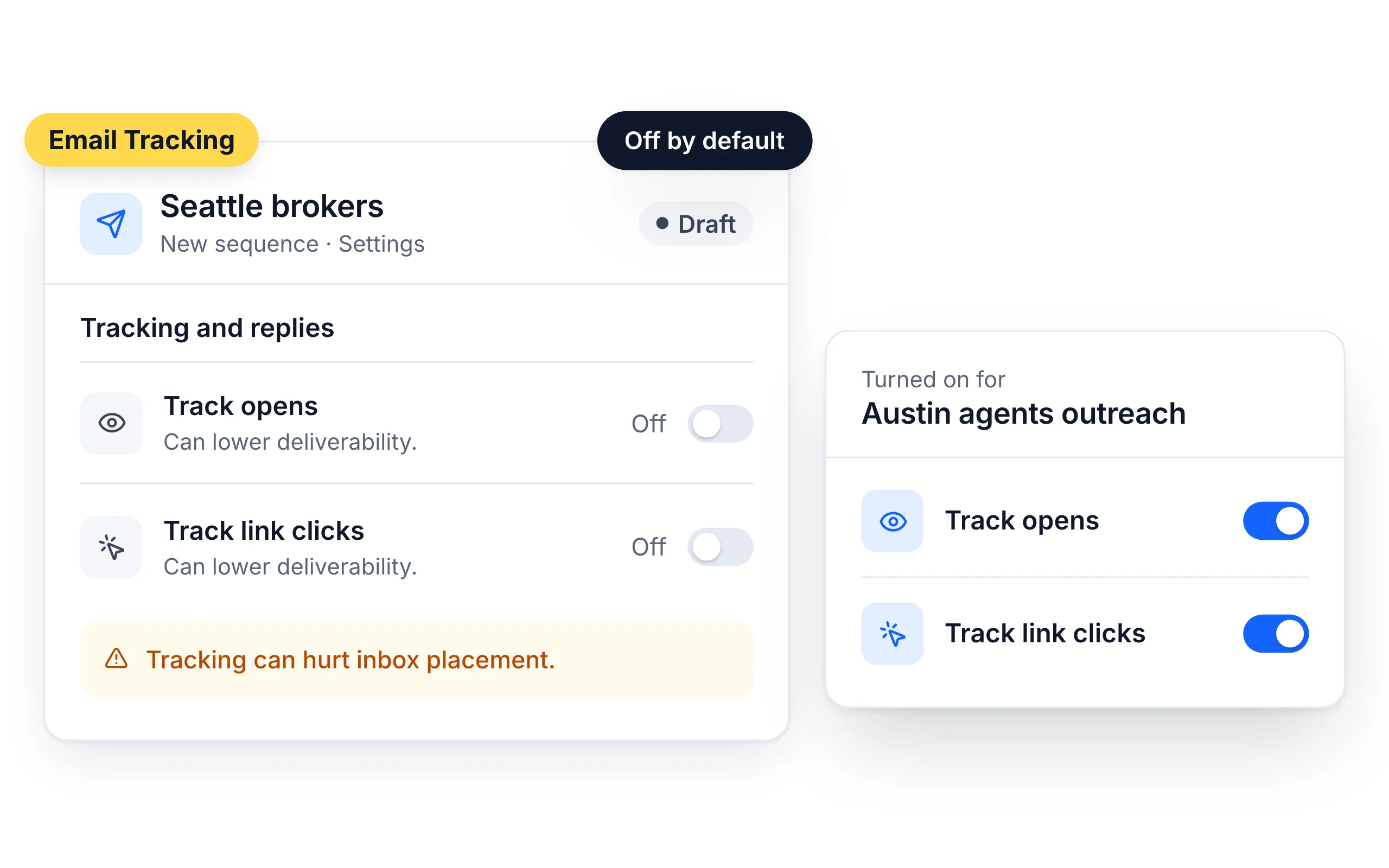
Tracking only when you need it
Open and click tracking are off by default in new sequences, because tracking pixels and links can hurt inbox placement. Turn them on per sequence when you need the data.
What customers say
4.7/5 on Capterra (286 reviews)4.5/5 on G2 (311 reviews)
4.0 on Capterra
“There is a clear distinction on the report log of the recipient activity - you can see who clicked a link, who opened, and a list of those who replied.”
Frequently Asked Questions
What is email tracking?
Recording when a recipient opens an email, clicks a link or replies.
Will the recipient know the email is tracked?
Usually not. Most email apps don't show it, but some privacy tools and extensions can detect tracking pixels and links.
Is open tracking accurate?
Not fully. Some email apps, such as Apple Mail with Mail Privacy Protection, load tracking images automatically, which records opens that didn't happen. Replies and clicks are more reliable signals.
Does tracking hurt deliverability?
It can. Tracking images and rewritten links can lower inbox placement, which is why tracking is off by default. Use a custom tracking domain if you turn it on.
Can scheduled emails be tracked?
Yes. Scheduled emails are tracked like any other email once they send.
How are replies tracked?
SalesBlink connects to your mailbox over IMAP, detects incoming replies and matches each one to the campaign email it answers. Replies are only tracked when the lead replies to an email sent from a SalesBlink sequence. Reply tracking doesn't work on SMTP-only mailboxes, because SalesBlink has no inbox access to read the replies. Replies are the most reliable of the three tracking signals.
Does click tracking change the links in my email?
Yes. With click tracking on, every link in the email is rewritten to go through the tracking domain, including links to external websites. When a lead clicks, the click is recorded and they are redirected to the original page. The unsubscribe link also uses your custom tracking domain once you set one up, instead of the shared default domain.
How do I set up a custom tracking domain?
Use a subdomain such as track.yourdomain.com. Add it under Other Settings, then Custom Domains, and create a CNAME record at your DNS provider pointing it to cname.salesblink.io. Click Verify Record once the record has propagated, which can take up to 24 hours. Finally, assign the domain to each mailbox that should use it, because mailboxes without it keep using the default domain.