 New: SalesBlink is now in ChatGPT
Write and improve cold emails with AI
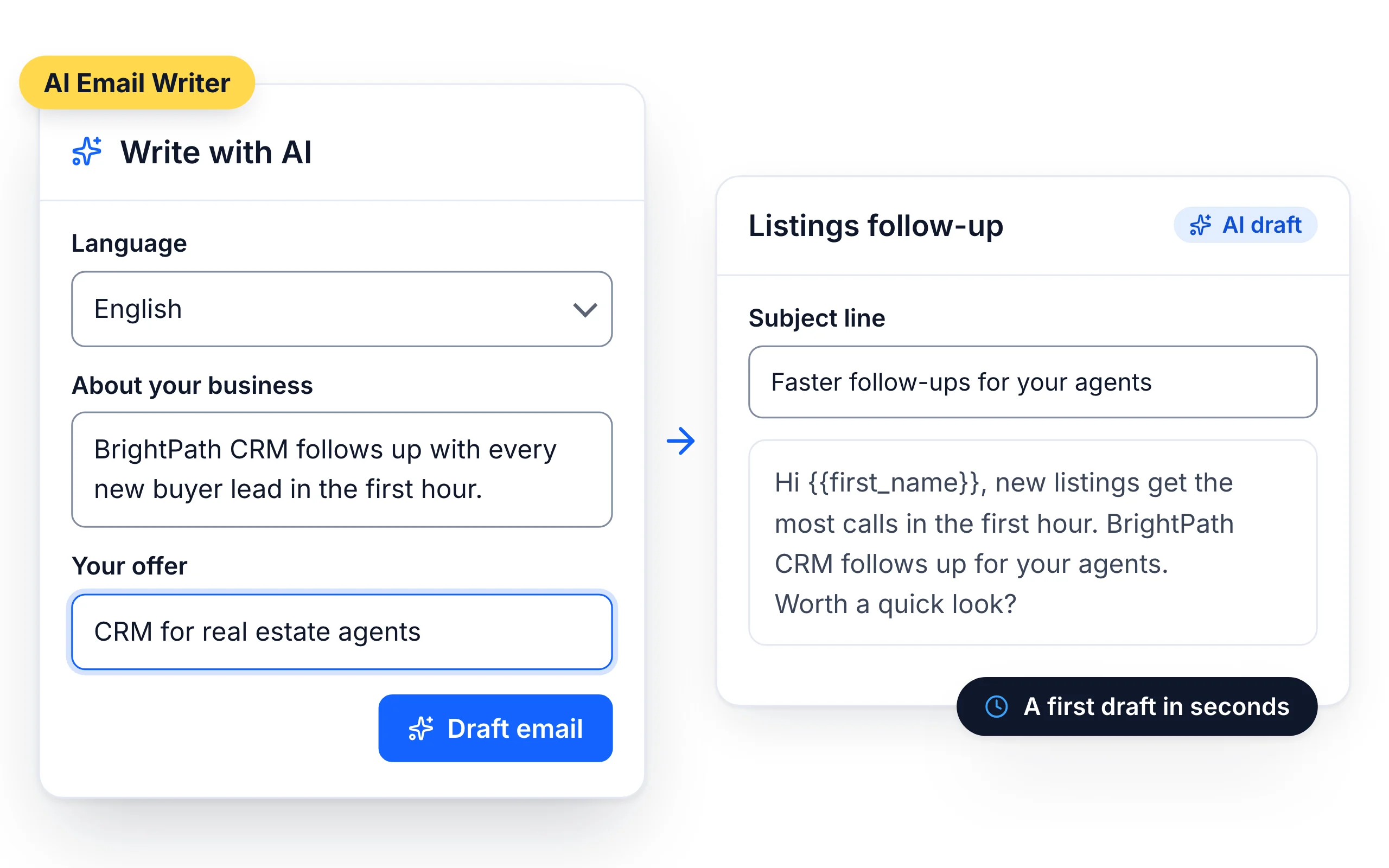
Start from a draft instead of a blank page. Describe what you sell and who you're writing to, and the AI writes the template. One click changes its tone or length.
14-day free trial. No credit card required.
Trusted by 12,000+ businesses


How it works
Describe your offer and audience
Generate the email with AI
Improve it, then add it to a sequence
A first draft in seconds
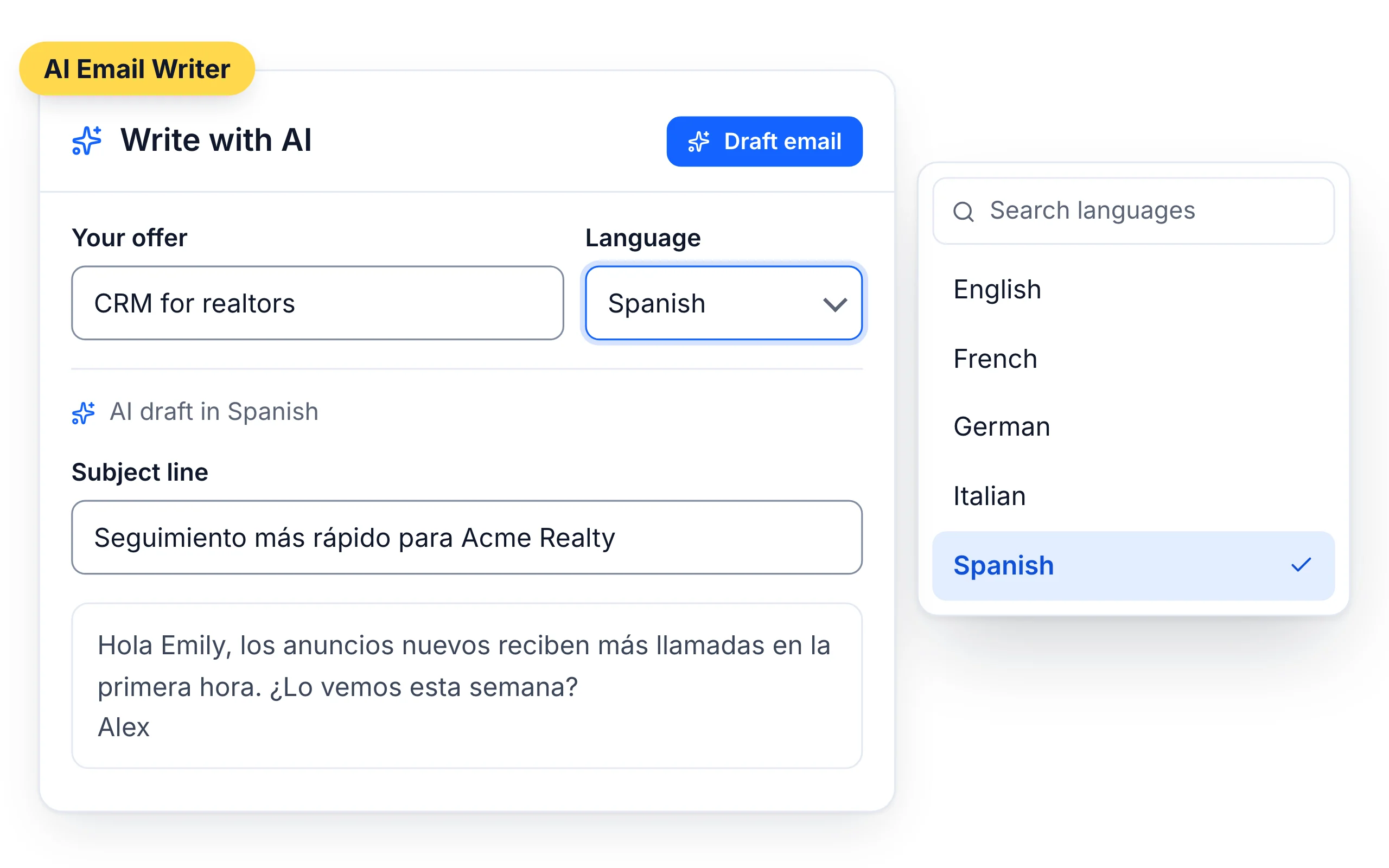
Click Generate with AI, describe your offer and audience, and get a subject line and email body in any of 100+ languages.
Improve any email in one click
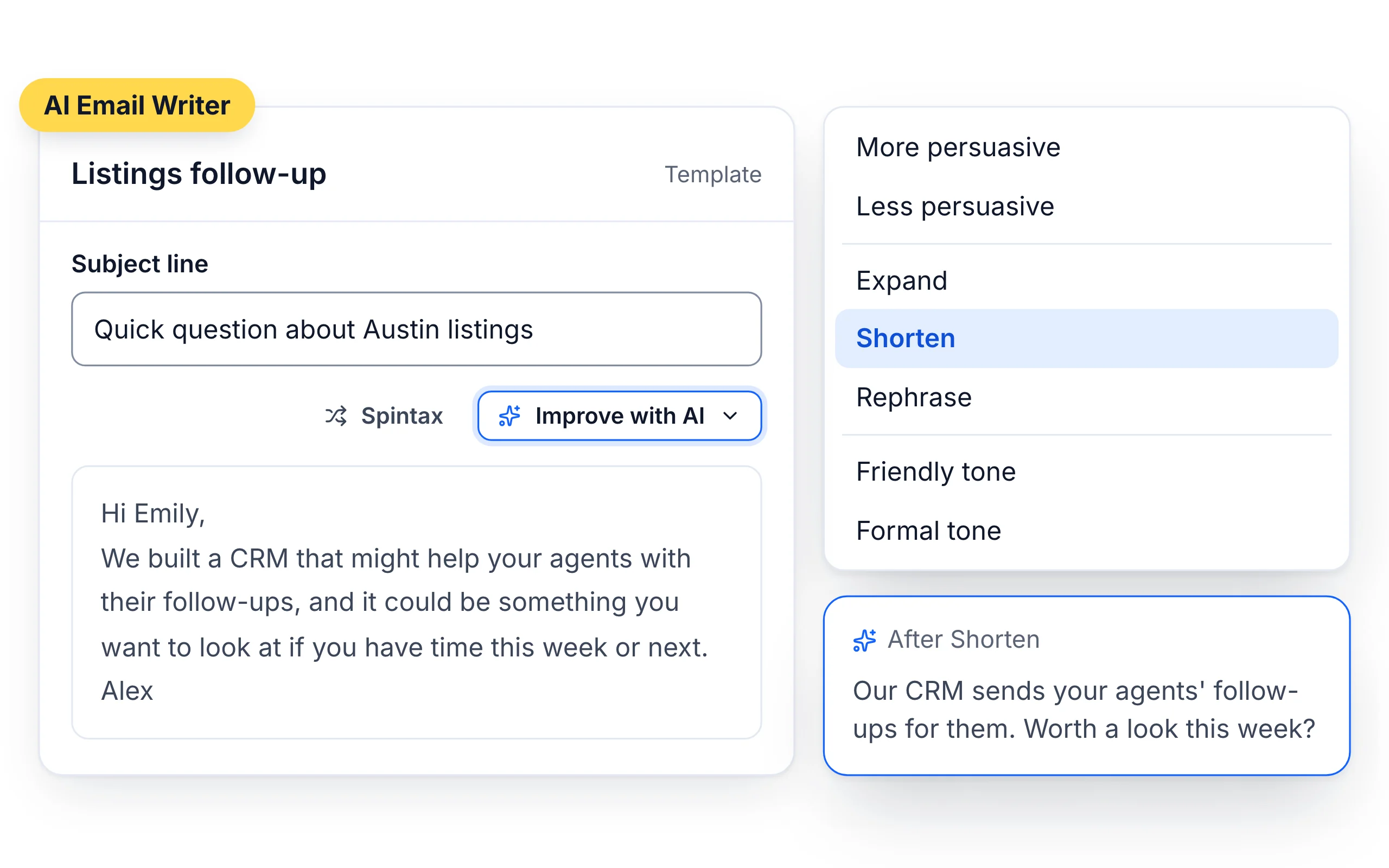
Select Improve with AI and choose how to change the draft.
- More persuasive or less persuasive
- Expand, shorten or rephrase
- Friendlier tone or more formal tone
AI spintax for fresh variations
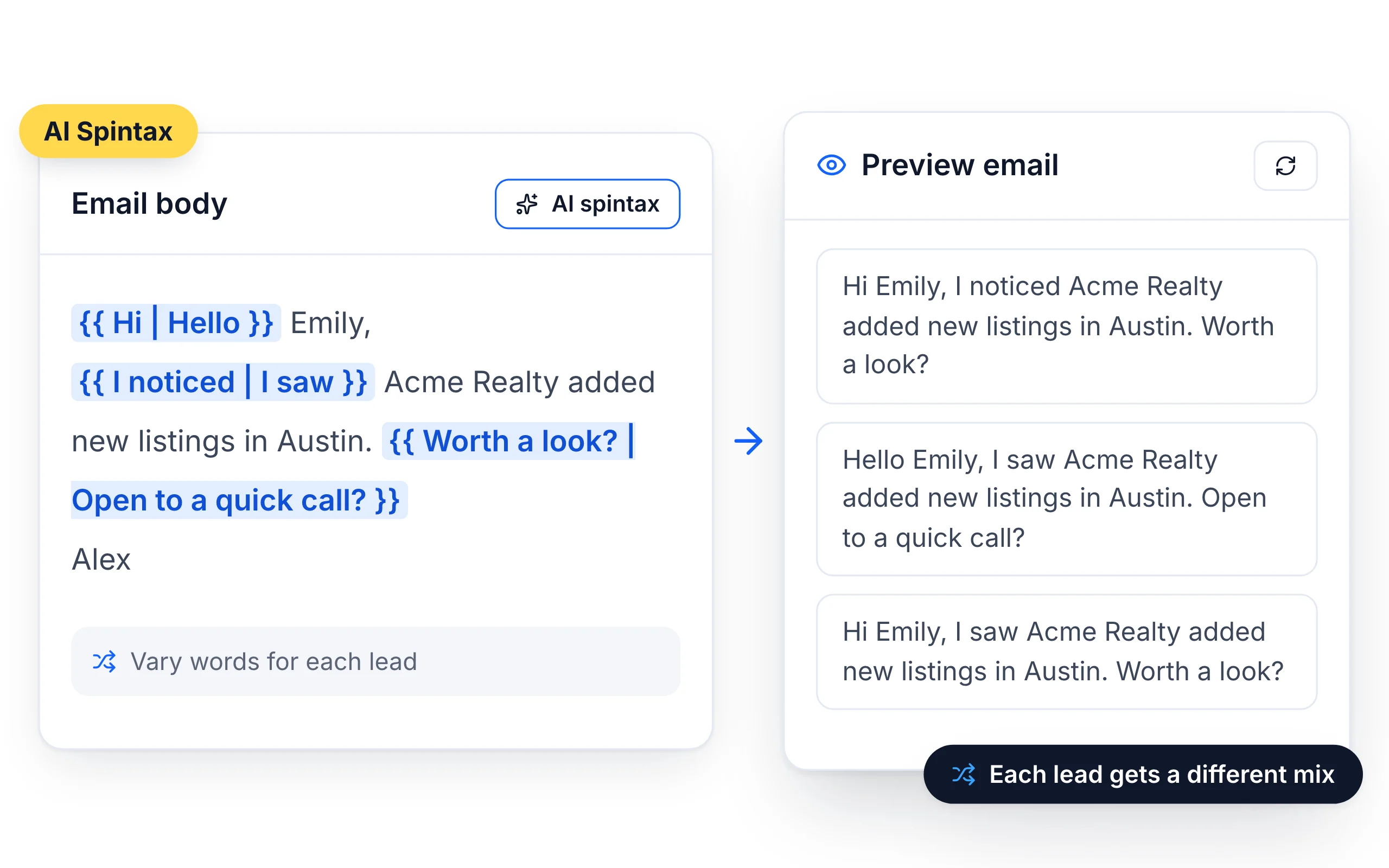
AI Spintax rewrites parts of your email into variations, so leads in the same sequence don't all receive identical text. Preview every variation before you send.
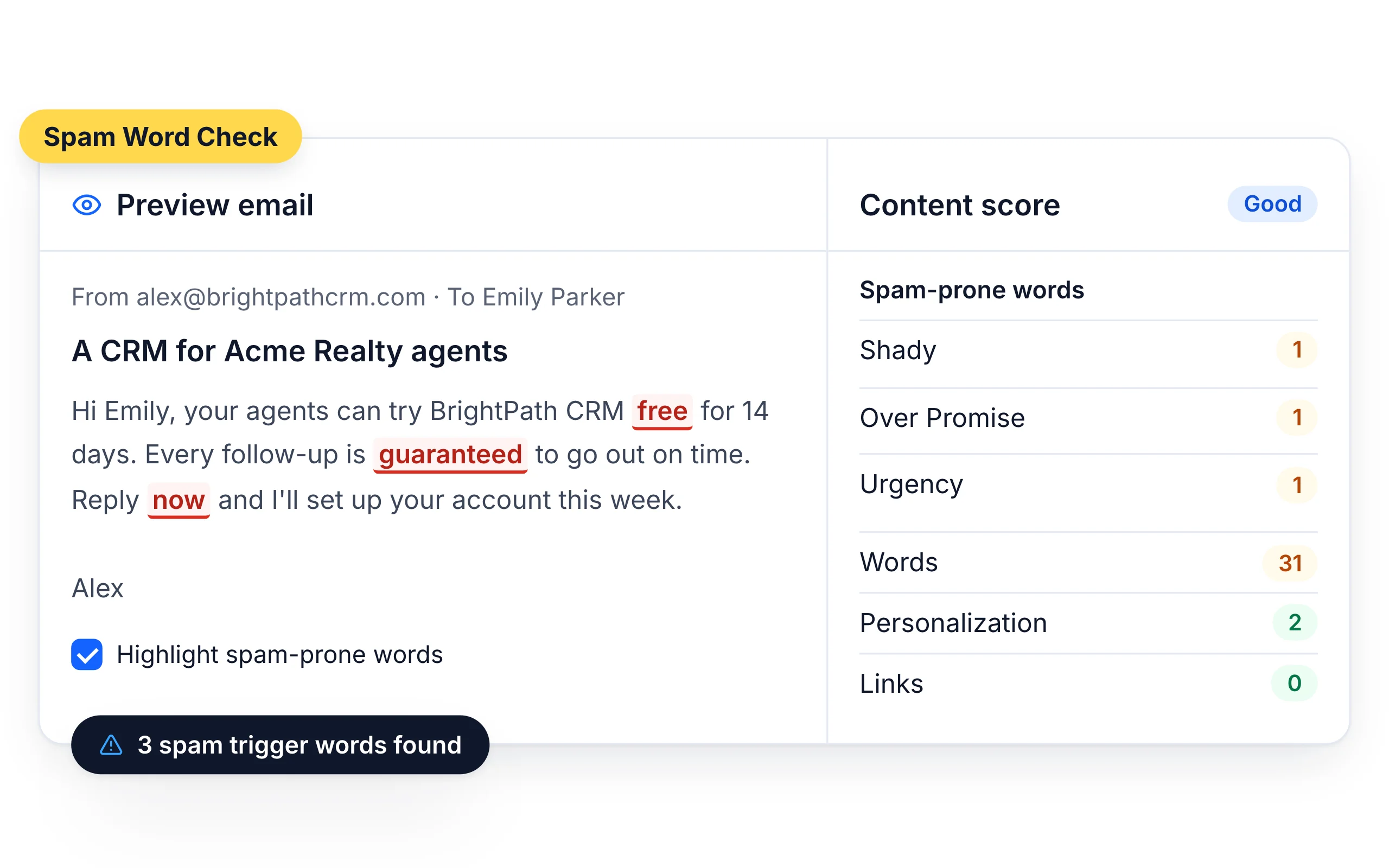
Spam words flagged as you write
The template preview highlights spam trigger words in the email body, so you can swap them before the email goes out.
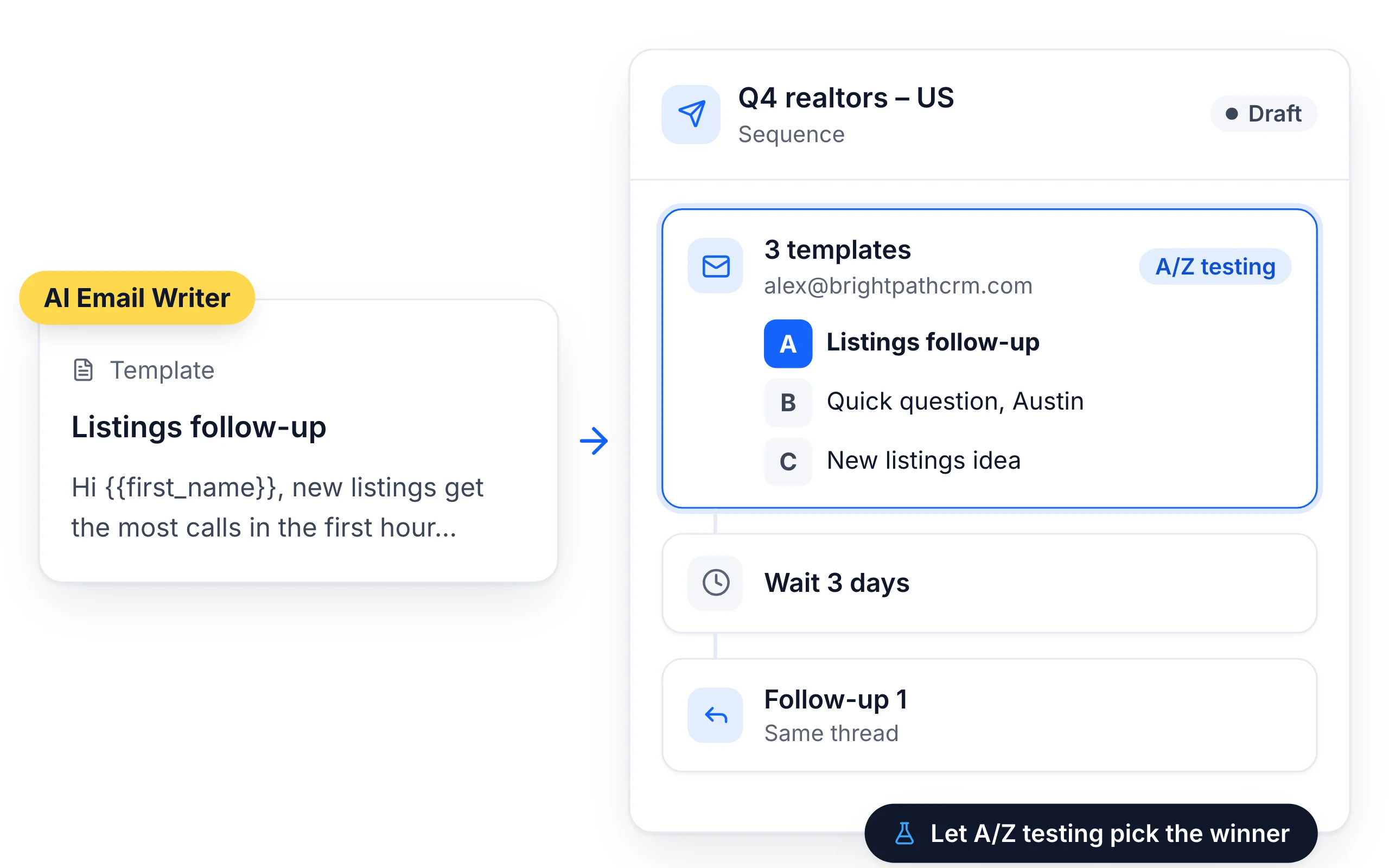
Add it to any sequence
Use the template in a sequence step, or add variants and let A/Z Testing find the best one.
Learn about Sales Sequences




Run it from your agent
Ask your agent to "write a template for my SaaS Founders list" and it saves the template in SalesBlink.
What customers say
4.7/5 on Capterra (286 reviews)4.5/5 on G2 (311 reviews)
5.0 on Capterra
“The AI email writing assistant is super handy when you're short on time or ideas. Also, being able to automate follow-ups saved me a ton of manual work.”
Frequently Asked Questions
What's the difference between the AI Email Writer and the Outreach Agent?
The AI Email Writer creates one template that every lead receives. The Outreach Agent writes a separate email for each lead.
Which languages can it write in?
100+ languages. Pick the language when you generate.
How do I stop AI emails sounding generic?
Fill in your Business Profile with your offer, audience and rules, and give the AI a specific description of who you're writing to.
Is there a free version?
Yes. Try the free AI email writer without an account.
What information does the AI use to write a template?
Three inputs: the language you pick, the About your Business field and your Offer/Value Proposition. About your Business is prefilled from the Business Profile in AI Settings and shows a Synced with AI Settings badge, and you can edit it before drafting. The Business Profile holds your product, audience, call to action and rules, such as "Keep emails strictly concise and under 60 words".
Can I rewrite just one part of an email with AI?
Yes. Select the text you want to change in the email body, then choose an AI action: More Persuasive, Less Persuasive, Expand, Shorten, Rephrase, Friendlier Tone or More Formal Tone. Only the selected text is rewritten, so you can tighten a call to action or soften an opening line without touching the rest of the email.
How does AI Spintax work?
Click Spintax in the toolbar, then AI Spintax. The AI rewrites each sentence into two or three variations, which you review before clicking Insert. When the sequence sends, SalesBlink picks one option from each block at random for every lead, so leads don't all receive identical text. Spintax works in both the subject line and the body.
What does the spam checker look for?
It scores the email body as you write and highlights words that tend to trigger spam filters. Hover over a flagged word to see its category: Urgency, Shady, Over Promise, Money or Unnatural. Swap or remove the flagged words, then check where the email lands with an Inbox Placement Test before launching, since a test email to yourself doesn't predict inbox placement.