 New: SalesBlink is now in ChatGPT
Run cold email outreach from Perplexity
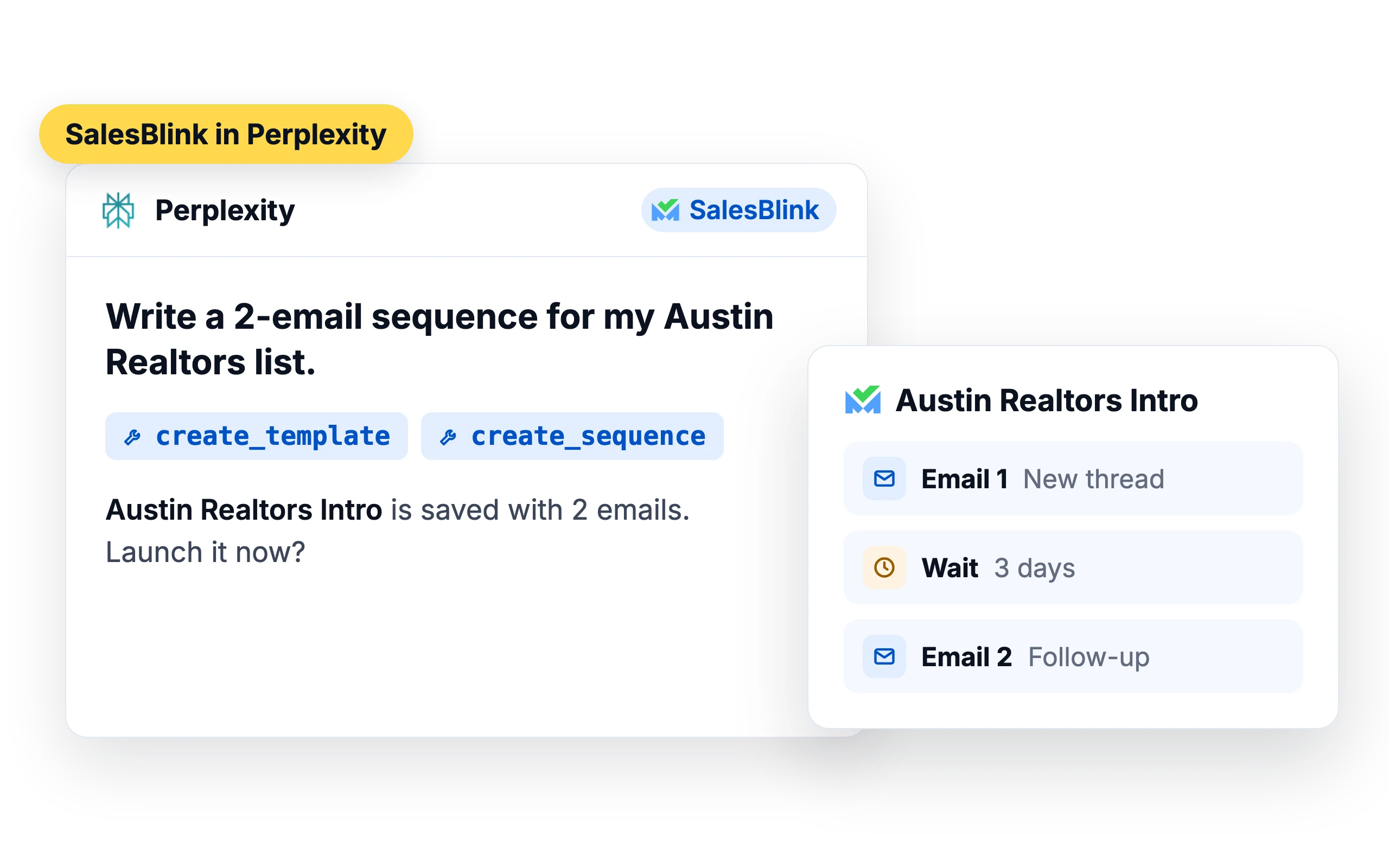
Add SalesBlink to Perplexity as a custom connector. Research a market, then create the sequence for it and check the replies in the same place.
14-day free trial. No credit card required.
Trusted by 12,000+ businesses




How it works
Add a custom connector
Add SalesBlink as a remote MCP server with the SalesBlink URL.
Sign in and approve
Sign in to SalesBlink and approve access. You don't need an API key.
Ask Perplexity
Ask it to show your lists, create a sequence or pull the replies.
Research the market, then write the sequence for it
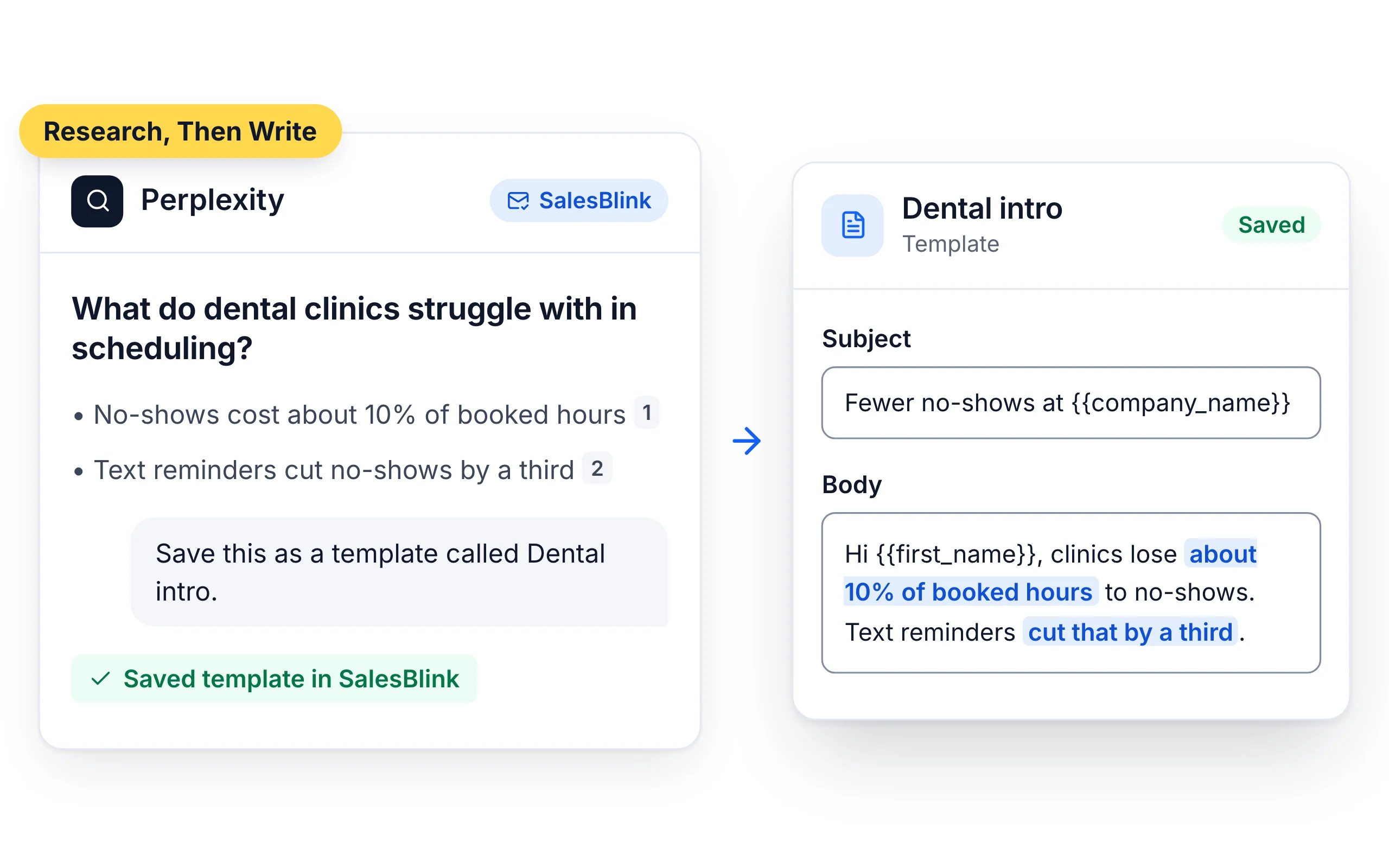
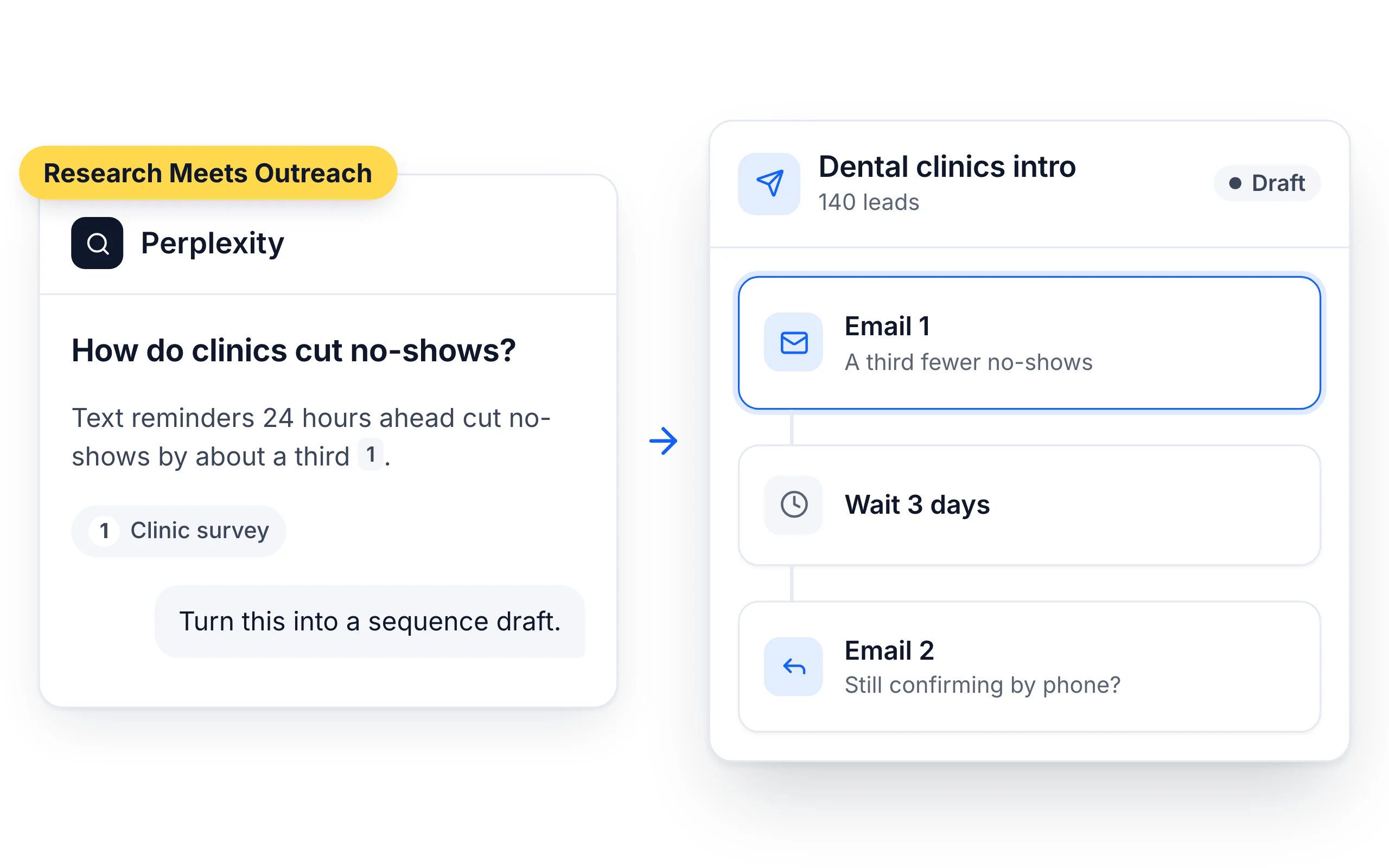
Use Perplexity to read up on an industry and what its buyers care about. Then ask it to turn that into a sequence or a template in SalesBlink, ready for a list you already have.
- "Create a two-email sequence for dental clinics based on what we just found."
- "Save the first email as a template called Dental Intro."
- "Launch it to my Dental Clinics list."
Answers about your own campaigns
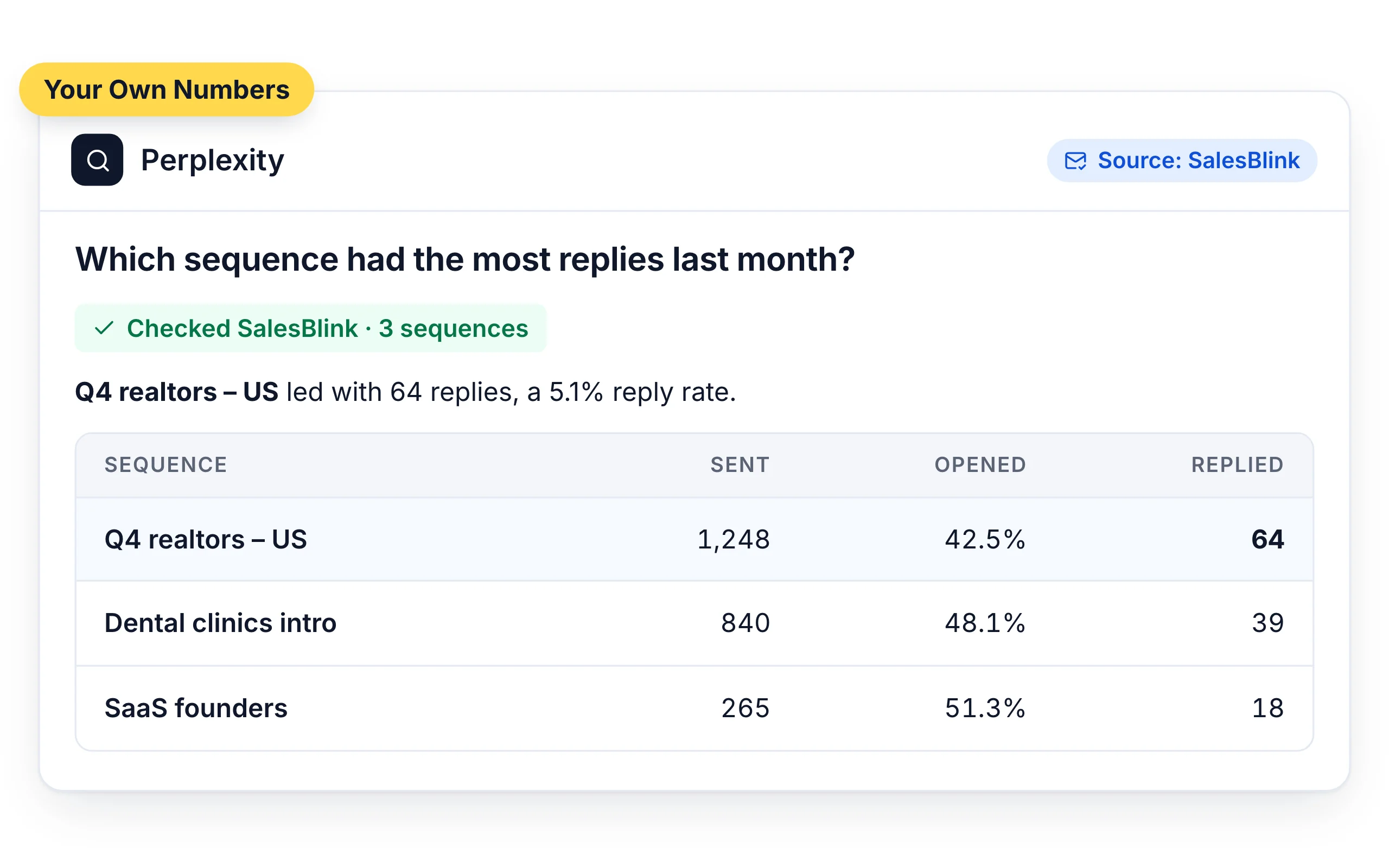
Perplexity can also read your SalesBlink account, so a question about last week gets numbers from your sequences.
- "Show me replies from this week."
- "Which sequence had the most replies last month?"
- "Run an inbox placement test for john@mycompany.com."
Who should run outreach from Perplexity
Perplexity fits people who research before they write. You look up an industry, a competitor or a trend, and the connector lets you act on what you learned without copying it into another tool.
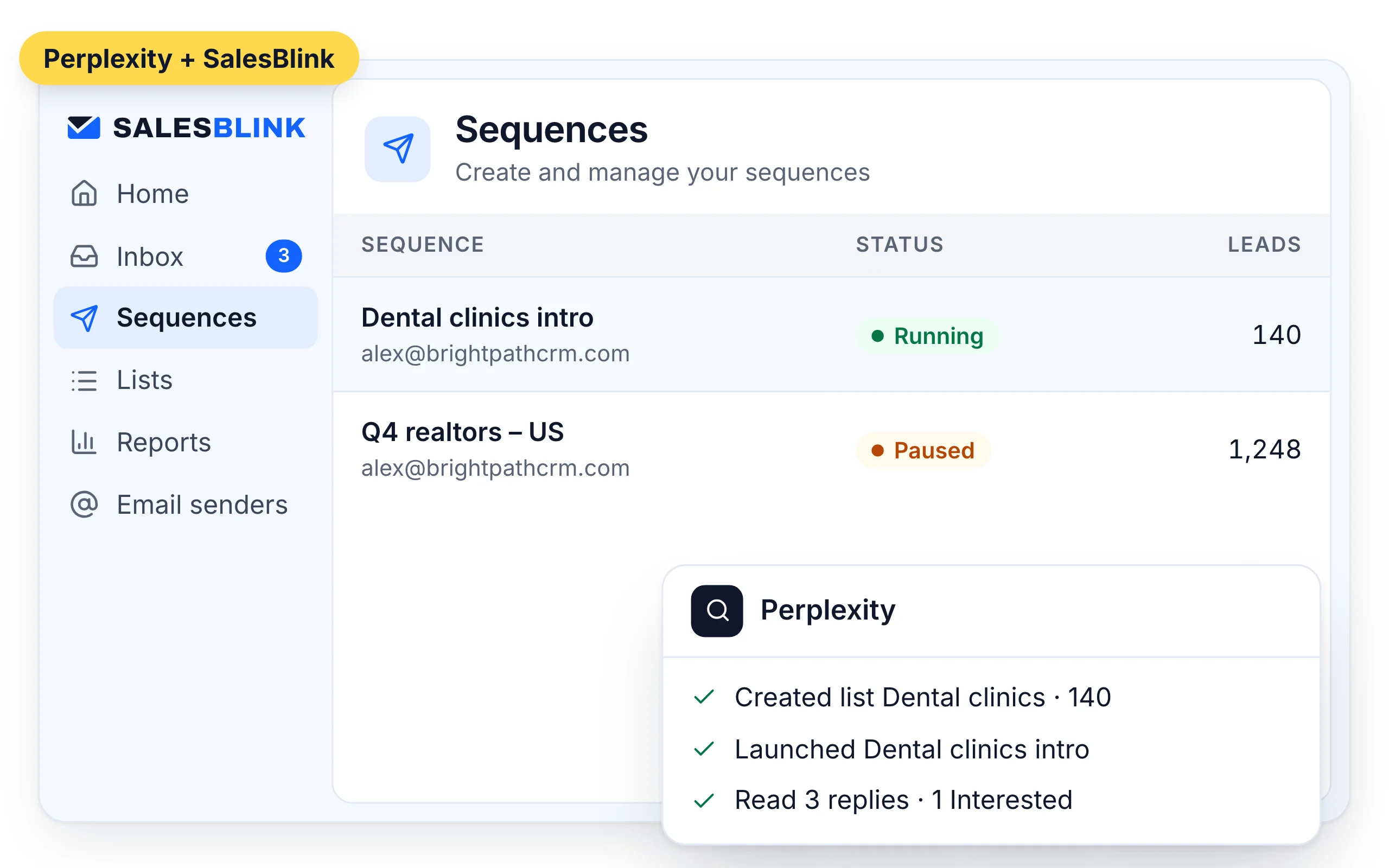
What Perplexity can do in your SalesBlink account
Perplexity adds SalesBlink to the sources it can use. A question about your campaigns is answered from your account, and a request to change something is passed to SalesBlink.
- Lists and leads: create lists, add up to 500 contacts at a time, look up leads and move them between lists
- Sequences: create, clone, launch and pause cold email sequences, and pull their stats
- Replies: read reply threads from the Unified Inbox, answer them and forward messages
- Senders: check sender health and warmup stats, and run an inbox placement test
- Templates and workspaces: create email templates and switch between client workspaces
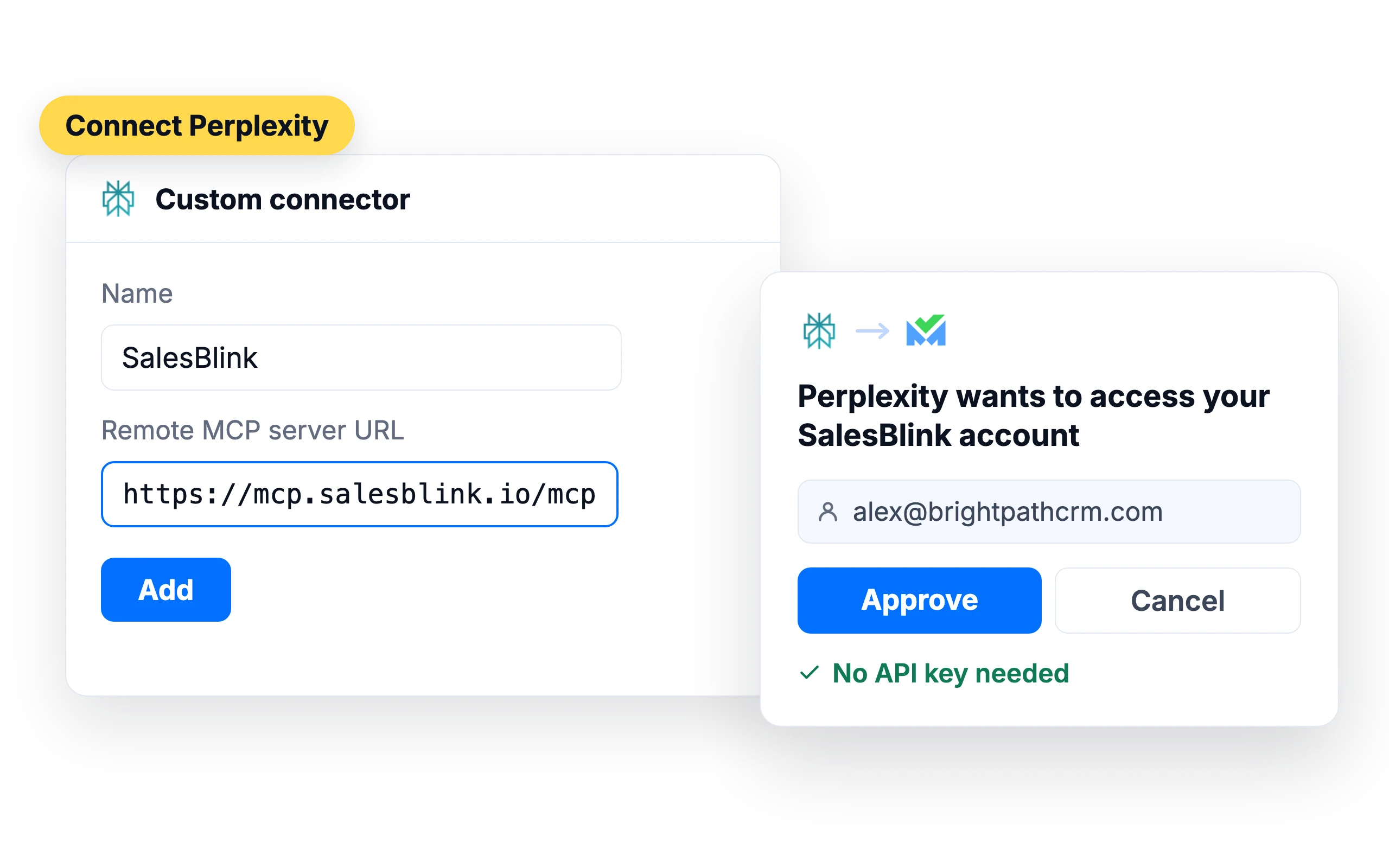
How to connect Perplexity to SalesBlink
You add the connector once and sign in.
- Add a custom connector (remote MCP server) with the URL
https://mcp.salesblink.io/mcp - Sign in to SalesBlink and approve access. You don't need an API key
- Ask for something small first, such as "Show me my SalesBlink lists."
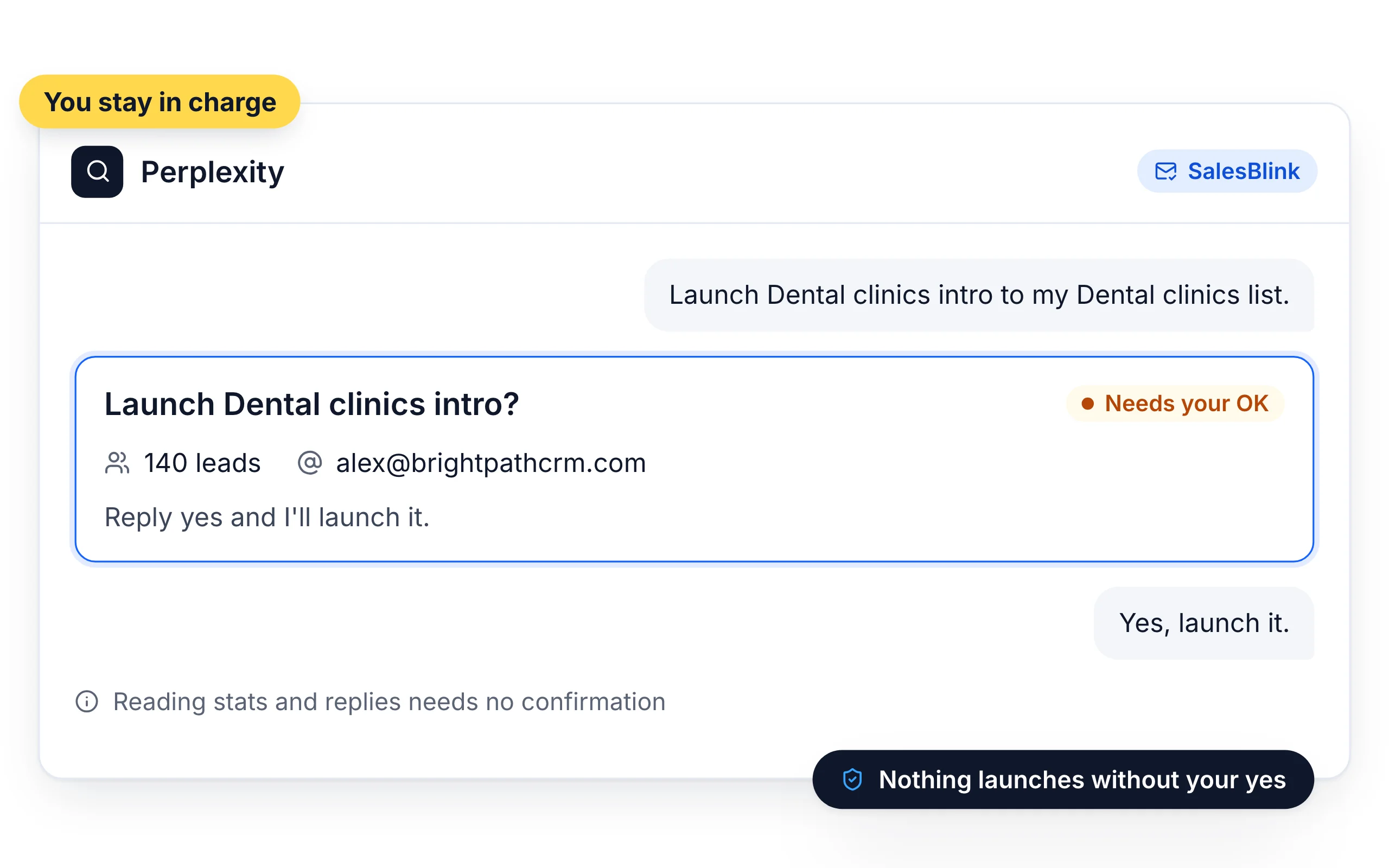
You stay in charge of what gets sent
Perplexity asks you to confirm before it launches or resumes a sequence. Reading your stats and replies needs no confirmation.
- Turn on Outbox review in a sequence's settings and every email waits for your approval
- Emails go out from your own SalesBlink senders, inside their daily limits and sending schedule
- Each time Perplexity adds contacts it has to state where they came from, such as an opt-in list, a CRM export or an event
What customers say
4.7/5 on Capterra (286 reviews)4.5/5 on G2 (311 reviews)
5.0 on Capterra
“I like how SalesBlink connects with AI and my own code, making the email outreach process faster and easier. This integration allows me to build sequences quickly and carry out email outreach with automatic follow-ups.”













Frequently Asked Questions
Can Perplexity find leads and email them?
Perplexity can research companies and markets, and it can manage lists in SalesBlink. Contacts it adds need a stated source that you already have, such as an opt-in list or a CRM export. The connection is not meant for addresses collected from the web.
What does Perplexity need to connect?
An account that can add custom connectors, and a SalesBlink account. You paste the SalesBlink MCP URL, sign in to SalesBlink and approve access.
Can I plan a campaign before I have a list?
Yes. Research the market and draft the sequence first, and save the emails as templates in SalesBlink. Add the list when you have contacts from a source of your own.
Can Perplexity pause a sequence?
Yes. Name the sequence and Perplexity pauses it. Starting it again needs your confirmation.
Can Perplexity answer replies?
Yes. Ask for a reply thread and tell Perplexity what to say. It sends the answer from the sender the lead wrote to.
Does Perplexity send the emails?
No. Perplexity gives the instructions. SalesBlink sends from the senders connected to your account, with their daily limits and schedule.
Can Perplexity attach files to emails?
No. Emails and replies sent through Perplexity can't include attachments. Add files from the SalesBlink web app.
Do I need a SalesBlink account?
Yes. Perplexity connects to your SalesBlink account through a sign-in that you approve, so you don't need an API key. You can start with the 14-day free trial.
Can Perplexity send emails without asking me?
Perplexity asks you to confirm before it launches or resumes a sequence. You can also turn on Outbox review so every email waits for your approval.